3. Operation
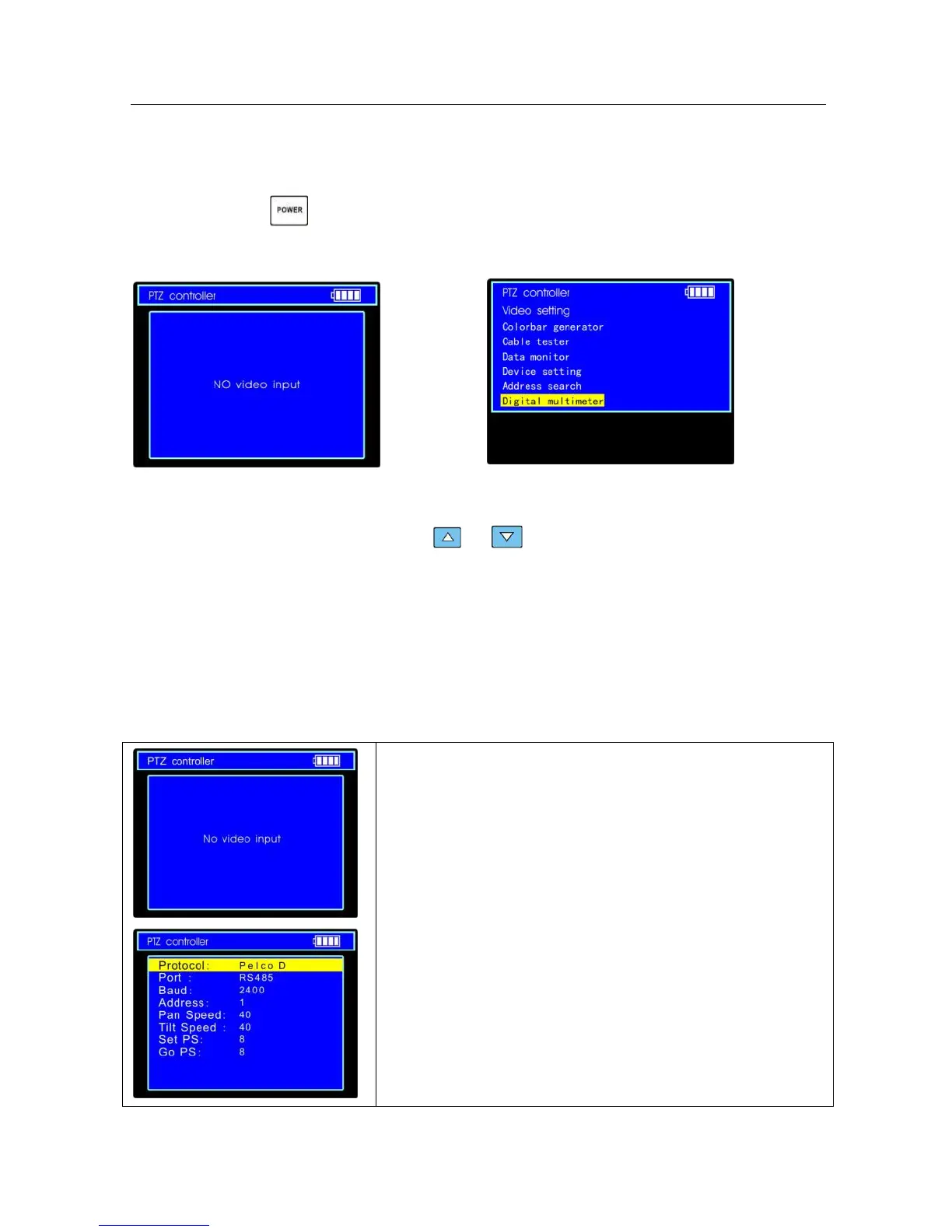
3.1 Power on
Continuously press (at least 2 seconds) to power on/off the CCTV testerPRO. When the CCTV
testerPRO is powered on
,
press MODE key the main-menu will pop up.
3.2 Menu & Functions
Press MODE key continuously or press the or key to select the function (PTZ controller,
Video settings, Colorbar generator, LAN cable tester, Data monitors, Device setting) and enter
corresponding function setting sub-menu. Press SET key to set the parameters in function sub-menu.
Note: When the CCTV testerPRO is powered on, it will return to the function which is being operated
before it is turned off.
1. PTZ controller
Display the input video images. Pan/tilt the P/T unit and zoom
in/ out the image. Setup the controlling parameters like protocol,
communication port, baud rate, PTZ ID, pan/tilt speed; set and
call preset position.


 To Next Page