EN EN
4
CDV-T5
2EASY 2-wire Touchscreen Video Door Station
Door Station Module
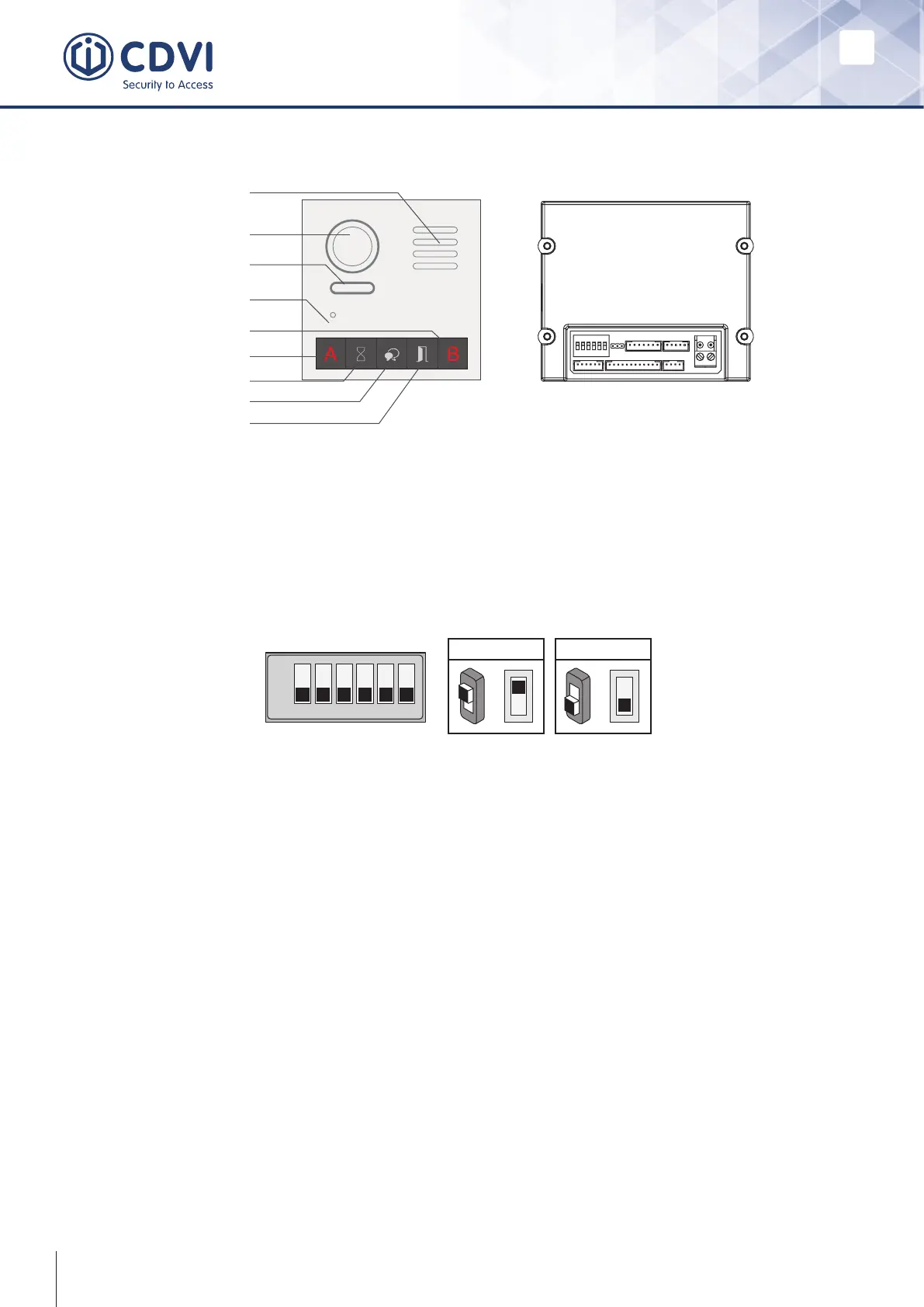
A total of 6 bits can be congured by DIP switch. All switches can be modied either
before or after installation. Restart the power whenever the switches have been modied.
ON(1)
=
OFF(0)
=
ON
ON
ON
1 2 3 4 5 6
• Bit-1 and Bit-2 are used for door station ID settings. When multi-door stations
are installed in the system, these two bits must be set correctly. The rst door
station is set to 00, the second to 01, the third to 10, the fourth to 11. If only one
door station is installed, the bit is set to 00.
• Bit-3: Not used.
• Bit-4: Not used.
• Bit-5 is used for unlocking time setting. 0 is the default setting and the default
time is 1 second. If set to 1, the unlock time is 5 seconds (the unlock time can be
modied via door station or software).
• Bit-6 is used for activating the key A and key B. Normally key A and key B are
not activated. When the touch button module is powered and the bit-6 set to 1, the
keys A and B are activated.
Note: Key A and key B are invisible on the panel as they are cryptic.
Speaker
Camera lens
Night view LED
MIC
Invisible key A
Status indicator
Talk indicator
Unlock indicator
Invisible key B
DIP Switch Settings



 To Next Page