EN EN
6
CDV-T5
2EASY 2-wire Touchscreen Video Door Station
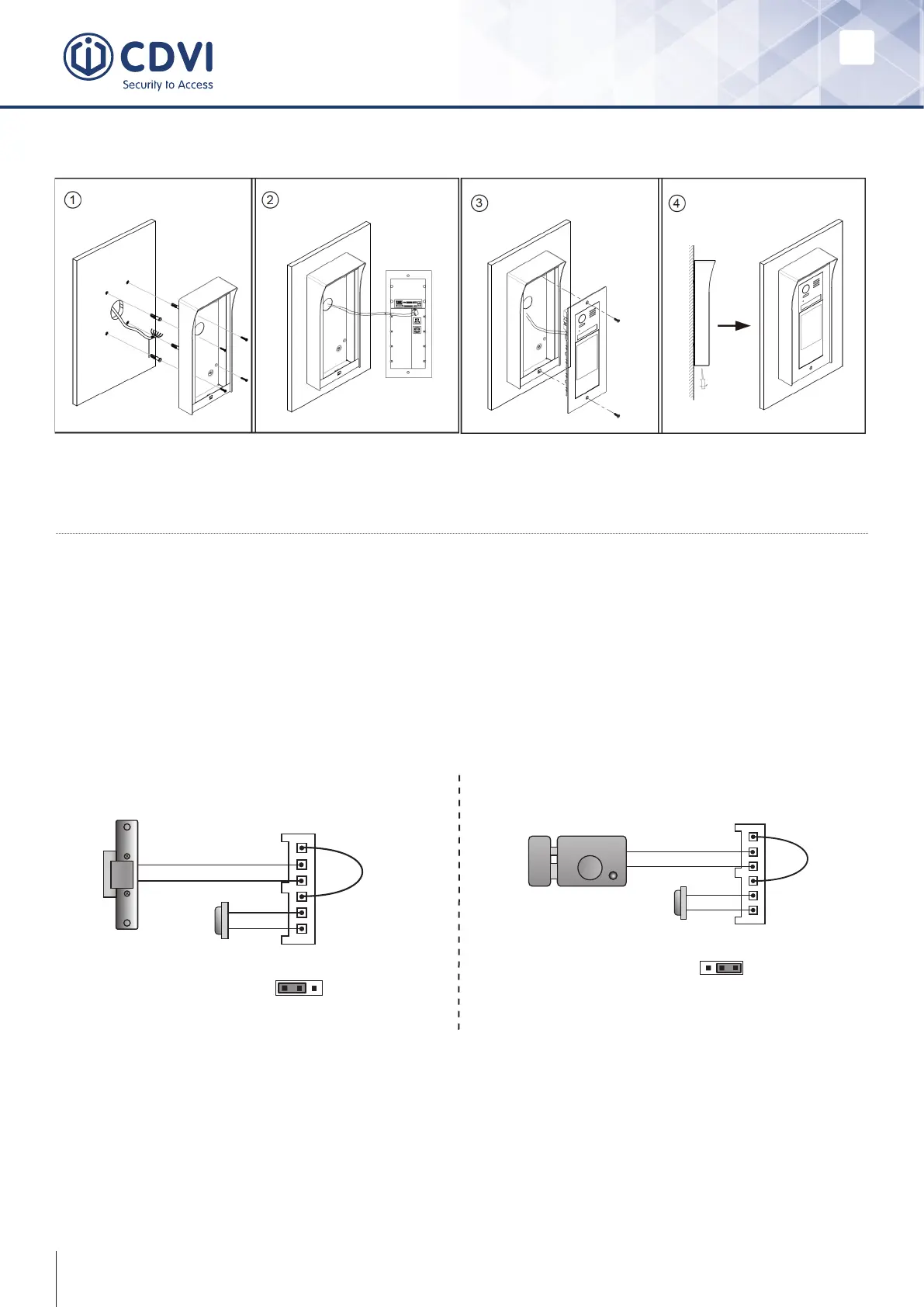
Surface Mount
4] ELECTRIC LOCK CONNECTIONS
Door lock controlled with internal power
1. The door lock is limited to 12Vdc. The holding current must be less than 250mA
when using internal power supply.
2. The monitor’s Unlock Mode must be set to 0 (by default).
3. Set the jumper to position 1-2 for Fail Safe type locks (Power off to unlock). Set to
position 2-3 for Fail Secure type locks (Power on to unlock).
4. You can change the unlocking time on the door station directly.
Door lock controlled with dry contact
1. The external power supply must be chosen according to the lock.
2. The jumper must be taken off before connecting.
3. Set the monitor’s Unlock Mode for different types of lock.
• Fail Secure (Power on to unlock): Unlock Mode=0 (by default)
• Fail Safe (Power off to unlock): Unlock Mode=1
Fail Safe Fail Secure
12V 300mA
Jumper position in 1-2
+12V
LK -
LK+
N.O.
EB-
EB+
+
-
1 2 3
Exit button
JP_LK
12V 300mA
Exit button
Jumper position in 2-3
+
-
+12V
LK -
LK+
N.O.
EB-
EB+
1 2 3



 To Next Page