EasyManua.ls Logo

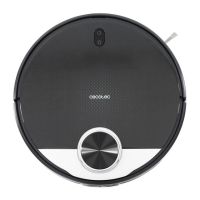
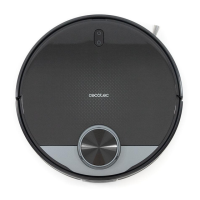
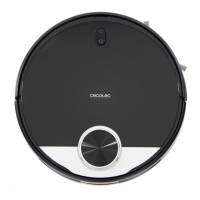
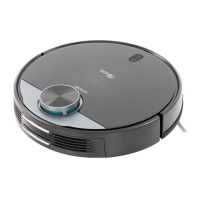
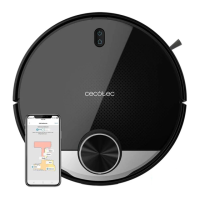
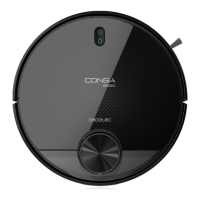
cecotec Conga 3090 Series - User Manual

cecotec Conga 3090 Series
22 pages
Print Icon
To Next Page IconTo Next Page
Loading...
myRobotcenter
The expert for robots in your home
With one click to the online shop
myRobotcenter.eu myRobotcenter.co.uk

Questions and Answers

  • K
    Kenneth LopezJul 27, 2025
    Why does my cecotec Conga 3090 Vacuum Cleaner not clean efficiently?
    • U
      upattonJul 27, 2025
      Inefficient cleaning or dust leaks usually happen because the dust tank is full or the main brush is tangled. Empty the dust tank and clear the HEPA filter if it's blocked. Also, clear any foreign matter from the main brush.
  • K
    Kenneth CopelandJul 31, 2025
    What to do if my cecotec Conga 3090 won't return to the charging base?
    • A
      Andres JohnsonJul 31, 2025
      If your robot vacuum isn't returning to its charging base, it could be due to obstacles around the base or the robot being too far away. Place the charging base in an open, uncluttered area. If that doesn't work, move the robot closer to the base and try again.
  • S
    Shaun WeaverAug 5, 2025
    How to fix cecotec Conga 3090 Vacuum Cleaner that won't start?
    • M
      Margaret DavisAug 5, 2025
      If your Cecotec Vacuum Cleaner isn't starting, the battery may be low, so allow it to charge fully. Also, ensure the room temperature is between 0 and 40 ºC, as the robot may not operate outside this range.
  • R
    rmartinezAug 9, 2025
    What to do if my Cecotec Vacuum Cleaner could not connect to Wi-Fi?
    • H
      Hector LopezAug 9, 2025
      If your robot vacuum can't connect to Wi-Fi, the Wi-Fi signal might be weak or unstable. Ensure the Wi-Fi signal is strong and stable. If problems persist, reset the router and check for app updates, then try again.
  • J
    Jordan StevensAug 13, 2025
    What to do if my cecotec Conga 3090 emits strange noise?
    • R
      Rachel ReeseAug 13, 2025
      A strange noise during cleaning indicates that the main brush, side brush, or omnidirectional wheel may have foreign objects tangled in them. Stop the robot and clear these parts.
  • M
    Mckenzie JacobsAug 17, 2025
    How to fix cecotec Conga 3090 that won't charge?
    • J
      Jennifer NashAug 17, 2025
      To fix a Cecotec Vacuum Cleaner that won't charge, clean the charging terminals and make sure the power switch is turned on.
  • V
    Veronica WilkinsonAug 22, 2025
    What to do if my Cecotec Vacuum Cleaner doesn't return to the charging base after spot cleaning?
    • D
      Debbie AndersonAug 22, 2025
      If the robot doesn't return to the charging base after spot cleaning or after changing its starting position, the charging base may be too far away. Manually put the robot back on the charging base.

Summary

Robot Parts and Components

Main Body Components

Details the main structural parts of the robot, including cover and buttons.

Light Indicator Status

Explains the status indicated by different light colors and blinking patterns.

Safety Instructions

Before Use

Operation Overview

Robot Buttons Operation

AUTO Mode Operation

Describes how to start automatic cleaning in zig-zag pattern and route planning.

Remote Control Functions

Remote Control Modes and Settings

Covers operating modes (Auto, Spot, Edge, Back-home) and settings (scheduling, power) using the remote.

Battery Replacement and Charging

Troubleshooting Common Issues

Technical Support and Warranty

cecotec Conga 3090 Series Specifications

General IconGeneral
Brandcecotec
ModelConga 3090 Series
CategoryVacuum Cleaner
LanguageEnglish

Related product manuals