EasyManua.ls Logo

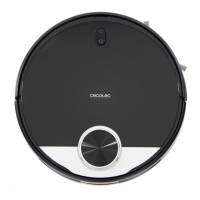
cecotec CONGA 3490 - User Manual

cecotec CONGA 3490
133 pages
Go to English
Print Icon
To Next Page IconTo Next Page
Loading...
myRobotcenter
Der Spezialist für Roboter in deinem Zuhause
Mit einem Klick zum Online-Shop
myRobotcenter.at myRobotcenter.de myRobotcenter.ch

Table of Contents

Questions and Answers

  • K
    Kristine MurphyAug 15, 2025
    Why is my cecotec CONGA 3490 Vacuum Cleaner not cleaning efficiently, or why is dust leaking from it?
    • K
      Kevin ChenAug 16, 2025
      This could be happening because the dust tank is full, or the high-efficiency filter is blocked, or the main brush is tangled. You should empty the dust tank and clear the high-efficiency filter if it’s blocked. Also, clear any foreign matter tangled in the main brush.
  • A
    Alan VaughnAug 18, 2025
    What to do if my cecotec CONGA 3490 cannot charge or return to the charging base?
    • D
      David TurnerAug 18, 2025
      There might be several reasons why your robot vacuum isn't charging or returning to its base. Here are a few things to check: * Make sure the power switch is turned on. * Relocate the charging base to an area free of obstacles. * Clean the charging terminals. * Place the robot closer to the charging base and try again.
  • M
    Michelle WestAug 21, 2025
    What to do if the connection between my mobile phone and cecotec CONGA 3490 Vacuum Cleaner robot failed?
    • R
      Russell MartinAug 21, 2025
      If the connection between your mobile phone and the robot failed, the Wi-Fi signal might be poor. Ensure the robot and the charging base are in an area with a good Wi-Fi signal. You can also try resetting the router and connecting them again.
  • K
    Kayla HarrisonAug 25, 2025
    Why won't my cecotec CONGA 3490 start or clean?
    • G
      georgechavezAug 25, 2025
      Your robot vacuum might not start or clean if the battery is low. Allow it to charge before operating it. Also, the room temperature could be the problem. Make sure to operate the robot in a room where the temperature is between 0 ºC and 50 ºC.
  • X
    xbrownAug 27, 2025
    How to fix Cecotec Vacuum Cleaner when it's always offline?
    • J
      Jessica AllenAug 27, 2025
      Ensure the robot is successfully connected to the network and always within the Wi-Fi signal range.
  • K
    kristina26Aug 30, 2025
    Why didn't my cecotec CONGA 3490 Vacuum Cleaner carry out the scheduled cleaning?
    • L
      Lori CruzAug 30, 2025
      The robot might not perform scheduled cleaning if it is in Night mode. Check if the robot is in Night mode and switch mode. Also, make sure the robot is connected to the network.
  • A
    ahigginsSep 2, 2025
    What causes a strange noise from my cecotec CONGA 3490 during cleaning?
    • S
      Sara HoffmanSep 2, 2025
      If your robot vacuum is making strange noises, the main brush, side brush, or omnidirectional wheel may have foreign matters tangled. Stop the robot and clear it up.
  • M
    Mrs. Kathryn HicksSep 6, 2025
    What to do if my cecotec CONGA 3490 does not work properly?
    • J
      Julie RodriguezSep 6, 2025
      Turn the robot off, switch it off, and then turn it on again.
  • H
    Helen HouseSep 8, 2025
    Why does my cecotec CONGA 3490 not resume cleaning?
    • S
      Samuel WillisSep 8, 2025
      The robot is in Night mode. Make sure the robot is not in Night mode.
  • B
    Benjamin MillerSep 12, 2025
    Why doesn't the Cecotec Vacuum Cleaner return to the charging base after spot cleaning or changing its starting position?
    • K
      Kristin MeltonSep 12, 2025
      After spot cleaning or changing its starting position, the robot will map and calculate a new route. If the charging base is very far away from the robot, put the robot back on the charging base manually.

Summary

2. Safety Instructions

4. Installation

Robot and Charging Base Installation

Guides on connecting the charging base and placing it correctly.

Wet & Dry Tank Installation

Instructions for filling and attaching the wet & dry tank and mop.

First Cleaning Procedure

Steps for initial charging and the first cleaning cycle for optimal mapping.

5. Operation

Auto Mode

How to start automatic cleaning and the robot's navigation strategy.

Back-home Mode

Instructions for sending the robot back to its charging base.

6. Mobile App and Wi-Fi Connection

App Configuration and Wi-Fi Setup

Steps for downloading the app, creating an account, and connecting to Wi-Fi.

App Functions and Controls

Explains app features like pause, standby, and suction power adjustment.

7. Cleaning and Maintenance

Dust Tank and Filter Care

How to empty the dust tank and clean the high-efficiency filter.

8. Battery Replacement and Charging

9. Troubleshooting

12. Technical Support Service and Warranty

cecotec CONGA 3490 Specifications

General IconGeneral
Brandcecotec
ModelCONGA 3490
CategoryVacuum Cleaner
LanguageEnglish

Related product manuals