ENGLISH
34
3. Press the button again to save the settings.
4. To cancel the scheduled cleaning:
• Set the remote control’s clock to 00:00 am and save it.
• Switch the robot off for 1 minute and switch it on again.
Note: the robot will beep to indicate all settings have been saved.
Warning: when the remote control’s batteries are replaced, the clock and schedule times must
be set again.
Light indicator:
• Operating: steady blue light
• Recharging/low power: orange light blinks slowly
• Charging: orange light oscillates
• Network conguration: light ashes slowly
• Start-up/rmware update: blue light oscillates
• Error: red light ashes quickly
6. MOBILE APP AND WI-FI CONNECTION
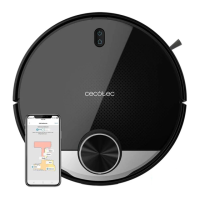
In order to access all the robot’s functions from anywhere, it is suggested to download the
Conga 3290/3490/3690 App. You will be able to control the robot in the most efcient way,
enjoying the excellence of cleaning.
App advantages:
• Control your robot in an easy and intuitive way.
• Activate the cleaning cycles from any point.
• Carry out settings and daily scheduling.
• Choose between its different cleaning modes: Auto, Spiral, Edge, Manual, Twice, Restricted
area, Spot, Smart area, back home or Scrubbing.
• View how the robot creates an interactive map as it is cleaning.





 To Next Page