This document is a user manual for the Conga Quick&Clean Vital robot vacuum cleaner. It provides instructions and information in multiple languages, including Spanish, English, French, German, Italian, Portuguese, Dutch, Polish, and Czech.
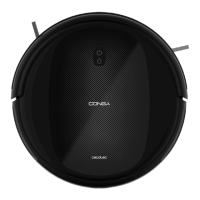
The Conga Quick&Clean Vital is a robot vacuum cleaner designed for household use. It features various cleaning modes and functions, and can be controlled via buttons on the robot itself or through a remote control.
Function Description:
The robot vacuum cleaner is designed to perform automatic cleaning of various surfaces. It can vacuum, scrub, and sweep simultaneously thanks to its mixed tank. It is equipped with anti-collision and free-fall sensors to navigate around obstacles and avoid stairs or uneven surfaces. The robot automatically returns to its charging base when the battery is low.
Important Technical Specifications:
- Model: Conga Quick&Clean Vital
- Product reference: 05791
- Voltage: 100-240 V ~, 50/60 Hz
- Battery: 14.4 V, 2500 mAh (Li-ion battery)
- Power levels: 3 (Turbo, Normal, Eco)
Usage Features:
- Start/Pause Button: Located on the robot and remote control. Press and hold for a few seconds to turn the robot on or off. Press to start or pause cleaning.
- Back Home Button: Located on the robot and remote control. Press to send the robot back to its charging base.
- Indicator Light:
- Steady orange: low battery/back home mode.
- Flashing orange: charging.
- Steady blue: fully charged/standby mode/cleaning.
- Flashing red: error/tank missing.
- Cleaning Modes:
- Auto Mode: The robot cleans the entire surface, edges, and around objects until the battery is low, then returns to the charging base.
- Scrubbing Mode: Attach the mop to the mixed tank, fill with water, and select one of three scrubbing levels (High, Medium, Low) via the remote control. The robot will vacuum, scrub, and sweep simultaneously.
- Spiral Mode: The robot performs an intense cleaning of a specific area, moving outwards in a 1-meter spiral and then returning inwards. After finishing, it switches to Auto mode until the battery runs out.
- Edge Mode: The robot cleans along walls and around furniture.
- Room Mode: The robot performs a 30-minute cleaning cycle within a specific room.
- Manual Mode: Use direction buttons on the remote control to manually steer the robot.
- Power Level Function: Control the suction power (Turbo, Normal, Eco) during cleaning using the remote control.
- Scheduling: The robot can be programmed to clean daily at specific times and on selected days of the week using the remote control.
- Warnings:
- Do not touch wires, power supplies, or power adapters with wet hands.
- Keep the robot away from clothing, curtains, and similar materials.
- Do not expose the robot to direct sunlight, open fire, or wet environments.
- Do not sit or place heavy/sharp objects on the appliance.
- Designed for household use only; not for outdoor or commercial purposes.
- Prepare the room before operation by removing objects and cables that may affect its function.
- Place the device on a flat, stable surface; avoid unstable places where there is a risk of falling.
- Turn off the power switch (located on the lower part of the robot) when not in use for a long period.
- Only use the supplied battery and power adapter or Cecotec-approved compatible units.
- Disconnect from the power socket before cleaning, maintenance, or battery removal.
- Remove the battery before disposing of the robot.
- Can be used by children aged 8+ and persons with reduced capabilities if supervised and instructed.
- Children should be supervised to prevent playing with the appliance.
- Cleaning and maintenance should not be performed by unsupervised children.
- The plug must be removed from the charging base before cleaning or maintenance.
- Battery ingestion can cause severe burns and death; seek medical help immediately if ingested.
Maintenance Features:
- High-efficiency Filter: Designed to trap dust particles, mites, and pollen. Clean periodically (recommended weekly) to maintain efficiency. Replace after a maximum of 160 cleaning hours. Cannot be washed.
- Mesh Primary Filter and Sponge Filter: Complement the high-efficiency filter. Replace after a maximum of 160 hours of use or when worn out. Can be cleaned with a small brush, by shaking, or with warm water (no detergents), ensuring they are completely dry before reinstallation.
- Free-fall Sensors: Clean dust from sensors on the lower part of the robot with a clean, dry, soft cloth. Do not apply cleaning products directly to sensors. Recommended cleaning every 35 hours of operation or less.
- Multifunctional Brush: Remove hair, lint, and dirt trapped in the brush and around its shafts. Clean the suction channel. Replace the brush and its frame.
- Side Brushes: Designed to sweep dirt towards the suction nozzle and clean edges/corners. Replace each side brush after a maximum of 220 hours of use or less, as they can wear out. Recommended cleaning weekly with the self-cleaning brush.
- Battery Charge and Replacement: Keep the robot charging on the base when not in use to extend battery life. Remove and store the battery in a safe, dry place if not used for a long time. To replace, unscrew 2 screws on the battery compartment, remove the cover and old battery, insert the new battery with the label facing up, then replace the cover and screws.
- Troubleshooting: The manual provides a table of robot signals (beeps, light colors) with corresponding causes and solutions for common issues like wheel errors, side brush errors, multifunctional brush errors, tank connection issues, bumper errors, free-fall sensor errors, and battery errors.

 Need help?
 General









 To Next Page