EasyManua.ls Logo

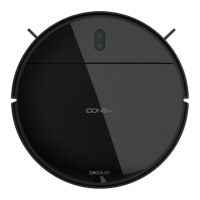
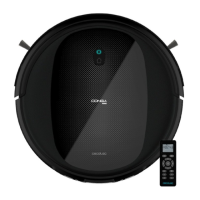
cecotec CONGA 999 VITAL X - User Manual

cecotec CONGA 999 VITAL X
128 pages
Go to English
Print Icon
To Next Page IconTo Next Page
Loading...
Manual de instrucciones
Instruction manual
Manuel d’instructions
Bedienungsanleitung
Manuale di istruzioni
Manual de instruções
Instructiehandleiding
Instrukcja obsługi
Návod k použití
Robot aspirador/ Robot vacuum cleaner

Table of Contents

Questions and Answers

  • J
    Jennifer LoveAug 14, 2025
    What to do if my Cecotec Vacuum Cleaner has an oscillating red light?
    • S
      Sarah HunterAug 15, 2025
      An oscillating red light on your Cecotec Vacuum Cleaner can indicate several issues: * **Incorrectly connected tank:** Ensure the tank is properly connected. * **Bumper error:** Check if the bumper is blocked; press on both sides and the center to unblock it. * **Free-fall sensor error:** Verify the robot is on an even surface, with its wheels on the ground and not stuck in a dark place. Move it if necessary and clean the free-fall sensor. * **Battery error:** Confirm the battery is correctly assembled, as shown in the manual.
  • J
    Joan JonesAug 17, 2025
    Why does my cecotec CONGA 999 VITAL X show a steady red light?
    • M
      Margaret SandovalAug 18, 2025
      A steady red light on your Cecotec Vacuum Cleaner usually indicates an error with one of the brushes or the wheel. It could be due to: * **Omnidirectional wheel error:** Remove the wheel, clean it, and reattach it. Then, press the power button to restart the robot vacuum cleaner. * **Side brush error:** Clean the side brushes and press the power button to restart the robot. * **Main brush error:** Remove and clean the main brush. Once replaced, press the power button to restart the robot vacuum cleaner.
  • J
    johnsonbrendaAug 21, 2025
    How to fix a cecotec CONGA 999 VITAL X Vacuum Cleaner with omnidirectional wheel error?
    • S
      Shelly BellAug 21, 2025
      If your Cecotec Vacuum Cleaner shows a steady red light and it is caused by an omnidirectional wheel error, remove the wheel, clean it, and then place it back. After that, press the power button to restart the robot vacuum cleaner.
  • R
    Robert BenitezAug 25, 2025
    How to fix a cecotec CONGA 999 VITAL X Vacuum Cleaner with a main brush error?
    • D
      David JosephAug 26, 2025
      If your Cecotec Vacuum Cleaner shows a steady red light and it is caused by a main brush error, remove and clean the main brush. Once it is placed again, press the power button to restart the robot vacuum cleaner.
  • M
    Ms. Theresa Morrow DVMAug 28, 2025
    How to fix a Cecotec Vacuum Cleaner with a side brush error?
    • A
      Andrea SmithAug 28, 2025
      If your Cecotec Vacuum Cleaner shows a steady red light and it is caused by a side brush error, clean the side brushes and press the power button to restart the robot.
  • J
    John LoveAug 31, 2025
    What to do if the tank is incorrectly connected on a cecotec CONGA 999 VITAL X Vacuum Cleaner?
    • D
      Deborah LoweAug 31, 2025
      If your Cecotec Vacuum Cleaner shows an oscillating red light, it might be caused by an incorrectly connected tank. Check the tank connection to resolve this issue.
  • J
    justin35Sep 4, 2025
    What to do if the bumper is blocked on a cecotec CONGA 999 VITAL X Vacuum Cleaner?
    • B
      Brandon MillerSep 4, 2025
      If your Cecotec Vacuum Cleaner shows an oscillating red light, it might be caused by a bumper error. Check if the bumper is blocked and press on both sides and the center to unblock it.
  • M
    mfranklinSep 7, 2025
    What to do if the free-fall sensor has an error on a Cecotec Vacuum Cleaner?
    • A
      Alexis SanchezSep 7, 2025
      If your Cecotec Vacuum Cleaner displays an oscillating red light and it's due to a free-fall sensor error, check if the robot is on an uneven surface, if its wheels are off the ground, or if it is stuck in a dark place. Move it to a new location. If the issue persists, clean the free-fall sensor.
  • A
    amandavazquezSep 12, 2025
    What to do if there is a battery error on a Cecotec Vacuum Cleaner?
    • G
      Glenda LozanoSep 12, 2025
      If your Cecotec Vacuum Cleaner shows an oscillating red light and it is caused by a battery error, check that the battery is properly assembled, as indicated in the manual.

Summary

Parts and Components

Robot Controls and Indicators

Details on robot buttons like Back Home and Power/Operation, and indicator light meanings.

Remote Control Functions

Overview of remote control buttons for navigation, cleaning modes, and settings.

Before Use

Unpacking and Initial Checks

Remove product from box, check all parts and components for damage.

Preparing the Cleaning Area

Remove obstacles, secure balconies/stairs, and ensure proper lighting for sensors.

Setting Up the Charging Base

Position the charging base against a wall and connect it to a power socket.

Robot Assembly and Placement

Install side brushes, ensure power switch is on, and place robot on charging base.

Operation

Starting, Pausing, and Returning to Base

Instructions for starting, pausing, resuming, and returning the robot to its charging base.

Cleaning Modes Overview

Introduction to the robot's various cleaning modes, including Auto mode.

Specific Cleaning Modes

Details on Scrubbing, Spiral, Edge, and Room cleaning modes.

Navigation and Manual Control

How to use Back home mode and manual control via remote.

Cleaning and Maintenance

Brush Cleaning

Guides for cleaning the main, silicone, and side brushes.

Filter Cleaning and Replacement

Procedures for cleaning and replacing high-efficiency, mesh, and sponge filters.

Sensor Cleaning

How to clean the robot's sensors for optimal navigation.

Battery Management

Battery Charging Practices

Tips to lengthen battery life, including keeping it charged when not in use.

Battery Replacement

Step-by-step guide for safely removing and replacing the robot's battery.

Technical Specifications

Disposal of Old Appliances

Technical Support and Warranty

Contact Information

Cecotec's official Technical Support Service contact number for issues or doubts.

Copyright

cecotec CONGA 999 VITAL X Specifications

General IconGeneral
ModelConga 999 Vital X
CategoryRobot Vacuum Cleaner
Dust Container Capacity300 ml
Weight2.2 kg
Noise Level64 dB
Mop FunctionYes
Battery TypeLithium-ion
App ControlYes
ProgrammableYes
Dust Capacity0.3 L
Cord LengthCordless
ColorBlack
Battery Life120 minutes
Operating ModesAuto, Edge
Charging Time4 hours
Voice ControlYes
FiltersHEPA

Related product manuals