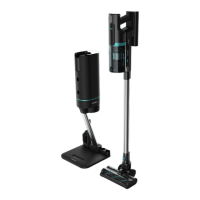
CONGA ROCKSTAR 1600 TITANIUM
4746
ENGLISH ENGLISH
Cleaning the Jaliscazo brush
Fig. 11
1. Move the rotary brush release button with the nger toward the arrow and remove the
cover of one of the ends of the brush.
2. Take one end of the brush out as shown on the image.
- It is important to clear and clean all the residues left in the brush rotary axes.
- If you decide to wash the brush, you must air dry all the pieces. Assemble the parts in
reverse order of disassembly so that the brush can be used again.
How to remove the battery
Press the battery release button and remove the battery as shown in gure 12. Store the
battery in a plastic bag and leave it in a dry place.
Device storage
Remove the battery and store it in a safe, dry place if the device is not going to be used in a
long period of time.
Maintenance indicator
If maintenance has not been carried out frequently enough, the appliance will display a full
tank or clogged lter icon on the screen. Fig. 13-14
6. TROUBLESHOOTING
Problem Possible cause Solution
The motor does not operate The battery does not work
any longer.
The metallic tubes, oor
brushes, batteries or the
device itself are not properly
assembled.
Charge the vacuum cleaner.
Make sure all parts of
the device are correctly
assembled.
The suction power has been
reduced and the appliance
makes a lot of noise.
The dust tank is full. Fig. 13
The lter has too much dust.
Fig. 14
The electric rotary brush inlet
is obstructed or the brush is
blocked. Fig. 15
Clean the dirt.
Clean or replace the lter.
Clean the dust inside the
electric rotary brush.
- During charging, the charge light indicator will turn on red and the display will show the
current charge percentage. When the device is fully charged, the battery indicator will turn
green and the display will show 100%. Fig. 6
- You can charge the battery when the battery is installed or not in the device. Connect the
adapter and connect the other end to the battery, paying attention to the direction. Once it
is properly connected, the charge light indicator will turn on red and will turn green once
the charge is complete. Fig. 7-8
5. CLEANING AND MAINTENANCE
- Turn the appliance o, unplug it from the power socket and allow it to cool down before
cleaning it.
- Use a soft, slightly dampened cloth to clean the device’s surface.
- Never immerse the device in water or other liquids, do not allow liquids to enter the device.
- Do not use sponges, powder products or abrasive cleaning agents to clean the product.
- Do not leave the device in a place with direct sunlight.
- Do not leave the device in a wet place after cleaning it.
- After the brush has been used for a long time, bristles might start to tangle with hair and
other particles. Clean it in order for it to operate correctly again.
Filters and tank cleaning
- To avoid the appliance from overheating and losing suction power, it is suggested to clean
the lters frequently. To make the most of the suction power, it is suggested to clean the
lter after every use.
- The lters shelf life will depend on the accumulated use and the type of particles which are
frequently vacuumed. It is recommended to replace the lters every 6 months.
- To remove the lters (Fig. 9):
1. Press the dust tank opening button, marked with the word “CLEAN”, and pull on the
metallic handle to remove the ltering system.
2. Once the ltering system is out, turn the metallic handle anticlockwise and you will be
able to take the high-eciency lters out.
- Vacuum and shake the lters to remove every particle and dust remain that may block
them and dicult the correct air circulation. Remember not to use the vacuum cleaner
without the lters properly assembled.
- Filters cannot be washed inside a washing machine nor dried with a hair dryer.
- Do not brush the high-eciency lter.
- To empty the dust tank, press the dust tank lower cover opening button, open it and empty
it. Fig. 10






 To Next Page