EasyManua.ls Logo

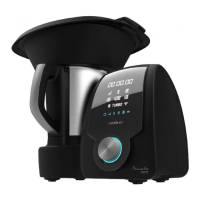
cecotec Mambo Black - User Manual

cecotec Mambo Black
60 pages
Go to English
Print Icon
To Next Page IconTo Next Page
Loading...
Manual de instrucciones
Instruction manual
Інструкція з експлуатації
Руководство по эксплуатации
Кухонна машина-робот багатофункціональна CECOTEC Mambo Black
Кухонная машина-робот многофункциональная

Questions and Answers

  • T
    Tammy DavisJul 25, 2025
    What to do if my Cecotec Food Processor displays error E3?
    • S
      sgouldJul 25, 2025
      If your Cecotec Food Processor shows error E3, it means there is too much food inside the jar. To fix this, remove some of the food or cut the existing food into smaller pieces, and then restart the machine.
  • C
    colleenalvarezJul 30, 2025
    What does error E5 mean on my cecotec Mambo Black Food Processor and how to fix it?
    • B
      Barbara RamirezJul 30, 2025
      Error E5 on your Cecotec Food Processor indicates that the machine has been operating with too much food for too long. To resolve this, stop the machine and allow it to cool down completely before restarting.
  • Z
    zwoodAug 4, 2025
    What to do if my Cecotec Food Processor displays error E1?
    • S
      scott23Aug 4, 2025
      If your Cecotec Food Processor displays error code E1, this indicates that the jar or the jar’s lid is not fixed properly. To solve this, re-assemble the jar and jar lid, ensuring all parts are assembled properly and tightly. Then, try operating the appliance again.
  • S
    Sydney ConnerAug 9, 2025
    What does error E2 mean on my cecotec Mambo Black Food Processor and how can I fix it?
    • A
      Angela FisherAug 9, 2025
      Error E2 on your Cecotec Food Processor means that the jar is not in its correct position or the temperature sensor connection at the jar base is damaged. To fix it, re-assemble the jar and make sure it is properly fixed.
  • A
    Amy GarzaAug 14, 2025
    What does error E4 mean on my Cecotec Food Processor, and how can I resolve it?
    • D
      Don BryantAug 15, 2025
      If your Cecotec Food Processor is showing error E4, it means there is no or very little food in the jar, and the set temperature is too high for too long. To fix this, simply add more food to the jar.
  • T
    Tammy ThomasAug 20, 2025
    How to fix error E6 on cecotec Mambo Black Food Processor?
    • R
      robinharrellAug 20, 2025
      If your Cecotec Food Processor displays error E6, it means the speed change between low level (1-5) and high level (6-10) was blocked. To resolve this, remove the jar, turn the fixing bracket manually, fix the jar, and then restart the appliance.

Summary

Parts and Components

Safety Instructions

Accessories

Jar Assembly

How to properly close and place the jar lid.

Blade Assembly

Steps for attaching and securing the blade unit to the jar.

MamboMix Spoon

Details and warnings for using the MamboMix spoon accessory.

Measuring Cup

Usage of the measuring cup as a lid and for volume measurement.

Spatula

Information on the spatula's function and limitations.

Butterfly Whisk

How to install and use the butterfly whisk accessory.

Before Use

Operation

Timer Settings

How to set and use the timer function.

Speed Control

How to select and adjust the operating speed.

Temperature Settings

How to set and adjust the cooking temperature.

Heating Power Control

How to control the heat power level.

Turbo Function

How to use the high-speed TURBO function.

Cooking Functions

Overview of the various cooking functions available.

Cleaning and Maintenance

Troubleshooting

Technical Specifications

Disposal of Electrical Appliances

Technical Support and Warranty

cecotec Mambo Black Specifications

General IconGeneral
Brandcecotec
ModelMambo Black
CategoryFood Processor
LanguageEnglish

Related product manuals