EasyManua.ls Logo

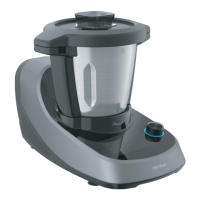
cecotec Mambo Touch 04345 - User Manual

cecotec Mambo Touch 04345
65 pages
Go to English
Print Icon
To Next Page IconTo Next Page
Loading...
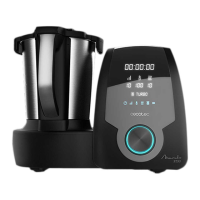
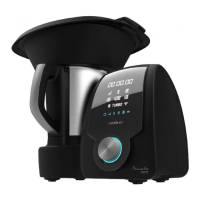
MAMBO TOUCH
MAMBO TOUCH + JARRA HABANA
Кухонний комбайн/ Кухонный комбайн / Food Processor
Instruction manual
Інструкція з експлуатації
Руководство пользователя

Questions and Answers

cecotec Mambo Touch 04345 Specifications

General IconGeneral
Power1700 W
Capacity3.3 L
Control TypeTouch
Speeds10
TimerYes
DisplayDigital
Dishwasher safe partsYes
Speed settings10
Temperatureup to 120 °C
MaterialStainless steel
ColorBlack

Summary

Safety Instructions

General Precautions and Warnings

Covers fundamental safety measures to prevent fire, electric shock, and injury.

Power Cord and Electrical Safety

Details safe handling, inspection, and maintenance of the power cord and electrical connections.

Safe Operation and Placement

Instructions for correct appliance positioning, handling, and operation to avoid hazards.

Usage Restrictions and Supervision

Defines who can use the appliance and necessary supervision for children and vulnerable users.

Parts and Components Identification

Appliance Components Diagram

Visual guide identifying all main parts and accessories of the food processor with numbered labels.

Box Contents Verification

List of all items included in the product package for user confirmation.

Preparation Before Use

Initial Setup and Cleaning

Guidance on unpacking, checking components, and performing the first cleaning of the appliance.

Safe Placement and Surface Requirements

Instructions for positioning the appliance on a stable, heat-resistant surface and maintaining clearance.

Appliance Assembly and Component Operation

Assembling the Stainless-Steel Jug

Steps to correctly attach the main jug to the food processor base.

Assembling the Hinged Lid

Instructions on how to properly fit and secure the appliance's lid.

Accessory Bracket Installation

Guide on installing the accessory bracket and its fixing bracket correctly.

Blade Assembly and Handling

Detailed steps for safely installing and removing the sharp blades.

MamboMix Spoon Assembly and Usage

Instructions for attaching and using the MamboMix spoon for mixing and kneading.

Measuring Cup Function and Placement

Explains the role of the measuring cup for covering and reducing heat loss during cooking.

Spatula Usage

Information on the correct use of the spatula for stirring food in the jug.

Basket and Steamer Assembly

Instructions for assembling and using the basket and steamer for cooking.

Butterfly Whisk Assembly and Operation

Steps for installing and using the butterfly whisk for whipping and mixing.

Functions and Recommendations

Basic Functions: Chop, Mince, Mash, Grind

How to use basic functions for chopping, mincing, mashing, and grinding ingredients.

Advanced Functions: Pulverize, Grate, Blend, Whip

Using advanced functions like pulverizing, grating, blending, and whipping cream or egg whites.

Cooking and Mixing Functions

Guidance on cooking dishes and using mixing functions for homogeneous results.

Specialized Cooking Modes

Details on steaming, poaching, bain-marie, fermenting, and slow cooking methods.

Convenience and Specific Functions

Using functions like Turbo, Juicing, Browning, Reheating, Yoghurt, and Pizza making.

Control Panel and Operation Modes

Control Panel Overview

Description of the control panel elements: Timer, Speed, Temperature, Wi-Fi, Functions, Scale, Start/Pause.

Using the Start;Pause;Select Button

Instructions on how to start, pause, resume, and use the button as a selector for settings.

Timer and Speed Settings

How to set and adjust the timer and speed controls for various cooking processes.

Temperature and Heating Power Control

Guidance on setting and adjusting the cooking temperature and heating power levels.

Special Functions: ScreenBlock, Stopwatch, Scale

Instructions for using ScreenBlock, Stopwatch, and the integrated scale feature.

Turbo and Wi-Fi Connectivity

How to activate the Turbo function and connect the appliance to Wi-Fi for app control.

Guided Recipes Navigation

How to search, select, download, and follow step-by-step guided recipes.

Device Management and Settings

Settings Menu Options

Accessing and managing settings for Wi-Fi, user data, language, and recipe storage.

User and Storage Management

Options for changing user password, logging in, and managing downloaded recipes and storage.

Accessory Speed and Capacity Guide

Table detailing recommended speed and capacity for the multifunctional blades.

Cleaning and Maintenance

Jar and Accessory Cleaning

Instructions for cleaning the stainless-steel jar and various accessories like whisks and blades.

Main Body and Parts Cleaning

Guidance for wiping the main body and cleaning removable bottom parts of the jar after use.

Troubleshooting Common Errors

Locking System and Jar Positioning Errors

Resolving issues related to improper jar or cover fixing and incorrect jar positioning.

Content and Temperature Errors

Troubleshooting for problems with exceeding content limits or incorrect temperature settings.

Motor and Speed Control Errors

Solutions for motor overheating and issues with successful speed changes.

Sensor, Weight, and Calibration Errors

Addressing errors related to NTC sensor, maximum weight, and scale calibration.

Stuck Jar Release Troubleshooting

How to safely release a stuck jug using the system or manual lever.

Technical Specifications

Product Details and Specifications

Provides product reference, model, power, heating power, and frequency band details.

Manufacturing Origin

Information regarding where the product was manufactured and designed.

Environmental Disposal Guidelines

Appliance and Battery Disposal

Instructions for the separate disposal of old appliances and batteries according to environmental regulations.

Technical Support and Warranty

Contacting Cecotec Support

Provides contact information for official Cecotec technical support for any product issues or doubts.

Copyright Information

Intellectual Property and Usage Rights

Details the intellectual property rights of Cecotec and restrictions on the publication's content.

Declaration of Conformity

EU Conformity Statement

States product conformity with EU directives and provides a website for the full text.

Related product manuals