18
EN
NewTom GO 2D/3D - TECHNICAL MANUAL
EN
PC CONFIGURATION
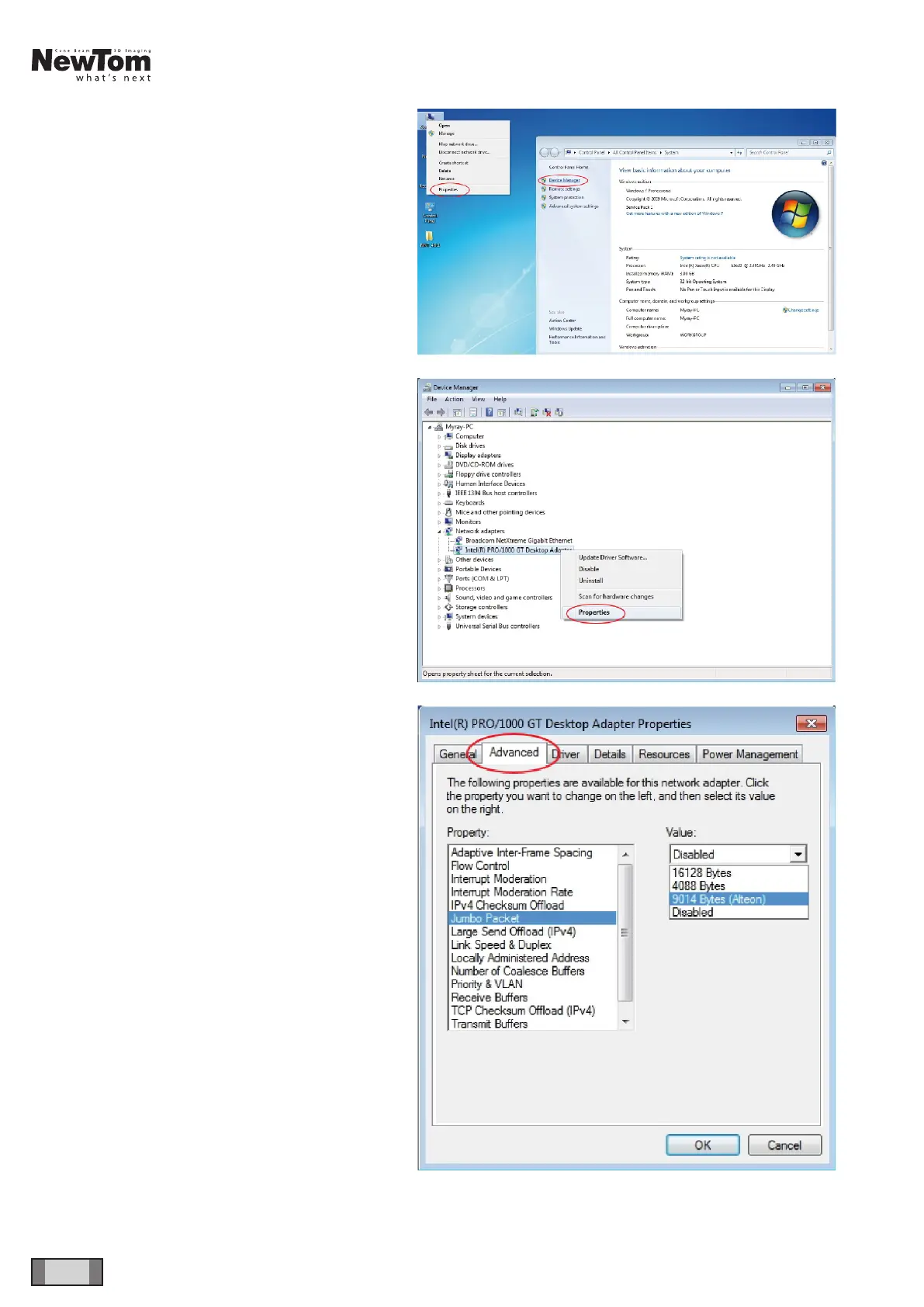
Right-click on “Computer”, select “Properties” and
select “Device Manager” in the left column.
Expand the “Network adapters” branch and right-click
on “Intel PRO/1000 GT Desktop Adapters”, select
“Properties”.
Select “Advanced” and choose the “Jumbo Packet”
property, setting the value to “9014 Bytes”.



 To Next Page