8 I ENGLISH
optioNs: Under the Options menu item, you will find:
1. Resolution: Sets the sensor image resolution.
Choose from 4 resolution settings:
- 1280 x 960 (1.3 MP)
- 1600 x 1200 (2 MP)
- 2048 x 1536 (3 MP)
- 2592 x 1944 (5 MP)
2. Date/Time: Turns the Date and Time stamp on or off.
3. Language: Changes the language setting. Choose from 12 languages:
- English, German, French, Spanish, Russian,
Italian, Portuguese, Dutch, Polish, Japanese, Korean and Chinese
4. X,Y Guide: Turns the reticle guide on the preview screen on or off.
5. Full Screen Mode: Enters full screen mode. Press
ESC to exit.
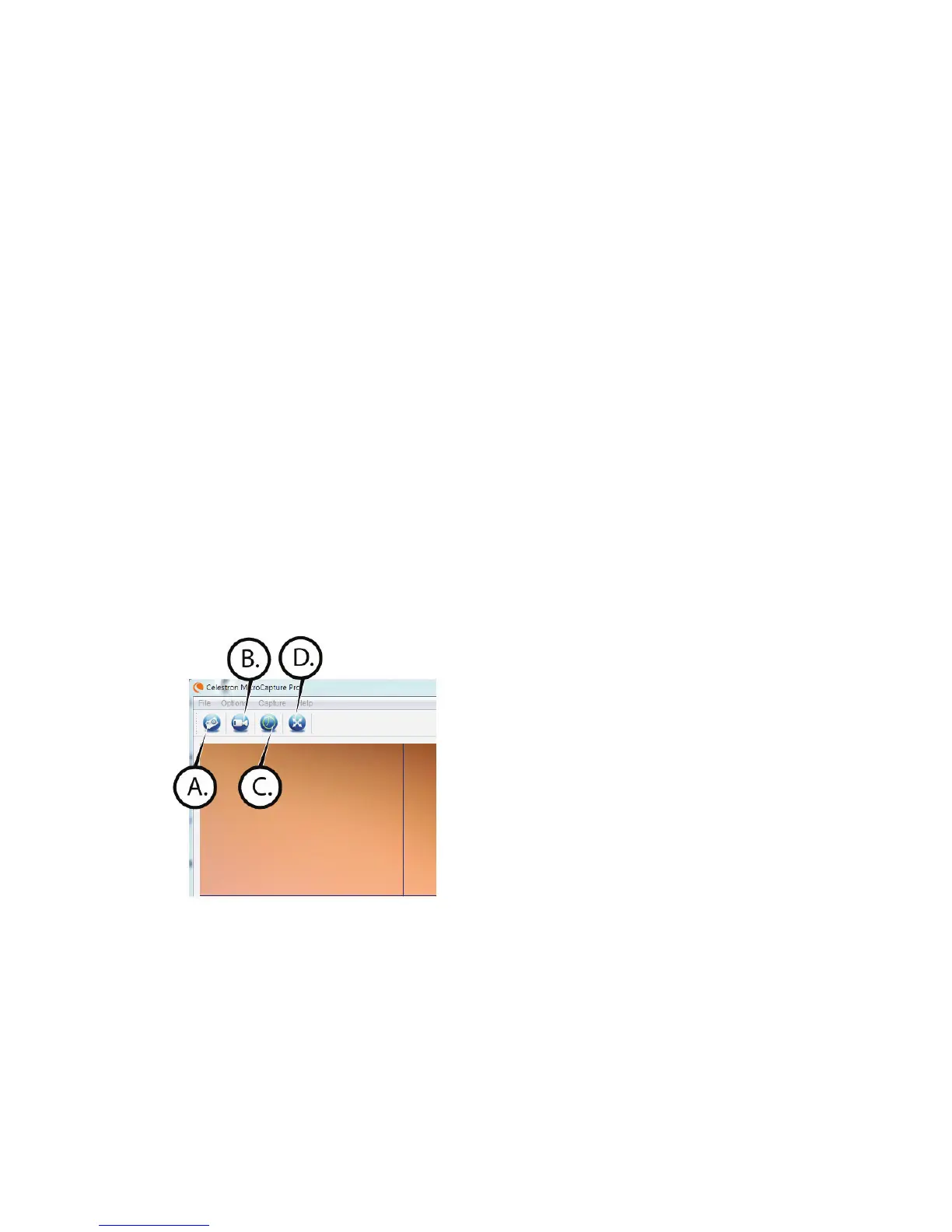
icoNs: Along with the menu items, there are icons which mean the following:
A. Take Snap Shot
B. Start Video. Stop Video
c. Set Time Lapse Intervals
D. Full Screen Mode (press ESC to go back to main screen)















 To Next Page