15
Please observe the following general instruc-
tions during the adjustment:
• If the screen is extended and retracted too
frequently, the heat protection circuit of the
motor is activated and it takes approx. 5 -
10 minutes until the screen is ready to move
again.
• Mark the adjustment tool so that you can
read off exactly one revolution.
• One revolution corresponds to approx. 1 -
2 cm cloth height. Make a note of the rota-
tions in order to be able to reset the screen
back to its original position if necessary!
SETTING THE STOP POINT / HEIGHT OF THE BLACK ADVANCE
Note: The black leader can be easily adjusted after the projector and screen
have been positioned so that the projection image is aligned with the screen.
Changing the adjustment of the black leader is only for ne correction and
NOT to compensate for general height differences.
This must already be fundamentally adjusted when setting up the equipment
(e.g. Height of the screen on your wall or rear wall of furniture, height of your
projector on the sideboard or in a lower drawer / pull-out).
The cable tensioning system is designed in such a way that a concave cut of
the projection surface on both sides from bottom to top ensures that the la-
teral tension is created over the entire length of the screen fabric and this is
the only way to ensure a permanent at position. If the fabric is shortened too
much, this tensioning effect is no longer present over all areas of the fabric and
unevenness or waves can form in the fabric, which then have a disruptive effect
in the UST projection.
Defects caused by changing the factory-set fabric length are not covered by
the guarantee.
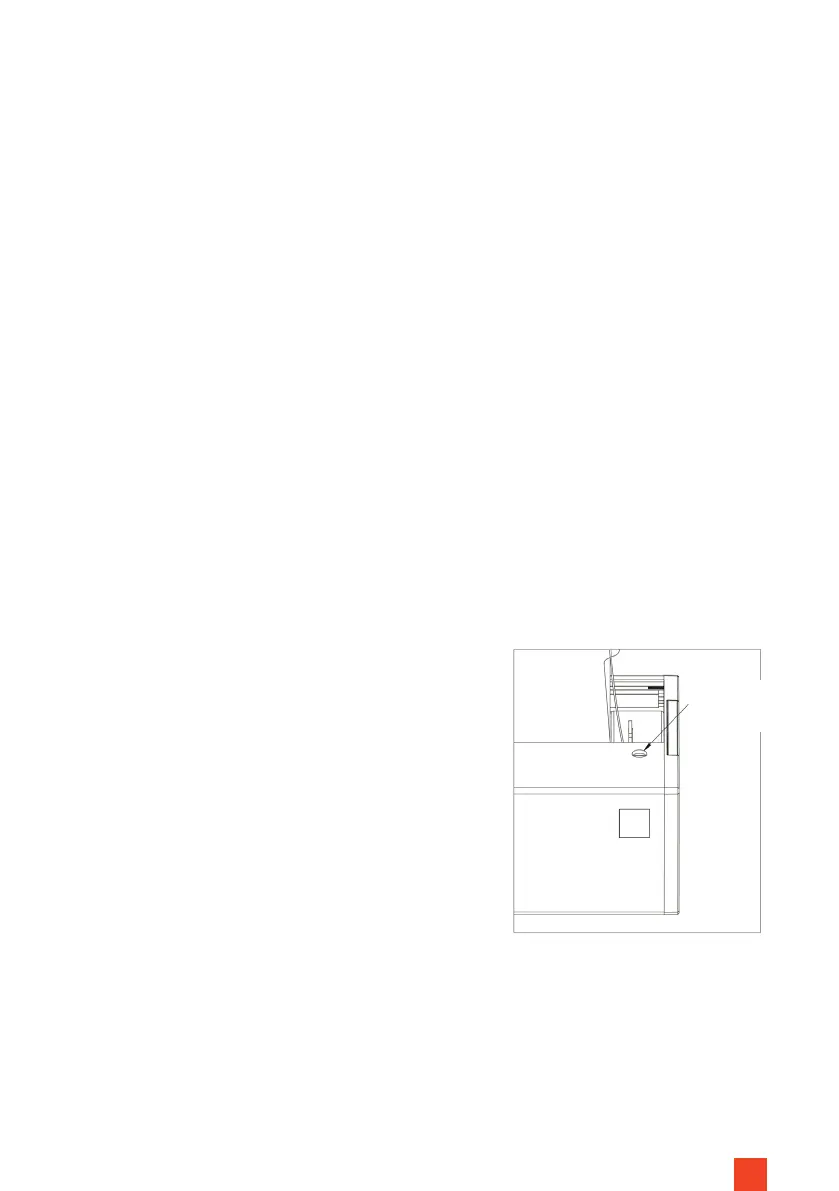
Hole for end
position
adjustment
Fig. 12


 To Next Page