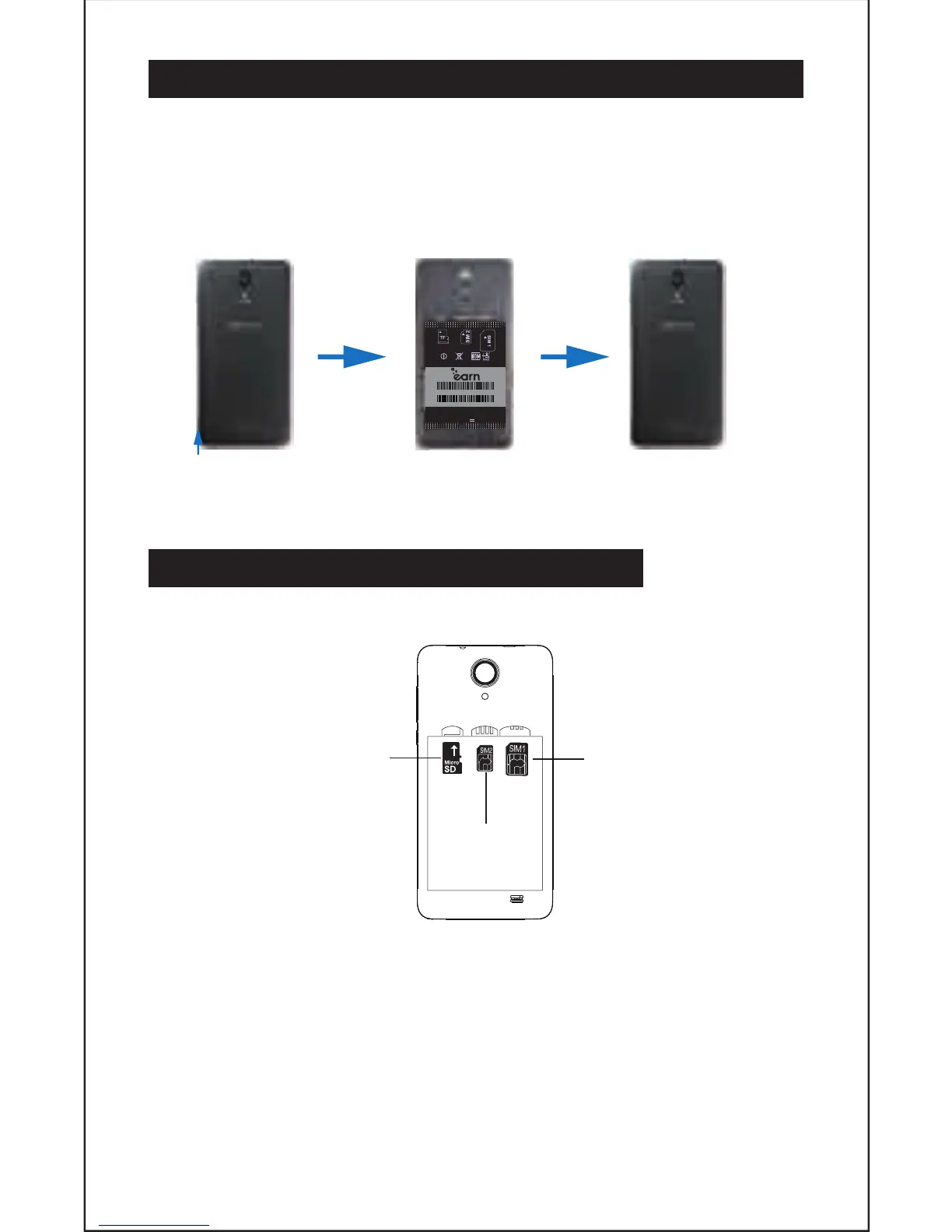
2. REMOVING BACK COVER/BATTERY INSTALLATION
1. Li and remove rear case as shown below on the boom le corner of the
phone.
2. Insert the baery matching up the gold terminals on the top le of the
baery and clip in place.
3. Reinstall the back cover and click in place.
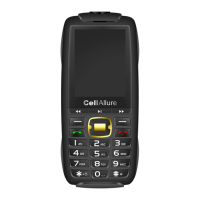
3. INSERTING/REMOVING SIM CARDS
• Note: Please ensure your phone is powered “OFF” before inserng SIM cards.
1. SIM Slot 1 takes a standard SIM. Please insert SIM 1 with gold connectors
facing “DOWN” as indicated on the phone itself, taking special note of the
direcon to be inserted. Follow this carefully to avoid damaging your phone
or the SIM. Push gently unl in place.
2. SIM Slot 2 takes a micro SIM, Note: Please insert SIM 2 with gold connectors
facing down as indicated on the phone itself, taking special note of the
direcon to be inserted, follow this carefully to avoid damaging your phone or
the SIM card. Push the SIM gently to lock in place. To remove the SIM cards
gently slide the SIM cards downwards.
4
GENTLY LIFT AND UNCLIP
THE BACK COVER HERE
CAPHG51-01
IMEI 1: 359330010327078
IMEI 2: 359330010327086
MARCA: CellAllure
3.8V
WCDMA850/1900 GSM850/900/1800/1900
SIM slot 1
SIM slot 2
Micro SD slot


 To Next Page