40
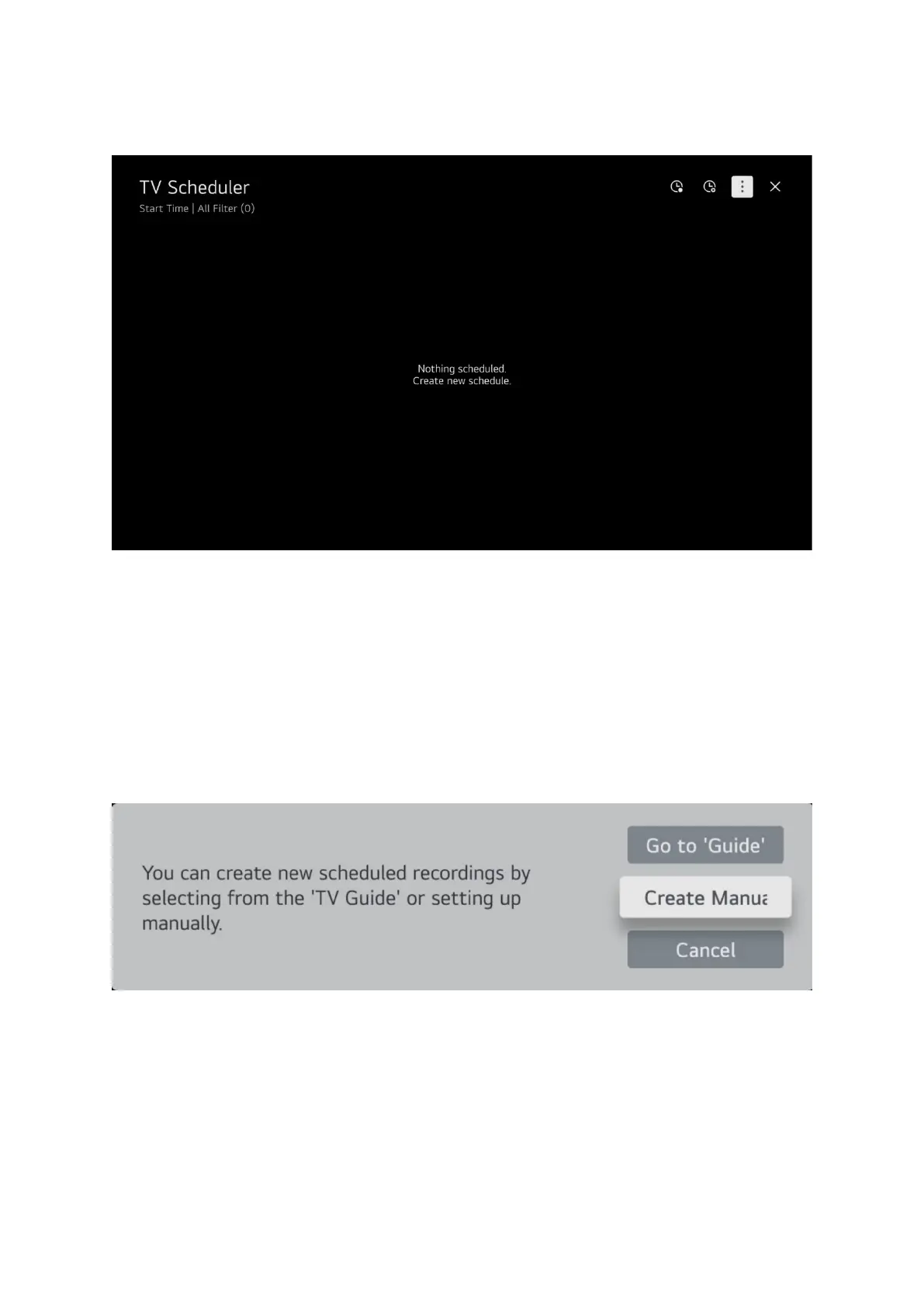
The TV scheduler will be blank unless you have used it before.
At the top right there are 2 clock icons, 3 vertical dots and a cross.
The clock furthest left is the schedule recording clock.
The next clock is schedule a reminder, this can be used to remind you when a program is about to
start so you don’t miss it.
The 3 vertical dots is for editing entries in the schedule.
The cross is to exit the scheduler and return to the TV.
Select the clock furthest left to schedule a recording and this pop-up screen will appear.
Select manually schedule a recording, using the guide is explained later.


 To Next Page