C2224SH Instruction Book
2
The parts
Installation
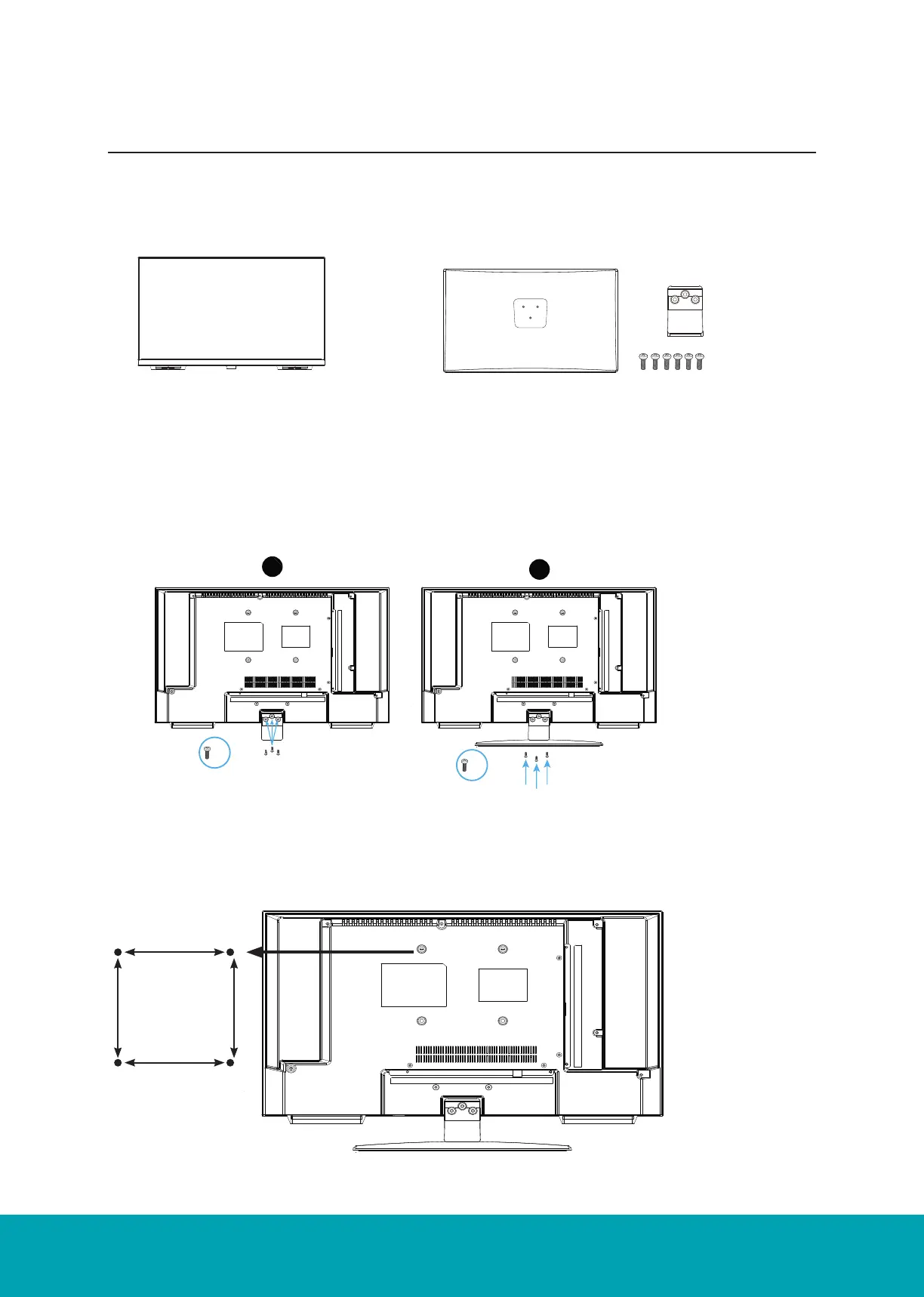
Place the TV face down on a soft and flat surface (blanket, foam, cloth, etc.) to prevent any damage to the TV.
TV set
Stand& Screws(ST4 x 12)
Attach the stand feet in the positions shown and secure them
x 6
The parts
Installation
Place the TV face down on a soft and flat surface (blanket, foam, cloth, etc.) to prevent any damage to the TV.
TV set
75 x 75
2
Stand& Screws(ST4 x 12)
Attach the stand feet in the positions shown and secure them
x 6
2
1
x 3
x 3
Installing / Removing the Base Stand
The Parts
Installation
Place the TV face down on a soft and flat surface (blanket, foam, cloth, etc.) to prevent any damage to the TV.
Attach the stand feet in the positions shown and secure them.
The Unit is VESA-Compliant and designed to be wall mounted with a VESA-Compliant
100x100 mm mounting kit.
Mount this unit according to the instructions of the wall bracket (not supplied)
The parts
Installation
Place the TV face down on a soft and flat surface (blanket, foam, cloth, etc.) to prevent any damage to the TV.
TV set
75 x 75
2
Stand& Screws(ST4 x 12)
Attach the stand feet in the positions shown and secure them
x 6
2
1
x 3
x 3
100mm
Four Mounting Holes
Screw size M4 x 8
100mm



 To Next Page