C2224SH Instruction Book
4
4
3 Video / AUDIO (L / R)
To connect to a DVD player, Digital Set-Top-Box, or other AV devices with
composite (AV) video and audio output sockets.
7 USB
Allows the insertion of a USB storage device to play video, audio, photo and text
Media mode) and record DTV programmes on to a USB storage device.
Allows the insertion of a Common Access Module.(Common Interface) Slot8 CI
2 Digital Audio Out Digital output to audio system.
1 Headphone out To connect to the earphones.
6 HDMI IN
blu-ray disc player or AV receiver.
To connect to a High-D
D) signal output device, such as a set-top box,
Socket Description
4 DVB-S2 To connect a Satellite signal.
5 TV Aerial To connect to the aerial socket on the wall with the RF coaxial cable.
VIDEO L R
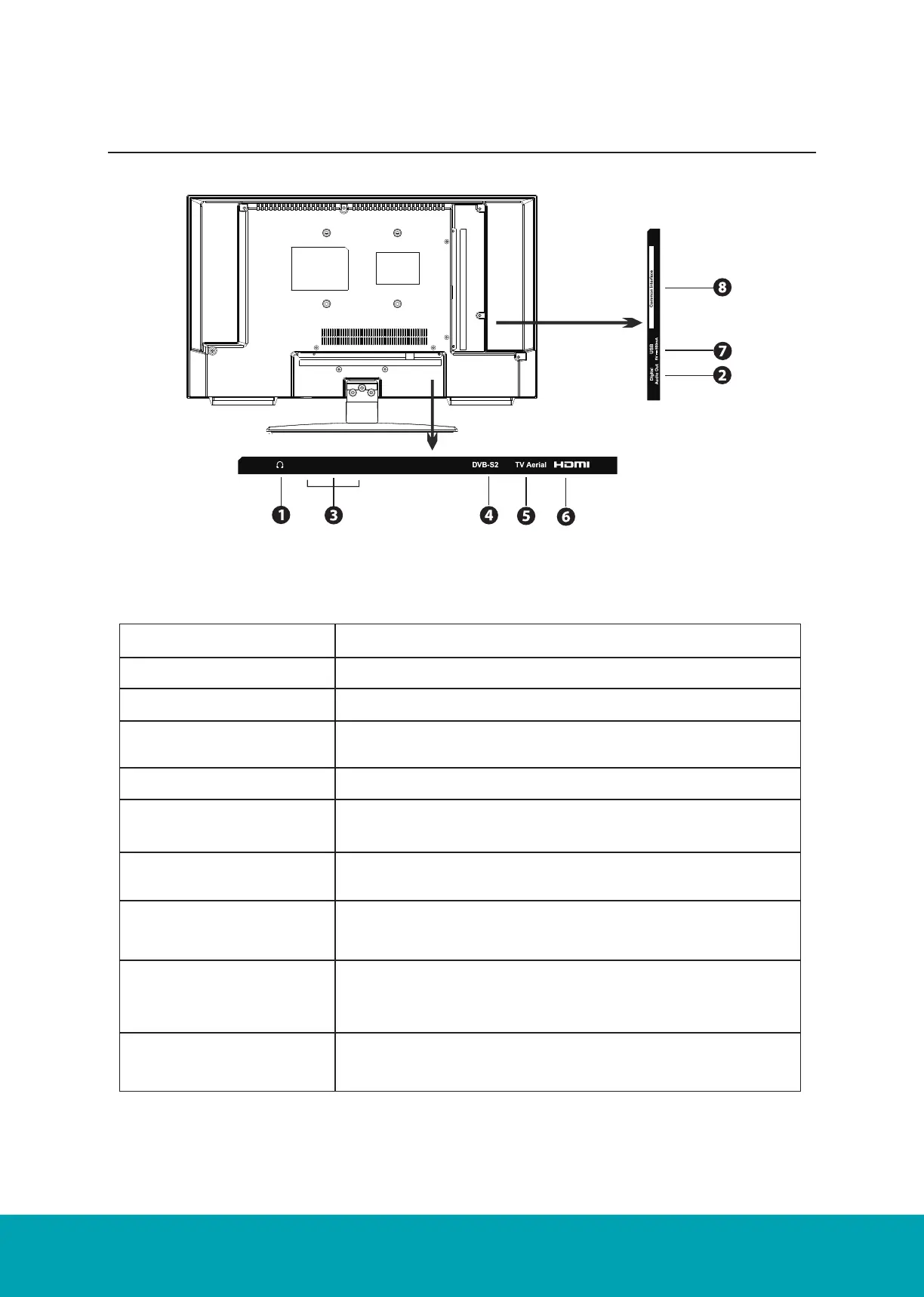
Rear View and Sockets
Socket Description
1. Headphone out To connect to the earphones.
2. Digital Audio Out Digital output to audio system
3. Video / AUDIO (L / R) To connect to a DVD player, Digital Set-Top-Box, or other AV
devices with composite (AV) video and audio output sockets.
4. DVB-S2 To connect a Satellite signal.
5. TV Aerial To connect to the aerial socket on the wall with the RF coaxial
cable
6. HDMI IN To connect to a High-Definition (HD) signal output device, such
as a set-top box, blu-ray disc player or AV receiver.
7. USB Allows the insertion of a USB storage device to play video,
audio, photo and text files (Media mode) and record DTV pro-
grammes on to a USB storage device.
8. Mini YPbPr To connect to a DVD player, Digital Set-Top-Box, or other AV
devices with component (YPbPr) video and audio output sock-
ets.
9. CI(Common Interface)
Slot
Allows the insertion of a Common Access Module.



 To Next Page