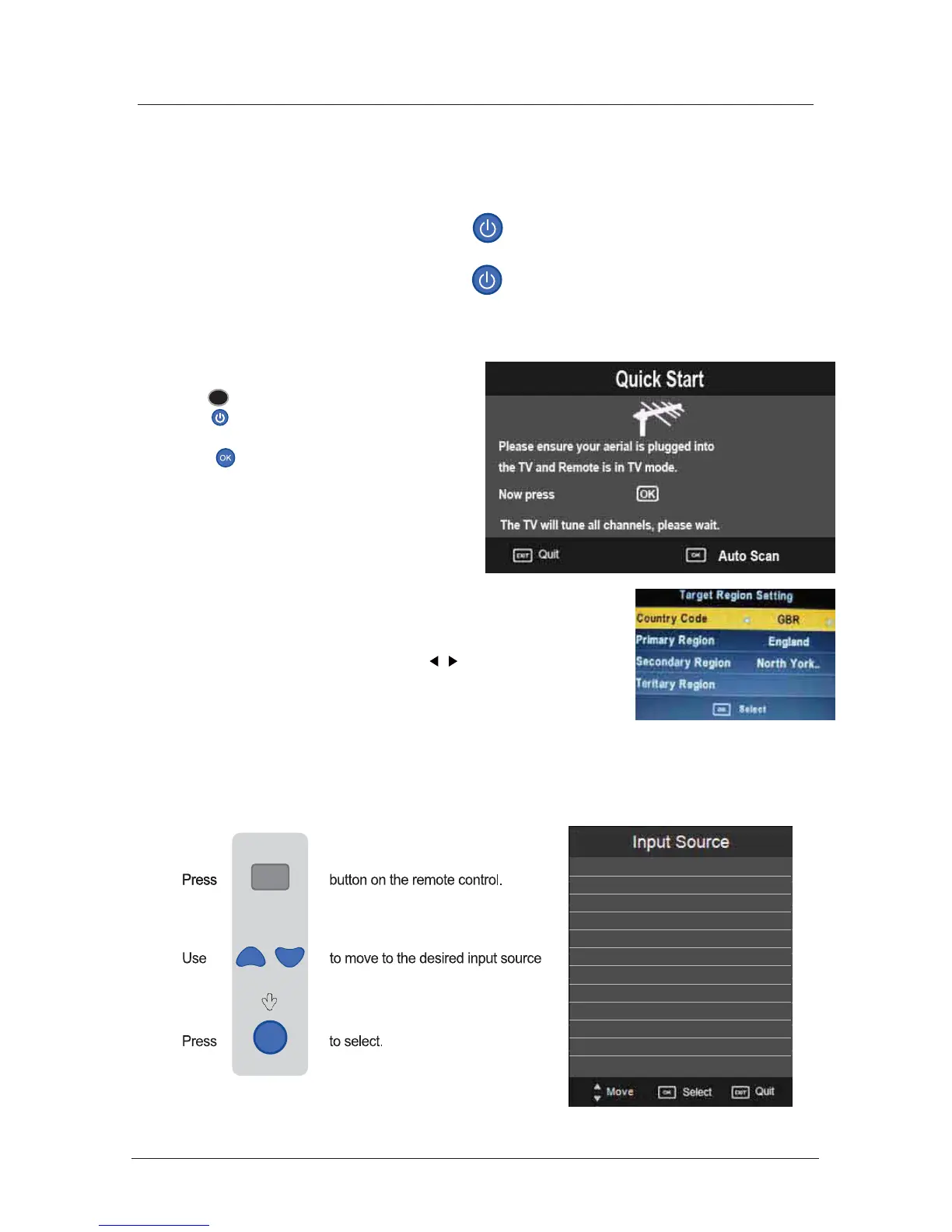
You can select the input source menu by pressing the Source button on the remote control or
the TV / AV button on the TV.
Source
OK
When you initially turn on the TV you will see the first time installation menu as below:
Ensure that the aerial is plugged into the TV,
Make sure your Remote is in TV mode (by
pressing button), switch on the TV by
pressing . You will see the first time
installation menu.
Press the button on the remote control to
start the tuning procedure. This process will
find all available ATV and DTV channels and
store them.
By pressing the Quick Start button the first
time installation can be recalled at any time.
TV
Auto installation setup
Source Menu
19
Power On / Off the TV
DTV
ATV
SCART
YPBPR
DVD
PC
HDMI
AV
USB
Press the power button on the LED TV or the button on the remote control, the standby
indicator will light green.
To turn off the LED TV
Press the power button on the LED TV or the button on the remote control, the standby
indicator will light red.
Press the OK button to select your Target region settings.
If you have more than one broadcasting signal in your area, select
the area signal of your choice using the buttons and confirming
with OK.



 To Next Page