Menu Settings (continued)
27
Description
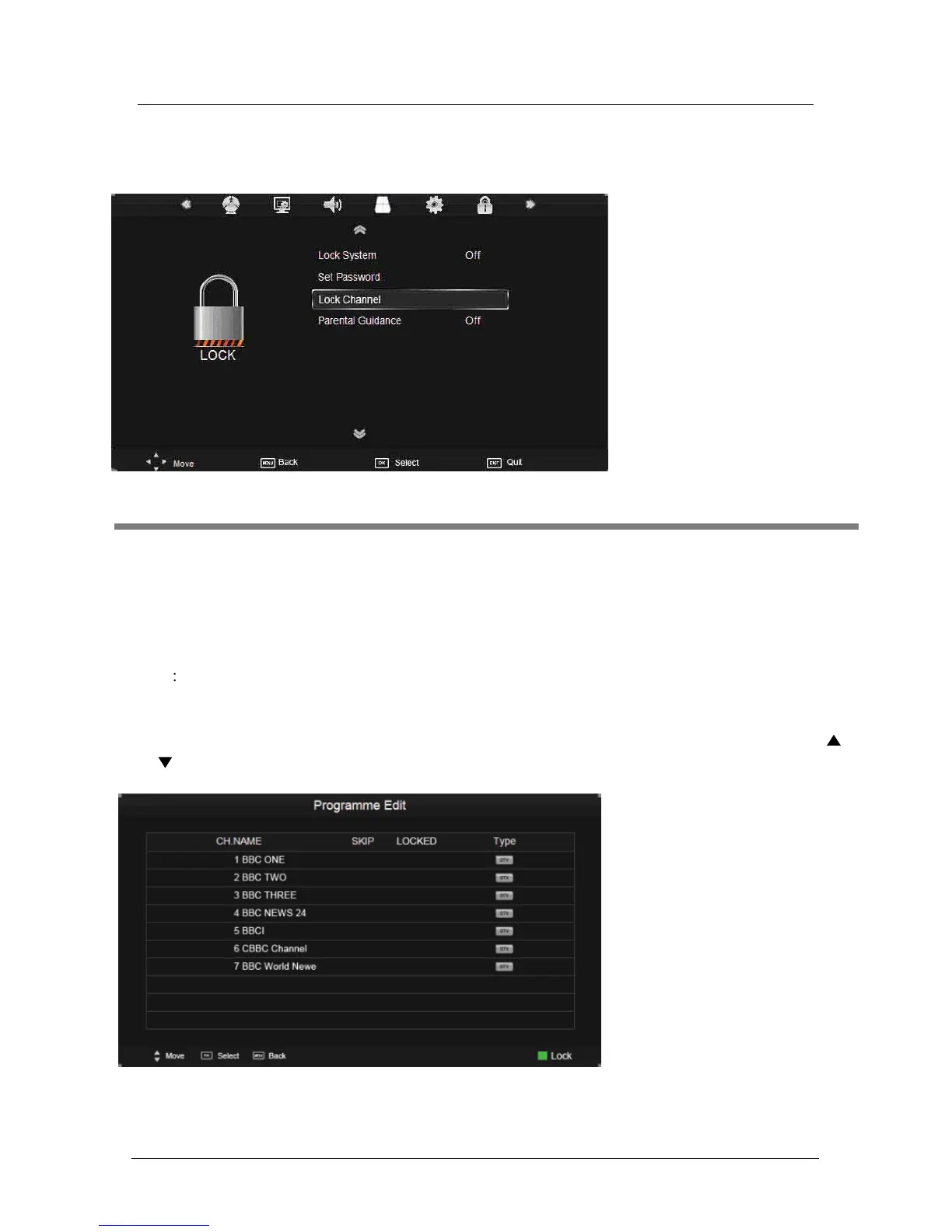
Lock System: Turn on/off the Lock System function.
Note: Enter
your password to operate this menu.(the default password is 0000)
Set Password: If the Password has been changed you must enter the current
password.
New
Enter the new password.
Confirm: Enter the new password.
Lock Channel: You must enter the password to view channels that have been locked. Use
and buttons to select the channel and press the GREEN button on the remote control to
lock the channel.
Parental Guidance: Control your childs viewing using the Parental Guidance mode.
6. LOCK menu



 To Next Page