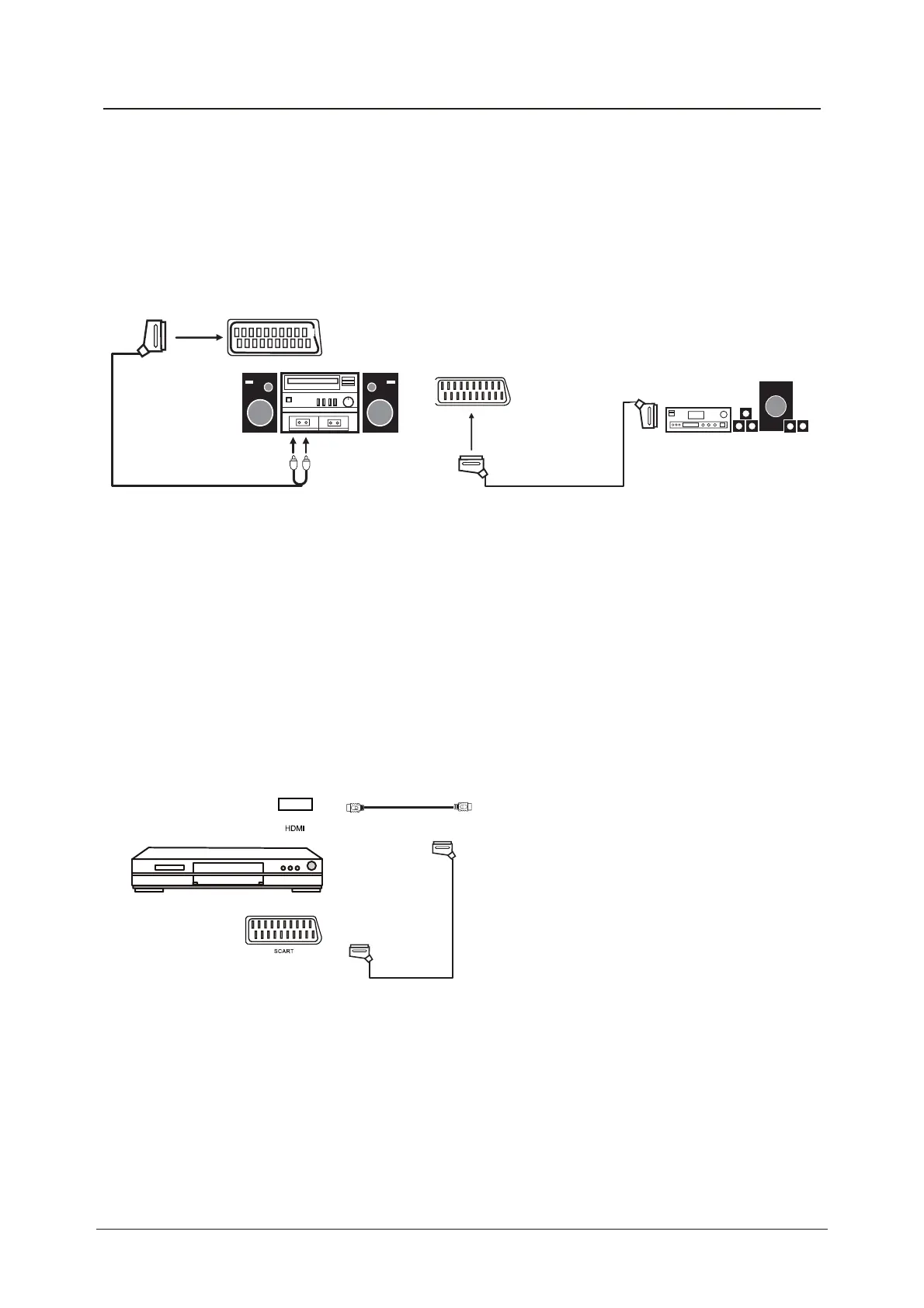
Connecting an audio system
Scart cable
Scart to RCA cable
(
A)
(B)
Connecting a DVD player
Connect a DVD player using either a SCART cable or the HDMI cable.
(only if your external equipment supports HDMI).
(All illustrated cables are not supplied)
When using the SCART cable
x Switch on the TV
x Switch on the DVD player
x Select SCART as input source
When using the HDMI cable
x Select HDMI as input source
HDMI to HDMI
SCART
All illustrated cables are not supplied)
Connecting external devices (continued)
15
You can supply the TV sound to the stereo system (A) with the Scart socket. Use a special
scart cable SCART to RCA. (Please consult your hi-fi instructions for details). If you have a
surround sound amplifier/decoder (B) Use the Scart cable or the special scart cable Scart to
RCA.



 To Next Page