Application
Menu Settings (continued)
19
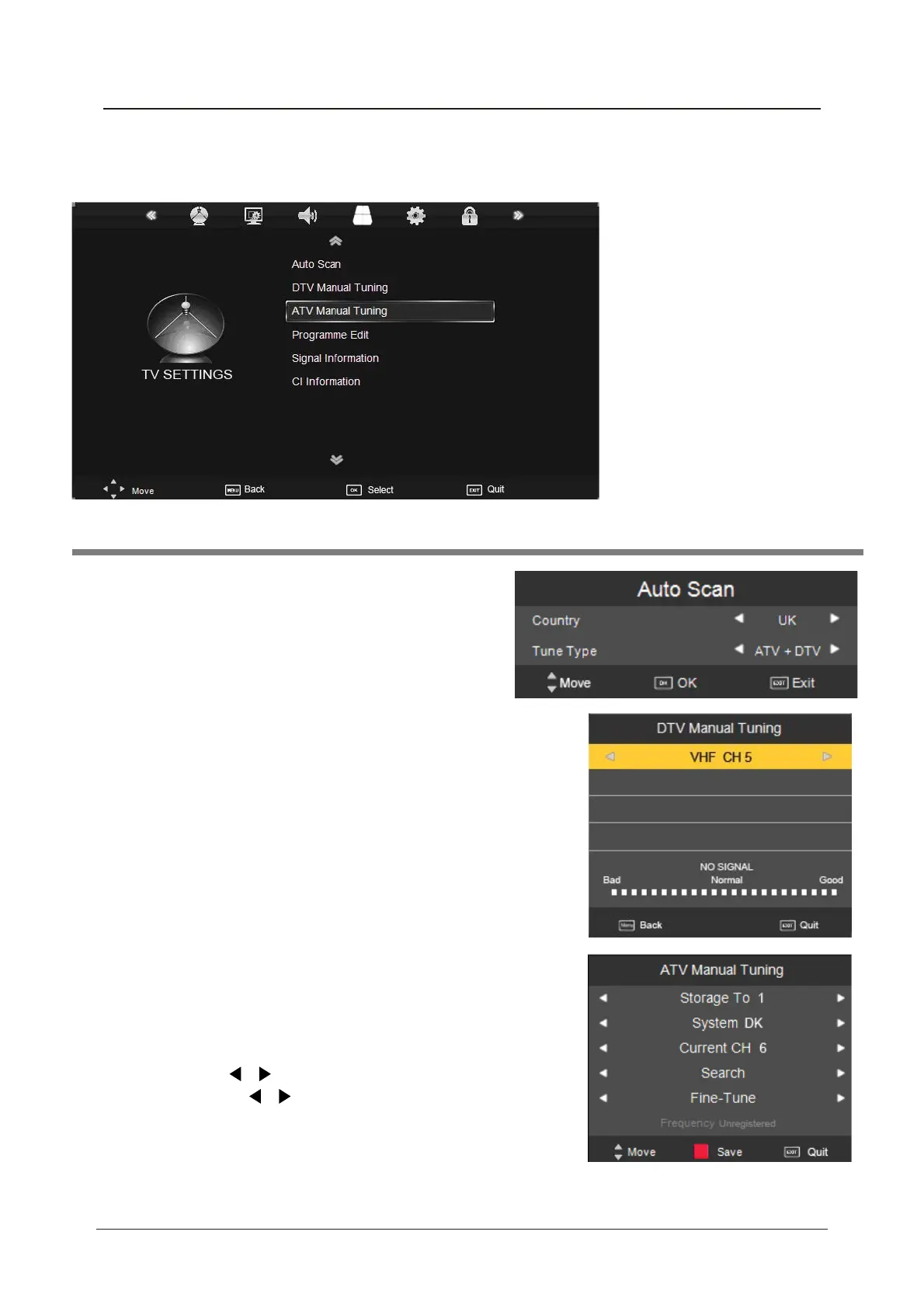
1. TV SETTINGS menu
Description
Auto Scan
Press OK button to enter the hint menu, and select
the Country and Tune Type mode for the TV, then
press OK button to start auto tuning.
DTV Manual Tuning
Press OK button to enter the DTV Manual Tuning menu,
select a DTV channel, and press OK button to start searching.
ATV Manual Tuning
Press OK button to enter the ATV Manual Tuning menu.
Storage To: Select a position for storing the programme.
System: Select a TV system for searching.
Current CH: Select the channel you want to manual tuning.
Search: Press / button to manual search.
Fine Tune: Press / button to fine-tune.
Frequency: Display the current frequency.
Note: Press RED button to save your settings



 To Next Page