Recording Operation (continued)
30
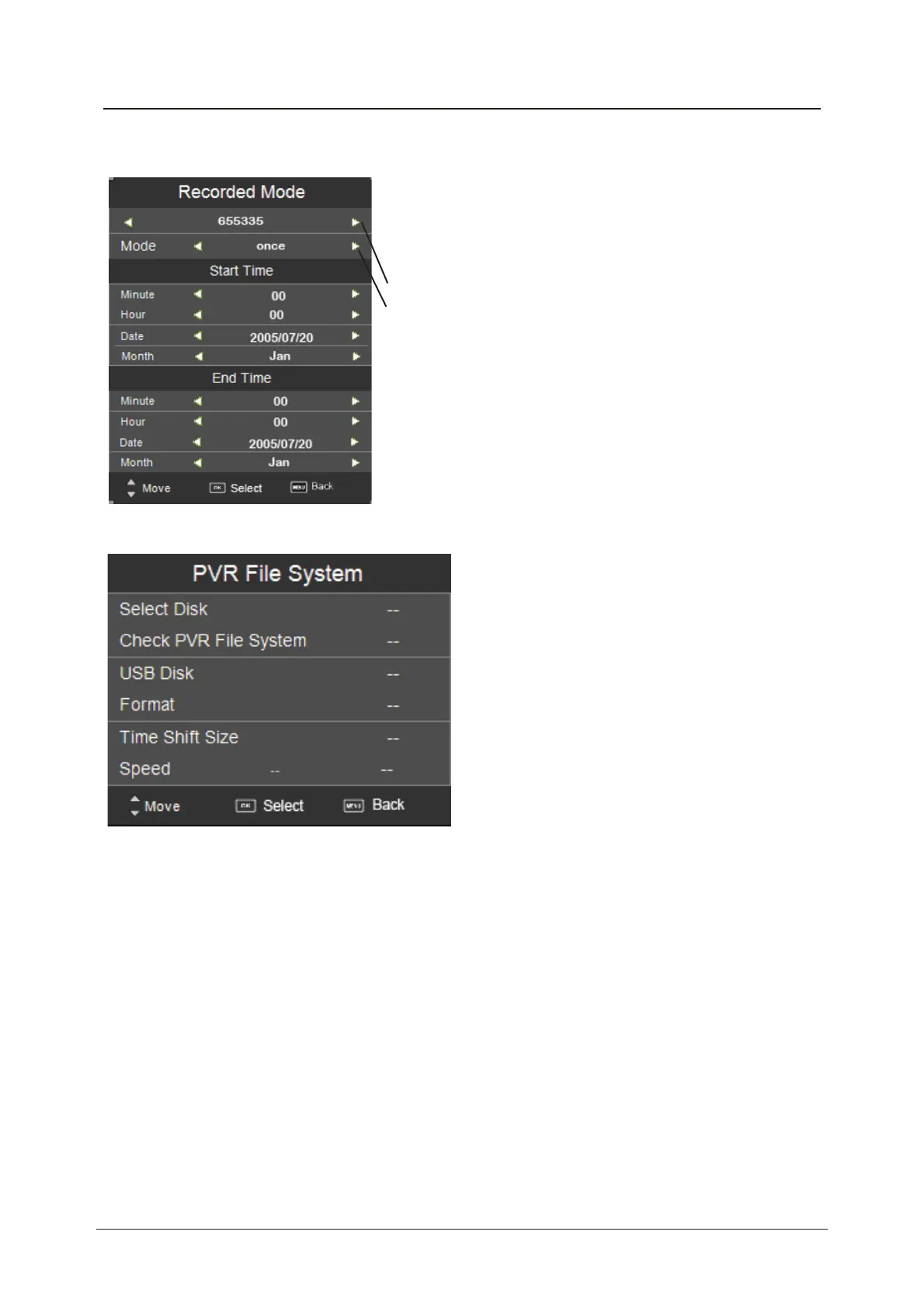
3). Timer Record
4). PVR File System
TITLE: Select the channel you want to record.
MODE: Select the record mode.
Start Time: Select the start recording time.
End Time: Select the end recording time.
Press OK button to save the setting and exit the menu, and
there will be a hint on the screen.
Set the timer record
The TV will record the programme automatically according
to your settings.
Setup the PVR File system before you start recording.
Select Disk: Select the device for the Record files.
Check PVR File System
USB Disc: Display the USB state.
Format: Format the USB device for PVR operating.
Time Shift Size: Display the size of the USB device (The device has been formated).
Speed: Display the speed of the USB device (The device has been formated).



 To Next Page