11
9. CONFIGURATION SETTING
9.1 Headset Conguration Setting
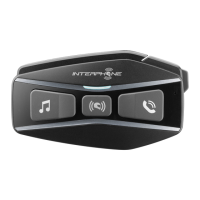
With U-COM 3 on, press and hold central button for 10 seconds, to enter
settings menu. Don’t release the button until the led light is blue.
Bluetooth
Mesh
Interphone U-Com 16 (Utente) Aggiungi utente
Aggiungi utenteAggiungi utente
Fine intercom
3 sec
10 sec
Setup
Bluetooth
®
Intercom - other pairings
Matching previous series. To be done with unit on on u-com 3 and with the unit o on the other
device (consult the manual of the other device for more details)
Anycom pairing for other brands (except Sena)
Anycom
pairing
Interphone
pairing
Intercom
pairing
Con guration
menu
Mobile phone
pairing
To navigate through the settings, press once the MUSIC button or the
PHONE button.
1. Phone pairing
2. Second Mobile Phone Pairing
3. Phone selective pairing (pair a device with HFP prole only)
4. Media selective pairing (pair a device with the A2DP prole only)
5. GPS pairing
To conrm the following conguration menu options, press the CENTER
button once.
6. Delete all pairings
7. Anycom pairing
8. Factory reset
9. Exit
9.1.1 Delete all pairings
Delete all Bluetooth
®
pairings stored in the device.
9.2 Device settings
You can change the device settings from the Device Manager utility
(available for PC and MAC on www.interphone.com) or from the Interphone
UNITE app.
Attention: the setting “Advanced Features” will enable the following
headeset features:
• Phone multiple speed dial
9.2.1 Speed dial
Assign phone numbers for speed dialing to make a phone call quickly.
9.2.2 Unit Language
You can select the device language. The selected language is maintained
even when the headset is rebooted
9.2.3 Audio Equalizer (Default: O)
You can use the Audio Equalizer to increase/decrease the decibel level of
dierent frequency ranges of audio.
• Balance will adjust all of the frequency ranges to be the same volume
level (0 dB).
• Bass Boost will increase the bass range of audio (20 Hz - 250 Hz).
• Mid Boost will increase the mid range of audio (250 Hz - 4 kHz).
• Treble Boost will increase the high range of audio (4 kHz - 20 kHz).
9.2.4 VOX Phone (Default: Enable)
If this feature is enabled, you can answer incoming calls by voice. When
you hear a ringtone for an incoming call, you can answer the phone by
saying a word such as “Hello” loudly or by blowing air into the microphone.
VOX phone is temporarily disabled if you are connected to intercom. If this
feature is disabled, you have to tap the Center Button to answer an incoming
call.


 To Next Page