7
5. MOBILE PHONE USAGE
5.1 Making and Answering Calls
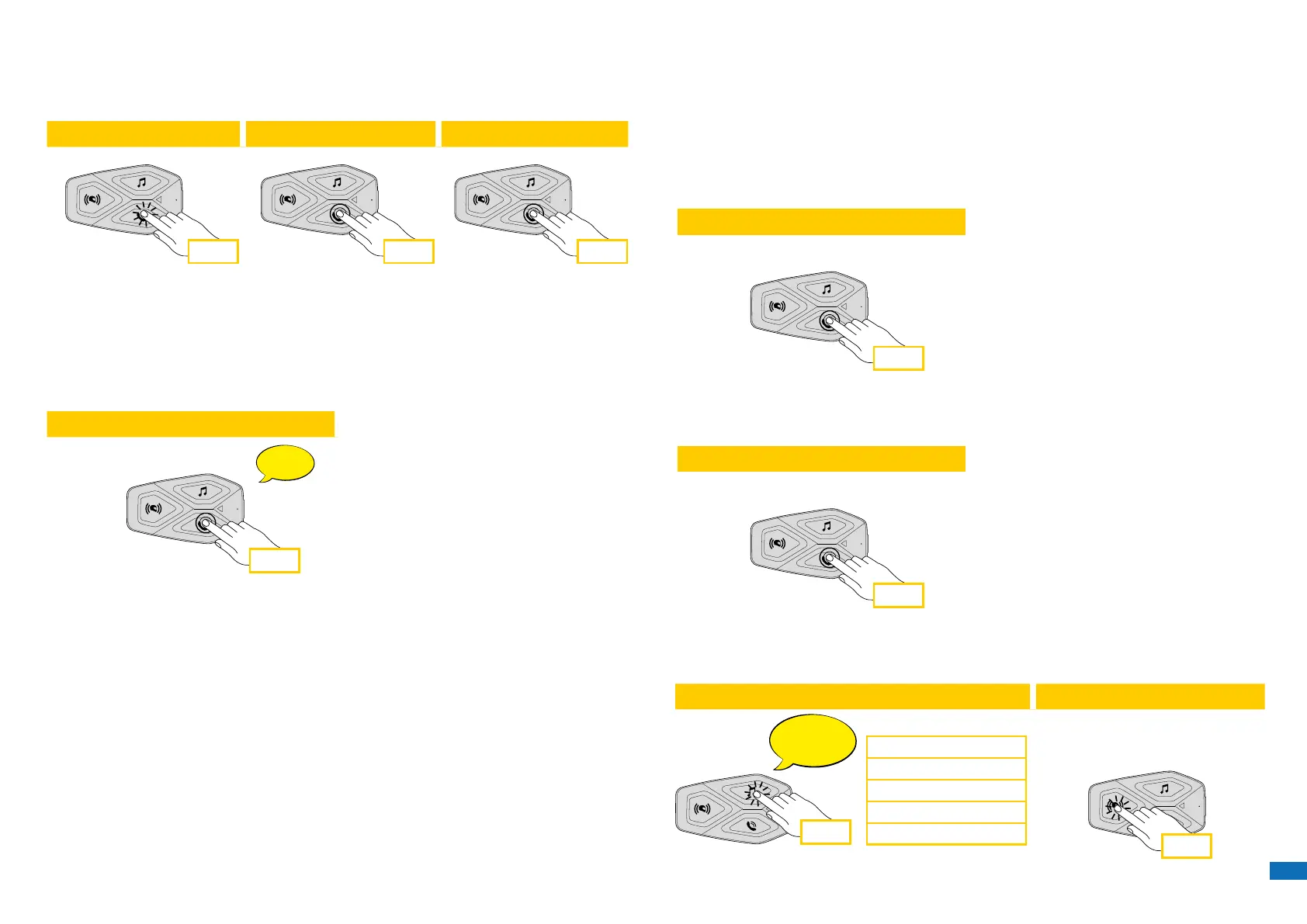
2 sec2 sec
2 sec
1 sec
1 sec 2 sec
1 sec
3 sec
3 sec
x 1
Incoming call answer End call Reject incoming call
Music play Music pause
Next track Previous track
Start/stop music sharing
Phone assistant trigger Speed dial
Note: If you have a GPS device connected, you will not hear its voice
navigations during a phone call.
5.2 Siri and Google Assistant
U-COM 3 supports the Siri and Google Assistant access directly by pressing
the PHONE button for two seconds.
2 sec
1 sec
1 sec 2 sec
1 sec
3 sec
3 sec
x 1
Phone
Music
Beep
Beep
Incoming call answer End call Reject incoming call
Music play Music pause
Next track Previous track
Start/stop music sharing
Phone assistant trigger
5.3 Speed Dialing
It is possible to store up to 3 telephone numbers (if “advanced mode” is
active) to be used as speed dials. You can set the speed dial numbers via
UNITE APP or INTERPHONE Device Manager.
5.3.1 Using preset speed dial numbers
How to activate speed dial (with ADVANCED FEATURES o)
2 sec2 sec
2 sec
1 sec
1 sec 2 sec
1 sec
3 sec
3 sec
x 1
Phone
Music
Beep
Beep
Incoming call answer End call Reject incoming call
Music play Music pause
Next track Previous track
Start/stop music sharing
Phone assistant trigger
Speed dial
How to activate speed dial (with ADVANCED FEATURES on)
1. Enter into the Speed Dial menu.
2 sec2 sec
2 sec
1 sec
1 sec 2 sec
1 sec
3 sec
3 sec
x 1
Phone
Music
Beep
Beep
Incoming call answer End call Reject incoming call
Music play Music pause
Next track Previous track
Start/stop music sharing
Phone assistant trigger
Speed dial
2. Navigate between the Speed Dial Preset with MUSIC and PHONE
buttons, as indicated in picture here below. Select the wanted feature
with CENTRAL button.
Select one function Conrm selected funcion
x 1
Last number redial
Speed dial #1
Speed dial #2
...
Last number redial
Speed dial #1
Speed dial #2
Speed dial #3
Cancel (exit from menu)
x 1


 To Next Page