9
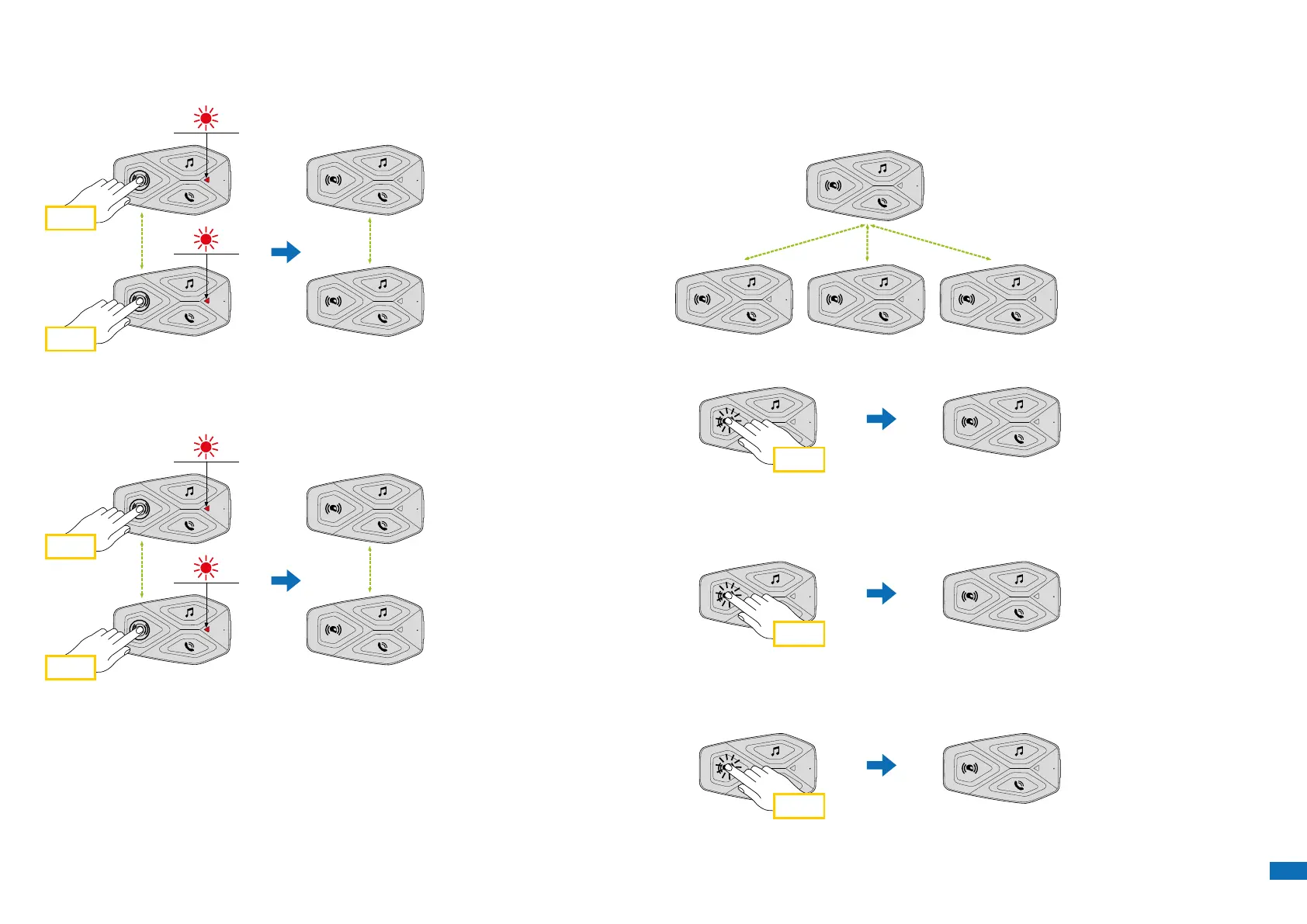
2. Repeat the previous step again, pressing the center button (intercom)
on the two units A and C for 5 seconds until you hear the voice prompt
“Intercom pairing”.
5 sec
A A
C
5 sec
C
3. Repeat the procedure again, pressing the centre button (intercom) of
the two units A and D for 5 seconds until you hear the voice prompt
“Intercom pairing”.
5 sec
A A
D
5 sec
D
7.2 Two-way Intercom Conversation
After pairing the control units, communication can be started, by pressing
the INTERCOM button (center button), according to the diagram below.
1. Press once to connect the control unit D.
A
B C D
Start/stop intercom connection with unit “D”
x 1
D
2. Press twice to connect the control unit C.
Start/stop intercom connection with unit “C”
x 2
C
3. Press three times to connect the control unit B.
Start/stop intercom connection with unit “B”
x 3
B


 To Next Page