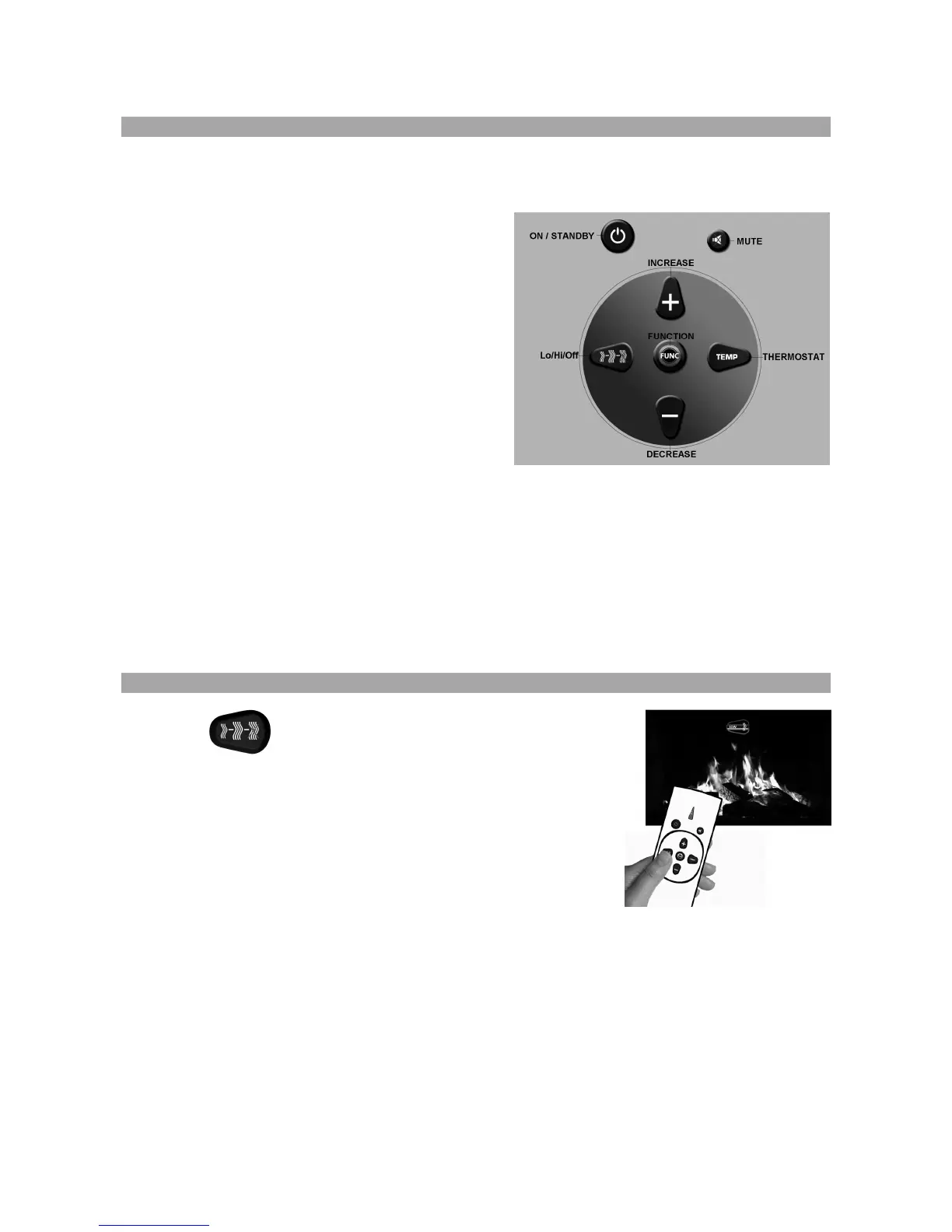
5.2.1 Button Description
The functionality of the buttons described below is the same for both the remote control
handset and the manual keypad.
ON/STANDBY: This button is used turn the
fire ON or OFF.
MUTE: This button is used to mute the
sound or restore the sound.
Lo/Hi/Off: This button is used to change
the manual heat setting to Low,
High or Off. For further
information see page 9 ‘How to
change the manual heat setting’.
THERMOSTAT: This button is used to turn the
thermostat on. For further
information see page 10 ‘How to use the thermostat’.
FUNCTION: This button is used to enter function mode. For further
information see page 11 ‘How to use the function features’.
INCREASE: This button is used to change a ‘thermostat’ or ‘function’ setting.
DECREASE: This button is used to change a ‘thermostat’ or ‘function’ setting.
5.2.2 How to change the manual heat setting
Press the button to place the appliance into manual
heat mode.
NOTE: When this button is pressed the appliance will fall
out of thermostat mode if previously set.
Press the Lo/Hi/Off button to put the heater in to LOW heat setting
mode. The heating fan on the left side of the appliance will turn on.
Press the Lo/Hi/Off button again to put the heater in to HIGH
heat setting mode. The heating fans on both sides of the appliance will now be turned on.
Press of the Lo/Hi/Off button again to turn both the heater fans OFF.
The next press of the Lo/Hi/Off button will return the unit to the LOW heat setting, and so
the cycle is repeated.



 To Next Page