5.2.4 How to use the function settings
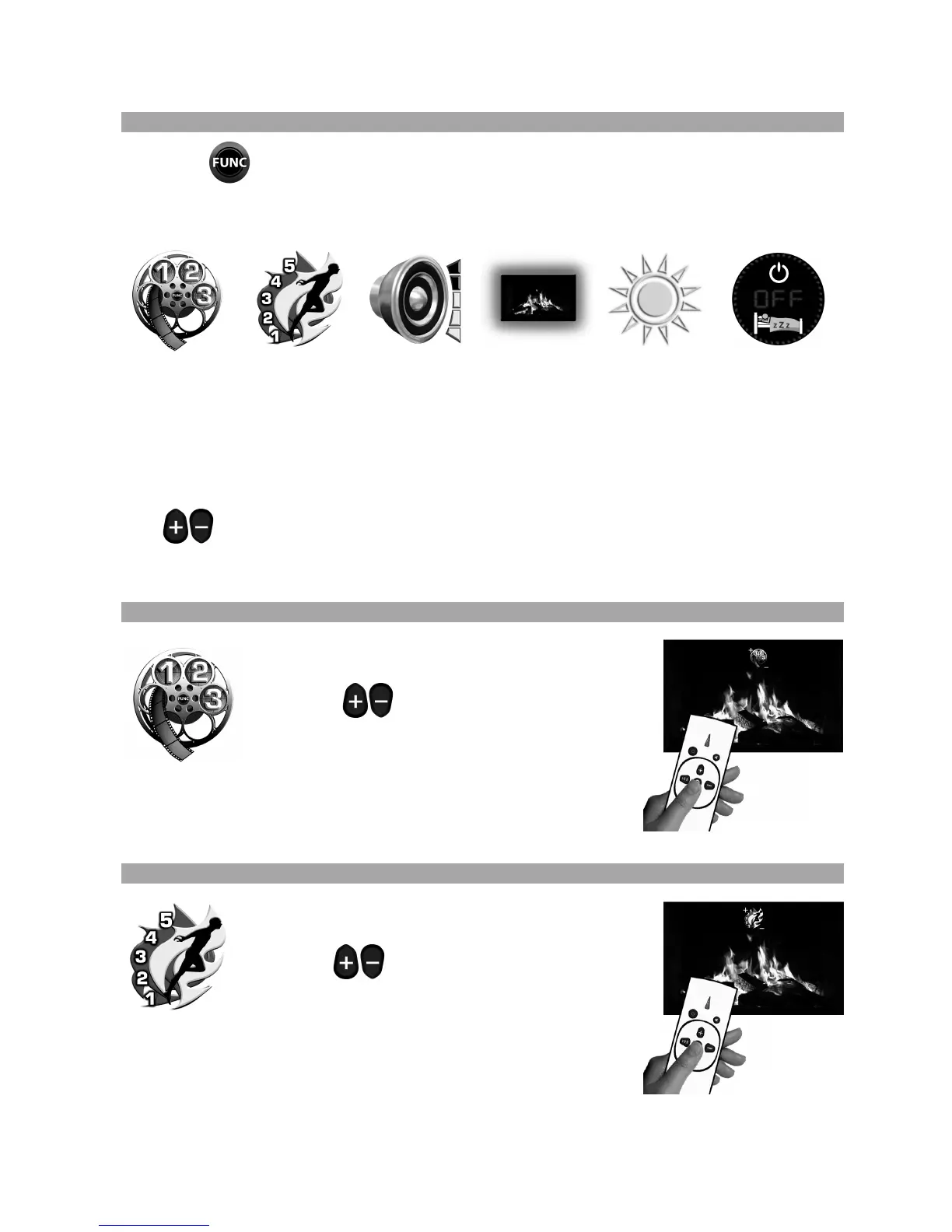
Press the button to enter function mode. The first of the five available functions will
now be displayed on screen.
The five functions are as follows:
Brightness Sleep Timer
To access each of the functions simply continue to press the ‘FUNC’ button until the required
function is displayed.
The icon will stay on screen for 3 seconds. If no other buttons are pressed during this time,
the icon will disappear from the screen and continue to run with its current setting.
The
buttons can be used to change each function setting.
Descriptions of the six function modes are shown separately in the sections below.
5.2.4.1 How to change the Flame Image
Press the ‘FUNC’ button as described above to
display the flame image icon on the screen.
Press the buttons to change the flame
image. There are three flame images to choose
from and the image will change on the screen as
you scroll through the selections. Once the desired image is
selected wait for 3 seconds for the on screen icon to disappear.
The flame image is now set.
5.2.4.2 How to change the Flame Speed
Press the ‘FUNC’ button as described above to
display the flame speed icon on the screen.
Press the
buttons to change the flame
speed. There are five flame speeds to choose
from and you will see the speed change as you
scroll through the selections. Once the desired speed is selected
wait for 3 seconds for the on screen icon to disappear.
The flame speed is now set.



 To Next Page