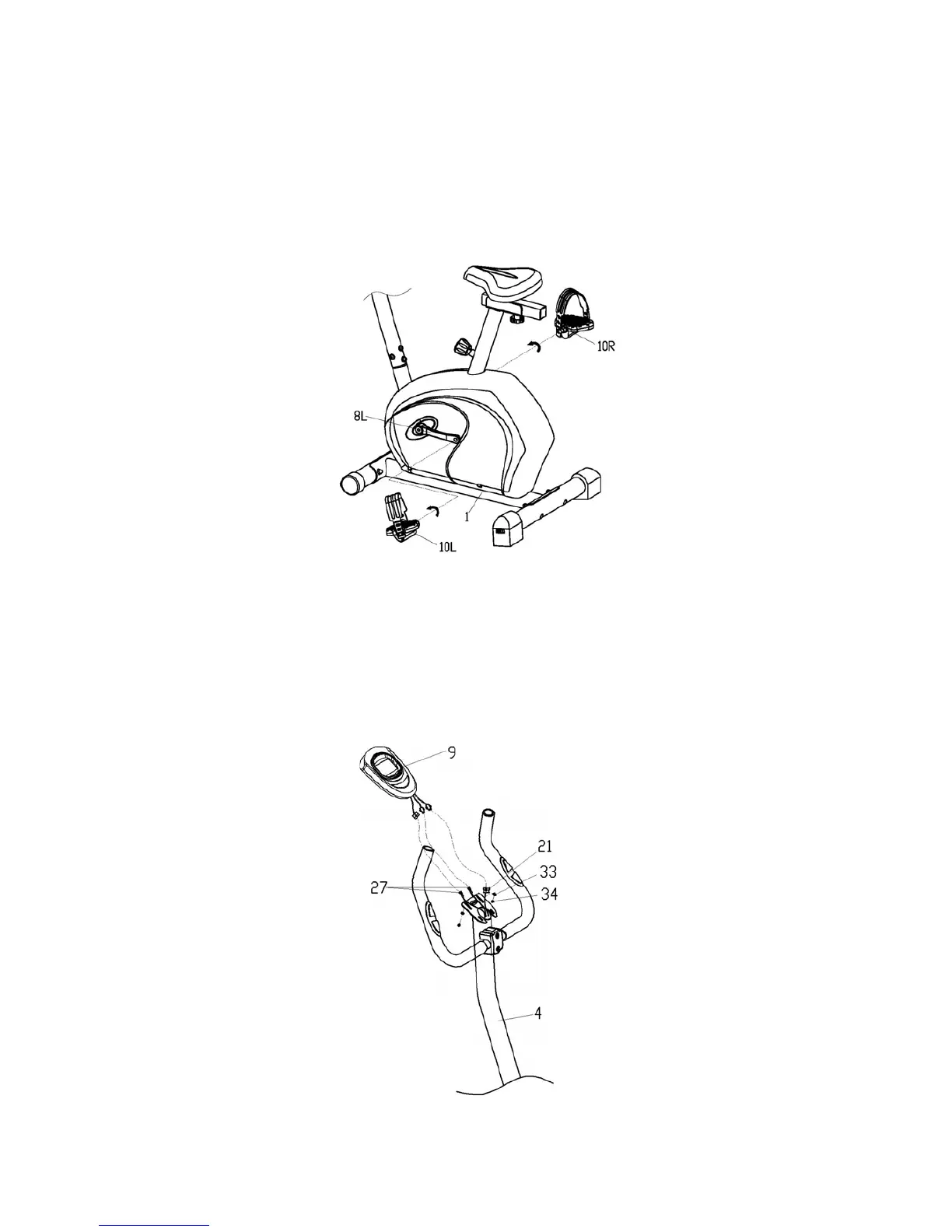
5. Install the Right and Left Pedals
Attach the right and left pedals (10L/R) to the crank (8L/R). The right pedal (10R) should
be threaded on clockwise direction. The left pedal (10L) should be threaded on counter-
clockwise direction.
NOTE: The right and left pedals (10L/R) and crank (8L/R) are marked with “R” & “L”.
6. Install the Computer
Connect the pulse sensor wires (27) and upper sensor wire (21) to the wires that come
from the computer (9).Then fix the computer (9) on the handlebar post (4) with flat washer
(33) and cross head screw (34).
7


 To Next Page