-
10 -
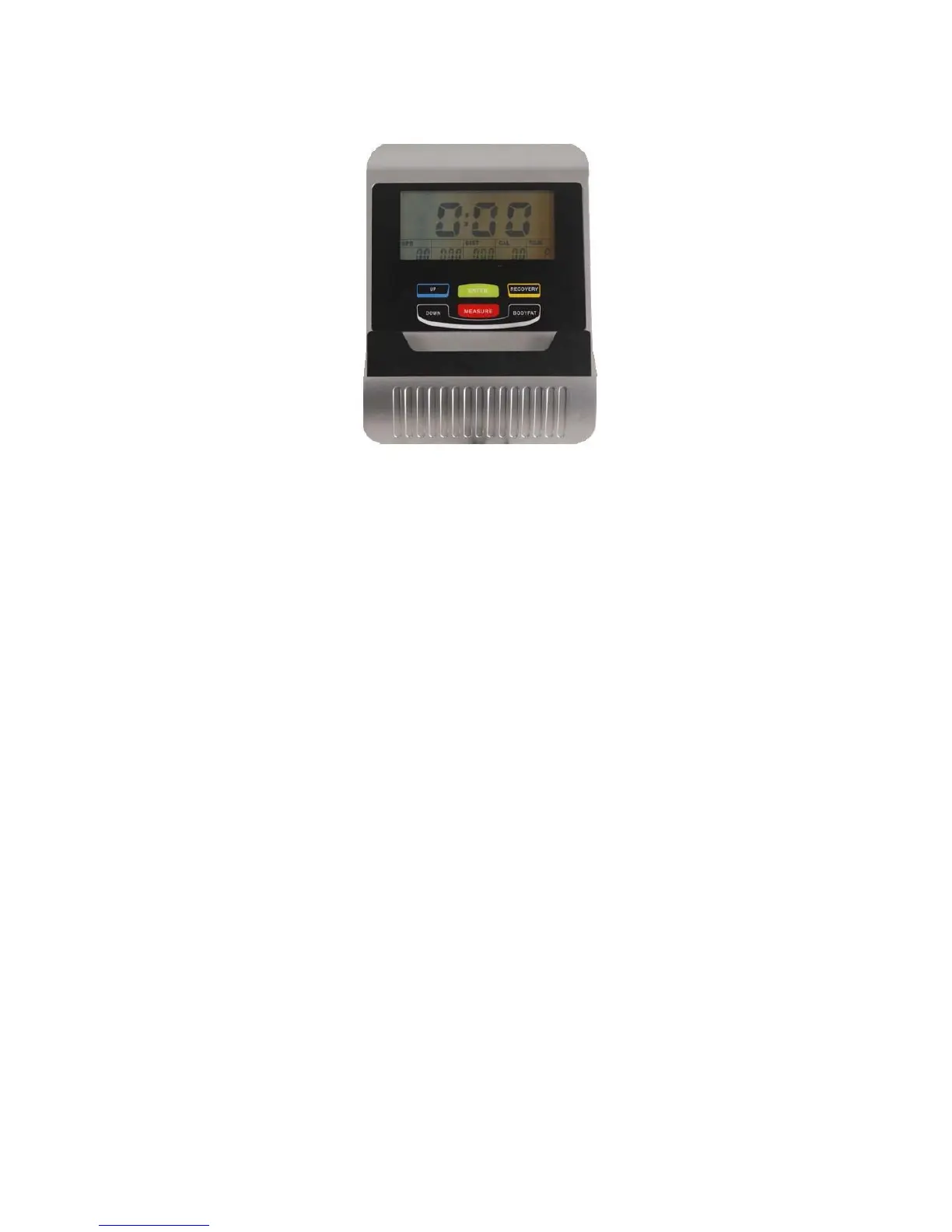
CONSOLE INSTRUCTION MANUAL
The things you should know before exercise
A. User Data:
You should input your personal data before workout. Press BODY FAT key to enter your personal
data of sex,
B. Clock Mode:
a. The computer will enter the clock mode when there is no signal input or no keys be pressed after
4 minutes. You can press ENTER key to switch the clock and temperature at the clock mode or
press other keys to quit the clock mode.
b. Press the ETNER button 2 seconds, reset the display, can adjust the time and date by UP or
DOWN, use the ENTER key to select the next adjustment. If not adjust the time reset automatically
after 30 seconds to start time.
Functions and Features:
1. CLOCK: Display the current clock in hour and minute.
2. DATE: Displays the current month and day.
3. TEMPERATURE: Display the current temperature.
4. TIME: Shows your elapsed workout time in minutes and seconds. Your computer will
automatically count up
from 0:00 to 99:59 in one second intervals. You may also program your
computer to count down from a set
value by using the UP and DOWN keys from 0:00 to 99:00. If
you continue exercising once the time has
reached 0:00, the computer
will begin beeping, and reset
itself to the original time set, letting you know your
workout is done.
5. SPEED: Displays your workout speed value in KM/MILE per hour.
6. DISTANCE: Display the accumulative distance traveled during each workout up to a maximum
of
999.9KM/MILE.
7. CALORIES: Your computer will estimate the cumulative calories burned at any given time during
your
workout.
8. AGE: Your computer is age-programmable from 10 to 99 years. If you do not
set an age, this
function will
always default to age 35.
9. PULSE: Your computer displays your pulse rate in beats per minute during your workout.
10. RPM: Your pedal cadence.
age, height and weight, after each item input, then press ENTER key to confirm, then
the computer can save the data unless take out the batteries or reset the display.



 To Next Page