- 6 -
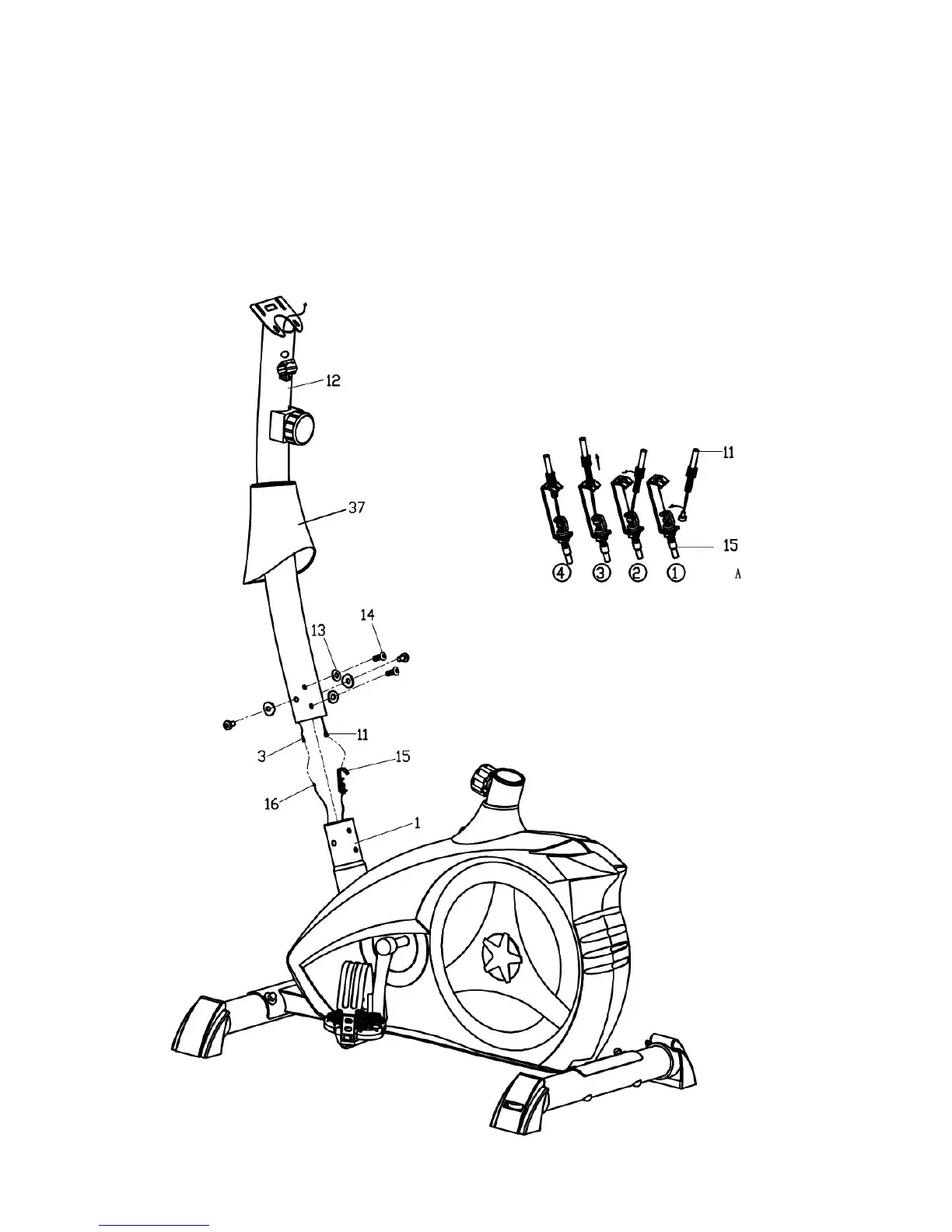
STEP 3
I: Slip the Mast cover (37) onto the Handlebar post (12);
II: Connect the Sensor wire (16) to the upper Sensor wire (3), and install the Tension control cable
(15) to the Tension controller (11), ensured the Cable has been connected correctly as shown.
III: Fix the Handlebar post (12) on the Main frame (1), using the Allen bolts (14), and Arc Washers
(13) as shown.
IV: Slip down the Mast cover (37) and fit in place.



 To Next Page