Series PS-50/60
49-MCEPS56EN03 USER´S MANUAL
2
3.2. INSTALLATION OF SERIES PS-50/60
Weighing scales series PS-50/60 uses an AC/DC voltage adapter and can also be used with a rechargeable
battery. Please check that the power supply voltage matches that stated on the adapter.
The socket for the voltage adapter is situated under the scales.
Make a weight calibration as shown in paragraph 7.2 (Calibration)
4. DESCRIPTION OF KEYS
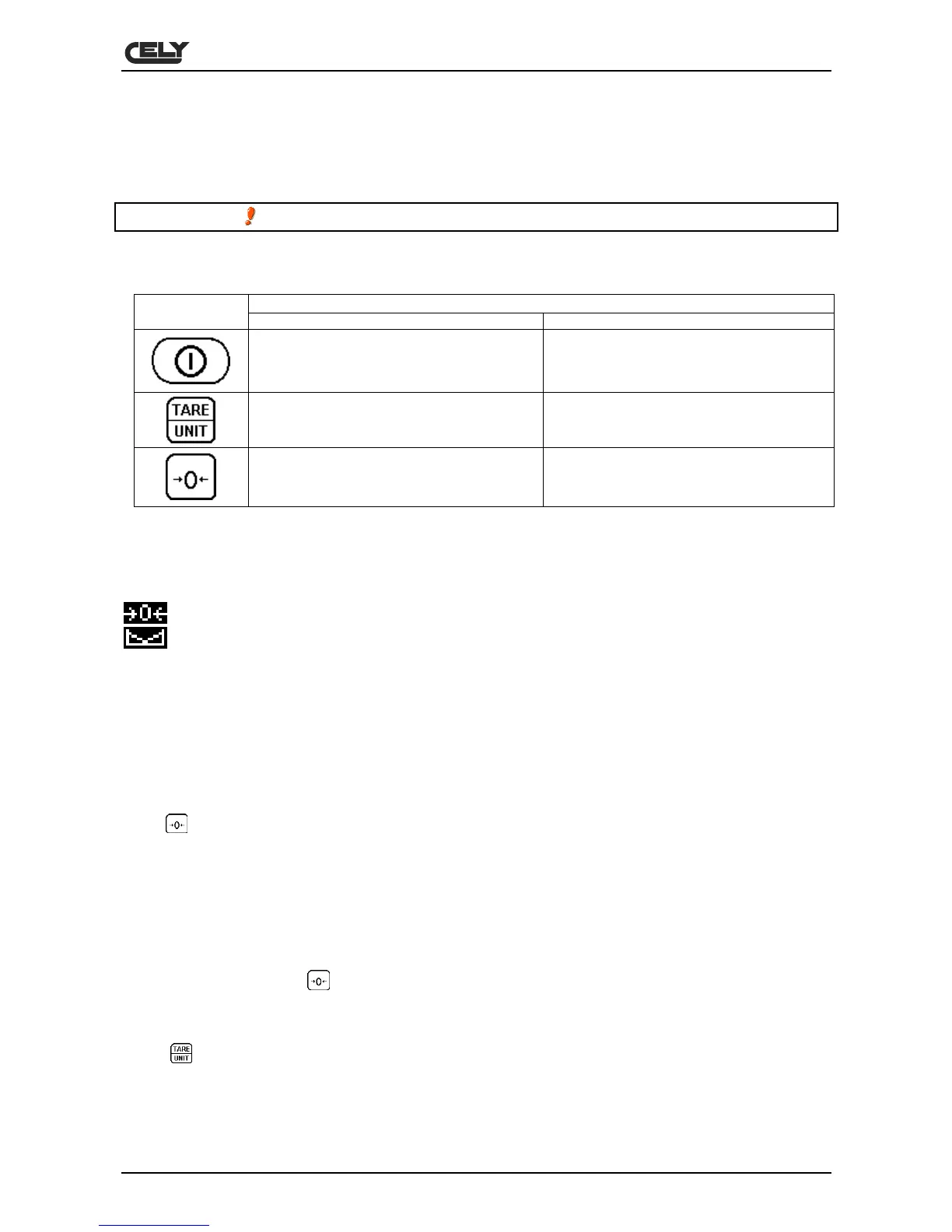
DESCRIPTIONKEY
PRIMARY FUNCTION SECONDARY FUNCTION
This switches the scales on and off
Press this key to tare the scales.
Keep the key pressed for 4 seconds in
order to change the unit of weight.
Sets parameters and other functions.
Sets the scales to zero
Selects each parameter and its respective
options.
5. DISPLAY
The LCD display shows one value and different signs under the digits.
: zero indicator
: stability indicator
NET : tare indicator: current weight in net weight mode
Bat. Lo : low battery indicator. Charge the battery when this indicator lights up
Kg : current unit of weight is kgs
Lb : current unit of weight is lbs
6. OPERATION
6.1. MANUAL ZERO SETTING
Press at any time in order to make a manual zero setting. When the zero point is obtained, the display
will show the zero indicator.
The scales are provided with a manual zero setting function in order solve minor problems in weight
deviation or accumulation of materials on the platform.
6.2. SETTING THE TARE
Set the scales to zero using if necessary. The zero indicator will appear.
Place some packaging on the platform and a weight value will appear.
Press
to set the tare of the scales. The weight that appeared on the display is saved as the tare value
and that value is deducted from the display, which returns to zero. The “NET” indicator will be activated.
When a product is added, only the product weight will be shown. The scales may be tared for a second time
if another type of product is added to the first. Again, only the additional weight will be shown after the tare
has been set.


 To Next Page