Need help?
Do you have a question about the Cembre ROLLY 3000 and is the answer not in the manual?
Explains the designation of important information and instructions within the manual for clarity.
Details the proper application and limitations of the device to ensure safe and effective operation.
Covers critical safety precautions, warnings, and handling guidelines to prevent injury and damage.
Provides guidance on environmental considerations and proper disposal of the device at its end-of-life.
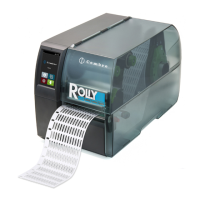
Illustrates and labels the main components and parts of the printer for user familiarity.
Guides users through the initial process of unboxing, checking contents, and preparing the printer for use.
Explains how to properly connect the printer to power and a computer or network.
Details the procedure for powering on the printer after all connections have been successfully made.
Describes the initial screen of the touchscreen interface and its basic operational states.
Explains how to navigate through the printer's menu system using the touchscreen interface for various settings.
Step-by-step instructions for correctly placing the label roll onto the printer's retainer.
Guides users on how to thread the label material through the printhead assembly for printing.
Explains how to adjust the label sensor for optimal detection of media marks or gaps.
Instructions for properly installing the transfer ribbon for thermal transfer printing operations.
Details how to adjust the ribbon path to prevent wrinkling and ensure print quality.
Describes the process to align the media for accurate printing, crucial after loading or setup.
Explains the printing mode where labels are manually separated by hand after printing.
General advice and critical warnings regarding the maintenance and cleaning of the printer components.
Steps to clean the print roller to maintain media transport and ensure consistent print quality.
Detailed instructions for safely and effectively cleaning the critical printhead component for optimal performance.
Procedures for cleaning the sensor that detects media position, type, and gaps.
Shows visual examples of error messages that appear on the printer's display screen.
A comprehensive table listing error messages, their causes, and recommended remedies for troubleshooting.
Provides practical solutions for common operational problems encountered during the printer's use.
Specifies the various dimensions and parameters for different types of label and shrink tube media.
Lists the physical dimensions and key measurement points of the printer's internal components.
Details the specifications and positioning requirements for reflex marks used for media detection.
Lists the EU directives and regulations with which the printer complies for safety and EMC.
Information regarding compliance with Federal Communications Commission (FCC) regulations for digital device operation.

 To Next Page
 General