Need help?
Do you have a question about the Cembre MG4 and is the answer not in the manual?
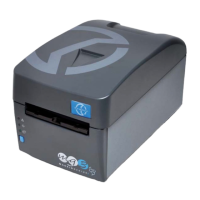
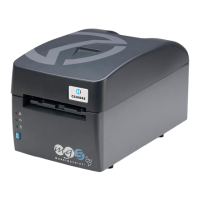
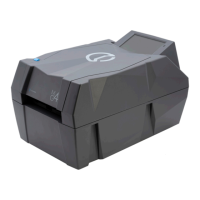
Details the Markingenius MG4's capabilities, print quality, ribbon save system, and touch screen.
Explains how to set up projects via the mobile app and download instructions for Android and Apple.
Lists detailed technical specifications for the MG4, MG4A, and MG4E printers.
Explains the meaning of danger, caution, and note symbols used in the documentation.
Defines the proper and improper uses of the device, emphasizing safety and compliance.
Lists critical safety precautions for operating the printer, including power and environment.
Provides instructions on unpacking the printer, checking contents, and initial setup steps.
Identifies and describes the main physical components of the printer using numbered labels.
Displays the overall physical dimensions of the MG4 printer in millimeters.
Explains how to connect the printer to power sources and a computer via USB.
Details connecting the printer to mains power and the procedure for turning it on.
Mentions the option to power the printer using a battery.
Describes how to connect the printer to a computer using a USB cable for installation.
Explains how to connect the printer to a network using an Ethernet cable and configure settings.
Details connecting the printer to a Wi-Fi network using an Access Point.
Instructions for installing the GENIUSPRO software from the USB flash drive.
Explains how to pair the printer with the Geniuspro Mobile app on a smartphone or tablet.
Describes how to operate the printer using the touch screen display and its home screen interface.
Illustrates navigation through menus like "Print from USB", "Manuals", and "Network information".
Details options within the settings menu, including print statistics, diagnostics, and motor movement.
Explains how to manage product libraries, firmware updates, security PIN, and network settings.
Covers setting language, date/time, screen standby, and viewing system information.
Guides on selecting and correctly placing the interface template for printing specific products.
Step-by-step instructions for removing the old ribbon and installing a new one.
Details the steps for loading material, starting a print job, and removing printed sheets.
General guidance on cleaning the printer, including external surfaces and print head.
Specific instructions and cautions for cleaning the print head to maintain print quality.
Provides safety precautions and procedures for inserting and removing the printer's battery.
Explains how to check the battery charge level using LED indicators and the printer display.
Brief instructions for using the battery charger, referring to its user manual.
Information on recycling and proper disposal of the appliance according to EU directives.
Details the warranty period, exclusions (print head), and conditions for voiding the warranty.
Declares conformity with EU standards and directives for the MG4, MG4A, MGE models.
Declares conformity with UK legislation for the MG4, MG4A, MGE models.
Information on FCC compliance, limits for digital devices, and wireless module details.
Instructions on what to do in case of a breakdown and how to contact for service.

 To Next Page
 General