20
Accessories7
X Switchotheprinteranddisconnectthepowersupply.
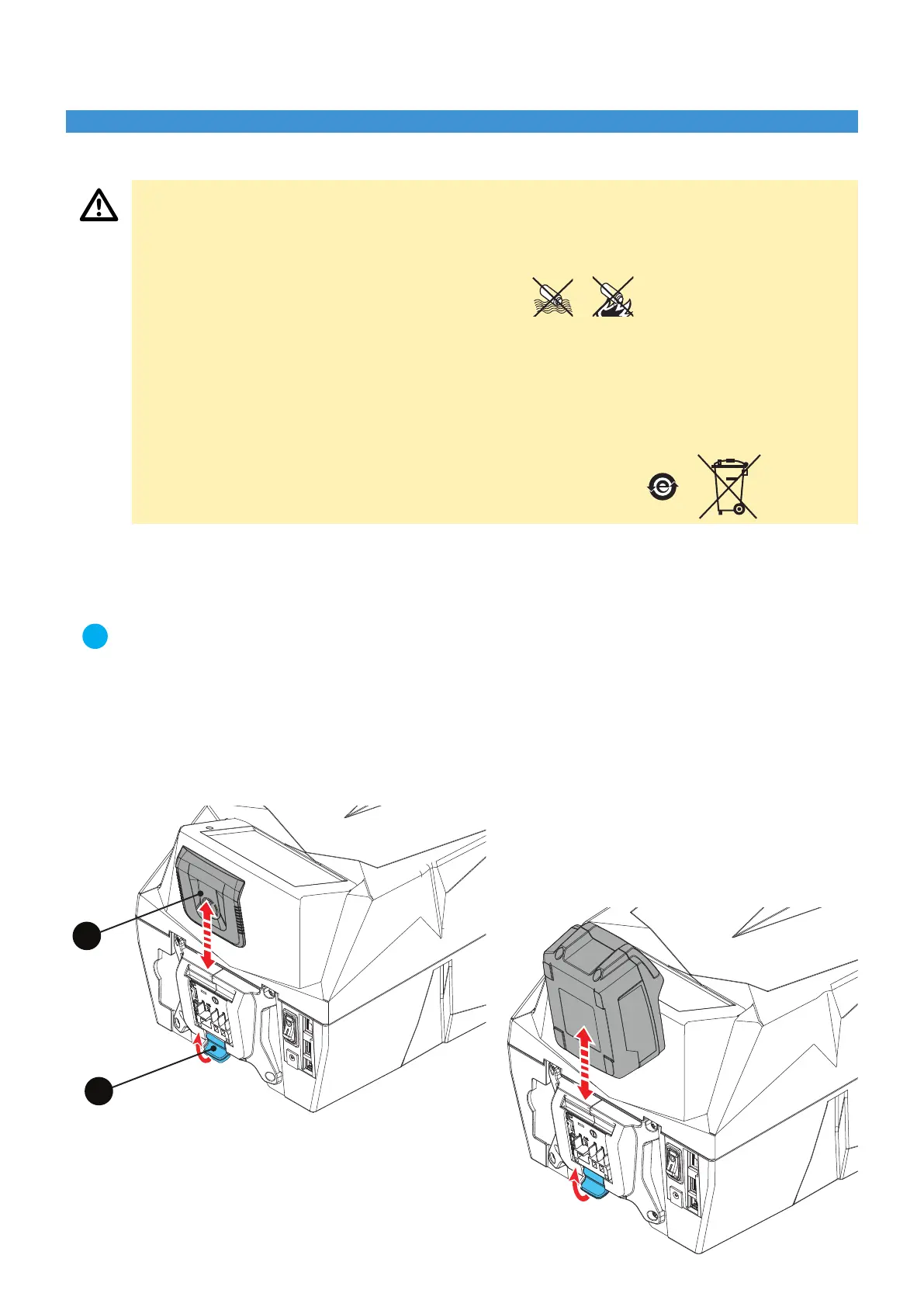
X Remove the protective lid (5) of the contacts by pulling the release button (6) upwards (Fig. a).
X Insert the battery (O) from above by sliding it into the guides until it locks into place (Fig. b).
5
6
7.1 Inserting/removing the batteries
Caution!
X Use only batteries specied by the Manufacturer Risk of re or explosion if battery is replaced with an
incorrect type.
X Only charge batteries with the charger specied by the Manufacturer.
X Protect batteries from water and moisture!
X Do not expose batteries to re!
X Do not open batteries!
X Do not touch or short-circuit the battery contacts! Keep the battery away from metal objects that can
create a connection between the contacts.
X Do not use defective or deformed batteries.
X A slightly acidic, ammable liquid may leak from defective lithium batteries. If battery uid leaks from
the battery and comes into contact with the skin, rinse immediately with plenty of water. If battery uid
comes into contact with the eyes, rinse with clean water and seek immediate medical attention.
X Always recycle batteries at the end of their life.
X Never dispose of batteries in household waste.
X They should be taken to the appropriate collection centres for disposal.
Note!
When you connect the power supply unit with the battery inserted in the printer, the power supply automati-
cally switches to mains.
When the power supply unit is connected and supplied from the mains, it is advisable to remove the battery
from the printer and protect the contacts with the lid (5).
The power supply unit does not function as a battery charger! The battery must only be charged using the
charger provided by CEMBRE.
Fig. a
Fig. b


 To Next Page