EasyManua.ls Logo

Cembre MG4 - Accessing Settings Menu Options

Cembre MG4
24 pages
Print Icon
To Next Page IconTo Next Page
To Previous Page IconTo Previous Page
Loading...
12
Touch screen display3
refer to page 13
History of print jobs
carried out.
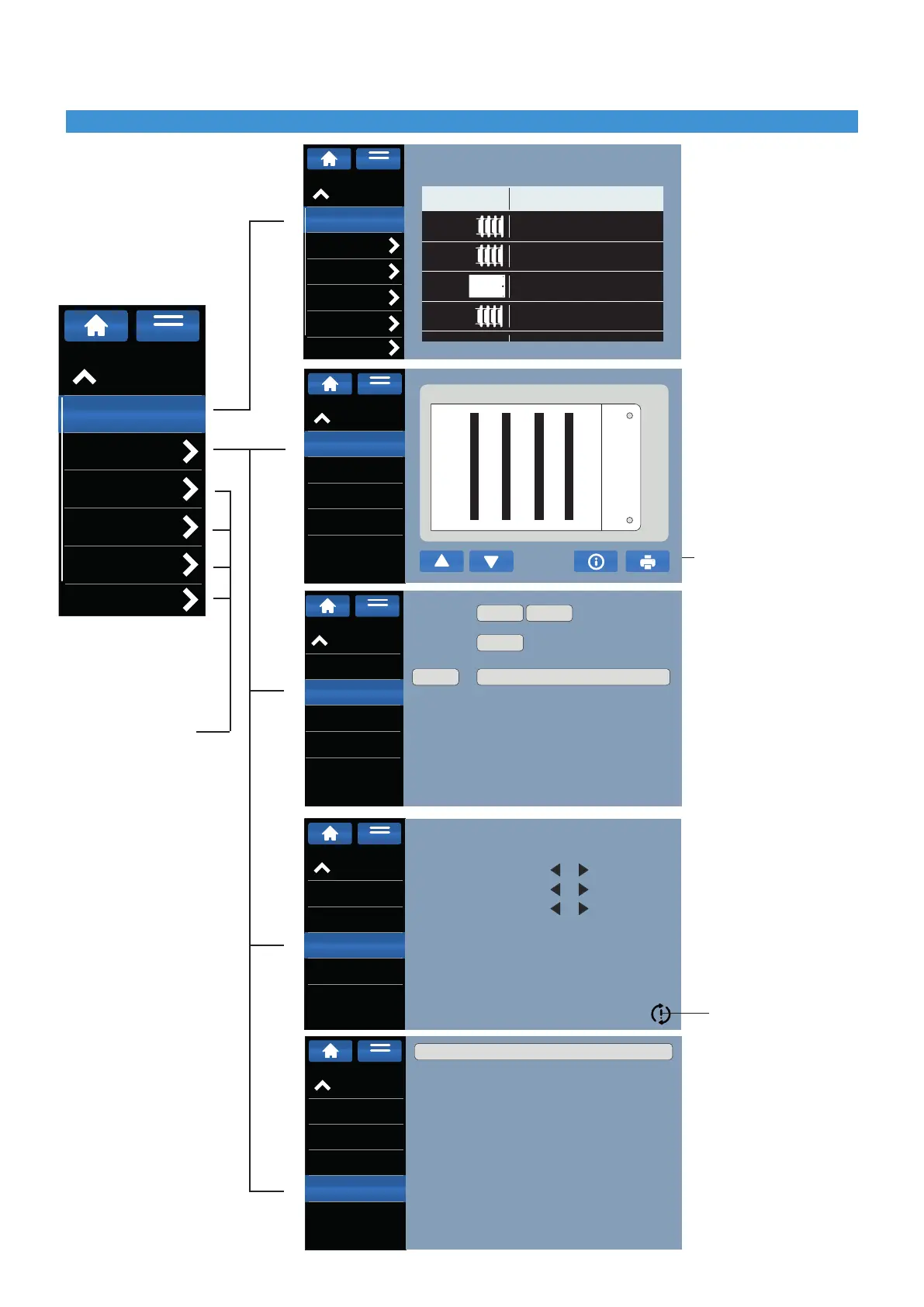
Check the print quality:
- black bands test.
- alignment test.
Manually load a sheet
onto the interface
template and press print.
Commands to check the
correct operation of the
main functions.
Check the correct move-
ment of the motors
(press◄or►tocheck
movement)
Reset settings
General overview of
printer settings
0 = false
1 = true
settings menu
Print special projects
Diagnostics
Diagnostics
commands
Motor movement
Printer Status
Tray position
Loading
position
Home
Loading
Standard
Limit stop
MENU
Print special projects
Diagnostics
Diagnostics
commands
Motor movement
Printer Status
Motor
Position
Tray
Printhead position
Ribbon
MENU
Settings
Print statistics
Diagnostics
Product Library
FW Update
Security
Network
Total prints: 75
Type
Printed sheets
4
10
23
27
47091N
41390N
41090N
40092
MENU
Print special projects
Diagnostics
Diagnostics
commands
Motor movement
Printer Status
MENU
01_bande_nere 1_1.gmgx (Pagine 1)
Print special projects
Diagnostics
Diagnostics
commands
Motor movement
Printer Status
Limit stop Description Value
01
02
03
04
05
06
07
08
09
10
11
12
13
PRINTHEAD UP
TRAY POSITION HOME
TRAY MOVEMENT
TOP COVER DETECTION
SHEET DETECTION
LOADER IN STOP/RELEASE POSITION
LOADER IN PRE-SELECTION POSITION
UNLOADER UP
UNLOADER LOW
MANUAL MODE
LIFTER UP
LIFTER LOW
RIBBON DETECTION
1
1
1
1
0
1
1
1
0
1
0
1
1
MENU
Settings
Print statistics
Diagnostics
Product Library
FW Update
Security
Network
MENU