EasyManua.ls Logo

Central Machinery 32650 - User Manual

Central Machinery 32650
26 pages
Print Icon
To Next Page IconTo Next Page
Loading...
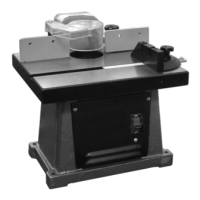
1/2” BENCH TOP
SHAPER/ROUTER
Model
32650
SET UP AND OPERATING INSTRUCTIONS
Visit our website at: http://www.harborfreight.com
Read this material before using this product.
Failure to do so can result in serious injury.
SAVE THIS MANUAL.
Copyright
©
1998 by Harbor Freight Tools
®
. All rights reserved. No portion of this manual or any artwork
contained herein may be reproduced in any shape or form without the express written consent of
Harbor Freight Tools. Diagrams within this manual may not be drawn proportionally. Due to continuing
improvements, actual product may differ slightly from the product described herein. Tools required for
assembly and service may not be included.
For technical questions or replacement parts, please call 1-800-444-3353.
Manual Revised 10e

Questions and Answers

  • K
    Kevin MackJul 30, 2025
    How to fix a Central Machinery 32650 Power Tool that will not start?
    • J
      james14Jul 30, 2025
      If your Central Machinery Power Tool won't start, first ensure that the cord is properly plugged in. Then, check the power at the outlet. If the outlet isn't working, turn off the tool and inspect the circuit breaker. If the breaker has tripped, verify that the circuit has the correct capacity for the tool and isn't overloaded. If problems persist, have a technician service the tool.
  • B
    burnstravisAug 4, 2025
    Why is my Central Machinery 32650 Power Tool overheating?
    • A
      Adam RodriguezAug 4, 2025
      Overheating in your Central Machinery Power Tool can occur if you are forcing material into the blades too quickly; allow the machine to work at its own pace. Also, check and correct the alignment of the accessory to the fence and/or table. Ensure cutting accessories are sharp and replace them if dull or damaged. Clean blocked motor housing vents by wearing ANSI-approved safety goggles and a NIOSH-approved dust mask/respirator while blowing out dust with compressed air. Finally, if using an extension cord, eliminate it or use one with the proper diameter for its length and load, as a long or small diameter cord can strain the motor.
  • H
    Heather CohenAug 11, 2025
    What to do if my Central Machinery Power Tool is making excessive noise?
    • P
      Pamela GarciaAug 11, 2025
      Excessive noise or rattling in your Central Machinery Power Tool can be due to a belt that is either too loose (slipping) or too tight (causing bearing damage). Properly tension the belt to resolve this. If the issue continues, have a technician service the tool.
  • N
    Nancy LeeAug 17, 2025
    Why is the performance of my Central Machinery 32650 decreasing?
    • P
      Patricia WilkinsAug 17, 2025
      If your Central Machinery Power Tool's performance decreases over time, ensure that the cutting accessories are sharp and replace them as needed. Additionally, have a qualified technician replace the brushes.
  • B
    Benjamin ChavezAug 23, 2025
    How to troubleshoot a Central Machinery 32650 that operates slowly?
    • L
      Lauren WelchAug 23, 2025
      If your Central Machinery Power Tool operates slowly, the extension cord might be too long or the wire size too small. Try eliminating the extension cord. If you need to use one, choose a shorter cord or one with a heavier gauge.

Summary

IMPORTANT SAFETY INFORMATION

General Tool Safety Warnings

General safety advice for tool operation including guards, keys, work area, and attire.

GROUNDING INSTRUCTIONS

110-120 V~ Grounded Tools: Tools with Three Prong Plugs

Instructions for proper grounding of tools with three-prong plugs to prevent electric shock.

Shaper Safety Warnings

Specific safety precautions for operating the shaper, including eye protection and cutter handling.

Vibration Safety

SPECIFICATIONS

UNPACKING

INSTRUCTIONS FOR PUTTING INTO USE

Mounting

Instructions for securely attaching the shaper/router to a workbench or portable base.

Assembly;Mounting

Steps for unpacking and assembling the shaper/router unit, including fence attachment.

Installing the Height Knob

Guide to installing the height adjustment knob onto the base of the unit.

OPERATING INSTRUCTIONS

Tool Set Up

Procedures for setting up the tool before commencing any operation or adjustment.

Adjusting the Main Spindle Height

How to adjust the vertical position of the main spindle using the height knob.

Removing or Installing the Shaper Spindle

Table Insert

Installing Shaper Bits

Installing Router Bits

Fence

Guard and Guide Locations

Ring Guard

Chip Discharge Chute

Radius Pin

Miter Gauge

Switch and Key

Work Piece and Work Area Set Up

General Operating Instructions

Shaping and Routing Techniques

Wood Grain

Advice on cutting wood with or against the grain for best results.

Across the Grain

Methods to prevent splintering when performing cross-grain cuts.

Straight Edge Shaping

Procedure for shaping straight edges using fence alignment and test cuts.

Irregular And Curved Shaping

Techniques for shaping irregular and curved edges using templates or collars.

MAINTENANCE AND SERVICING

Cleaning, Maintenance, and Lubrication

Routine cleaning, maintenance, and lubrication procedures for the tool.

TIMING BELT REPLACEMENT

Detailed steps for replacing the timing belt of the machine.

Carbon Brush Replacement

Information and guidance on replacing worn carbon brushes for the motor.

Troubleshooting

PARTS LIST

ASSEMBLY DIAGRAM

LIMITED 1 YEAR; 90 DAY WARRANTY

Central Machinery 32650 Specifications

General IconGeneral
BrandCentral Machinery
Model32650
CategoryPower Tool
LanguageEnglish

Related product manuals