EasyManua.ls Logo

Central Machinery 91130 - User Manual

Central Machinery 91130
28 pages
Print Icon
To Next Page IconTo Next Page
Loading...
Visit our website at: http://www.harborfreight.com
Email our technical support at: productsupport@harborfreight.com
ITEM 91130
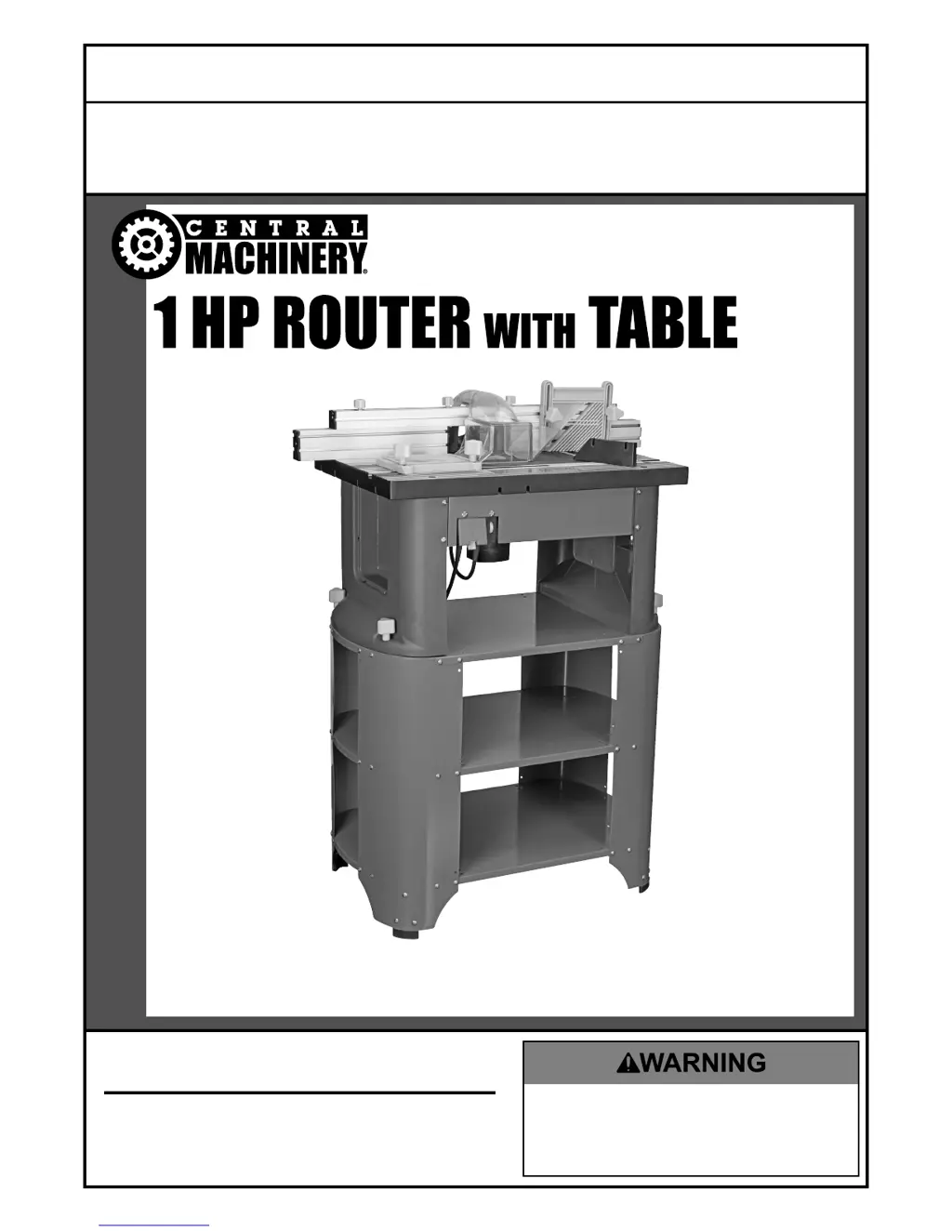
1 HP ROUTER WITH TABLE
Owners Manual & Safety Instructions
Save This Manual Keep this manual for the safety warnings and precautions, assembly,
operating, inspection, maintenance and cleaning procedures. Write the product’s serial number in the
back of the manual near the assembly diagram (or month and year of purchase if product has no number).
Keep this manual and the receipt in a safe and dry place for future reference.
When unpacking, make sure that the product is intact
and undamaged. If any parts are missing or broken,
please call 1-888-866-5797 as soon as possible.
Copyright
©
2004 by Harbor Freight Tools
®
. All rights reserved.
No portion of this manual or any artwork contained herein may be reproduced in
any shape or form without the express written consent of Harbor Freight Tools.
Diagrams within this manual may not be drawn proportionally. Due to continuing
improvements, actual product may differ slightly from the product described herein.
Tools required for assembly and service may not be included.
Read this material before using this product.
Failure to do so can result in serious injury.
SAVE THIS MANUAL.
REV 15l

Questions and Answers

  • D
    dana64Aug 2, 2025
    What to do if my Central Machinery 91130 Power Tool will not start?
    • C
      christine69Aug 2, 2025
      If your Central Machinery Power Tool won't start, here's what to check: 1. Make sure the cord is properly plugged in. 2. Verify that the outlet has power. If not, turn off the tool and check the circuit breaker. If the breaker is tripped, ensure the circuit has the correct capacity for the tool and isn't overloaded. 3. Turn off the tool and let it cool down. Then, press the reset button on the tool. 4. If none of these steps work, the tool may have internal damage or wear. In this case, have a qualified technician service the tool.
  • P
    Patricia Pope MDAug 9, 2025
    Why is my Central Machinery 91130 overheating?
    • S
      steven17Aug 9, 2025
      Your Central Machinery Power Tool might be overheating due to several reasons: 1. You may be forcing the machine to work too fast; allow it to work at its own pace. 2. The accessory might be dull or damaged; keep cutting accessories sharp and replace them when necessary. 3. The motor housing vents could be blocked; wear safety goggles and a dust mask/respirator while blowing dust out of the motor using compressed air. 4. The motor may be strained by a long or small diameter extension cord; eliminate the use of an extension cord, or if one is needed, use one with the proper diameter for its length and load.
  • M
    Marilyn MartinezAug 14, 2025
    Why does my Central Machinery 91130 operate slowly?
    • C
      courtney05Aug 14, 2025
      If your Central Machinery Power Tool is operating slowly, it might be due to an extension cord that is either too long or has a wire size that is too small. Try eliminating the use of the extension cord. If you need to use an extension cord, make sure it has the correct diameter for its length and the load.
  • J
    John HarperAug 20, 2025
    What to do if Central Machinery Power Tool performance decreases over time?
    • S
      Samantha DeckerAug 20, 2025
      If the performance of your Central Machinery Power Tool decreases over time, consider these potential causes: 1. The accessory may be dull or damaged. Keep cutting accessories sharp and replace them as needed. 2. The carbon brushes may be worn or damaged. Have a qualified technician replace the brushes.
  • I
    isaac18Aug 27, 2025
    Why is my Central Machinery 91130 making excessive noise or rattling?
    • L
      Lee LaneAug 27, 2025
      Excessive noise or rattling in your Central Machinery Power Tool usually indicates internal damage or wear, such as with the carbon brushes or bearings. In this case, have a technician service the tool.

Summary

IMPORTANT SAFETY INFORMATION

General Tool Safety Warnings

Provides essential safety guidelines for operating tools.

Grounding Instructions

Router Safety Warnings

Vibration Safety

Setup - Before Use:

Support Stand Assembly;Mounting

Instructions for assembling and mounting the support stand.

Table Stand Assembly;Mounting

Guides for assembling and mounting the table stand.

Adjustment Board;Motor Assembly;Power Switch Mounting

Mounts the adjustment board, motor, and power switch.

Operating Instructions

Tool Set Up

Initial setup procedures for the router.

Adjusting Depth of Cut

How to set the desired cutting depth.

Starting and Stopping The Router

Procedures for turning the router on and off.

Speed Adjustment

Instructions for adjusting the router's speed.

Maintenance and Servicing

Cleaning, Maintenance, and Lubrication

Procedures for cleaning, maintaining, and lubricating the tool.

Troubleshooting

Central Machinery 91130 Specifications

General IconGeneral
TypeDrill Press
Spindle Travel2 inches
Chuck Size1/2 inch
Voltage120V
Speed1720 RPM
Swing8 inches
Table Size6-1/2 in.

Related product manuals