3 | P a g e
A thermostat which shows “E0” is a thermostat which has not yet been connected to a
“valid” system or one which has not yet been “programmed” yet. This “E0” is an
indicator that the thermostat is in a factory default state. This “EO” status can be
changed to a valid status by either programming the thermostat or by hooking up the
thermostat to a valid system. (See Appendix-A for programming menu options)
By default the CentraLite thermostat comes with a wire jumper connecting the RH and
RCpower terminals. On most units only one power source is used and can be
connected to both RH and RC. But if you have another type of HVAC system, it may
require separate power sources for Heating and Cooling. In this case you will remove
the jumper and separately power RC and RH. (See Figure-1)
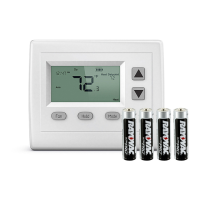
The CentraLite thermostat can be powered by 4 AA batteries or by the power from the
24V off the HVAC unit if a Common wire is available. Even if you use the common wire
for power you should still install 4 AA batteries as a backup for the thermostat time clock.
Connect the wires to the terminal at the middle of the thermostat
Hold the thermostat up to the wall in the desired position. Mark where the 4 holes are to
be drill. Drill 4 3/16 holes for the wall anchors.
Use the included wall anchors and screws to mount the thermostat securely onto the
wall.
Install 4 AA batteries into the battery compartment at the bottom of the thermostat.
Snap the top cover or front faceplate onto the thermostat.


 To Next Page