5 | P a g e
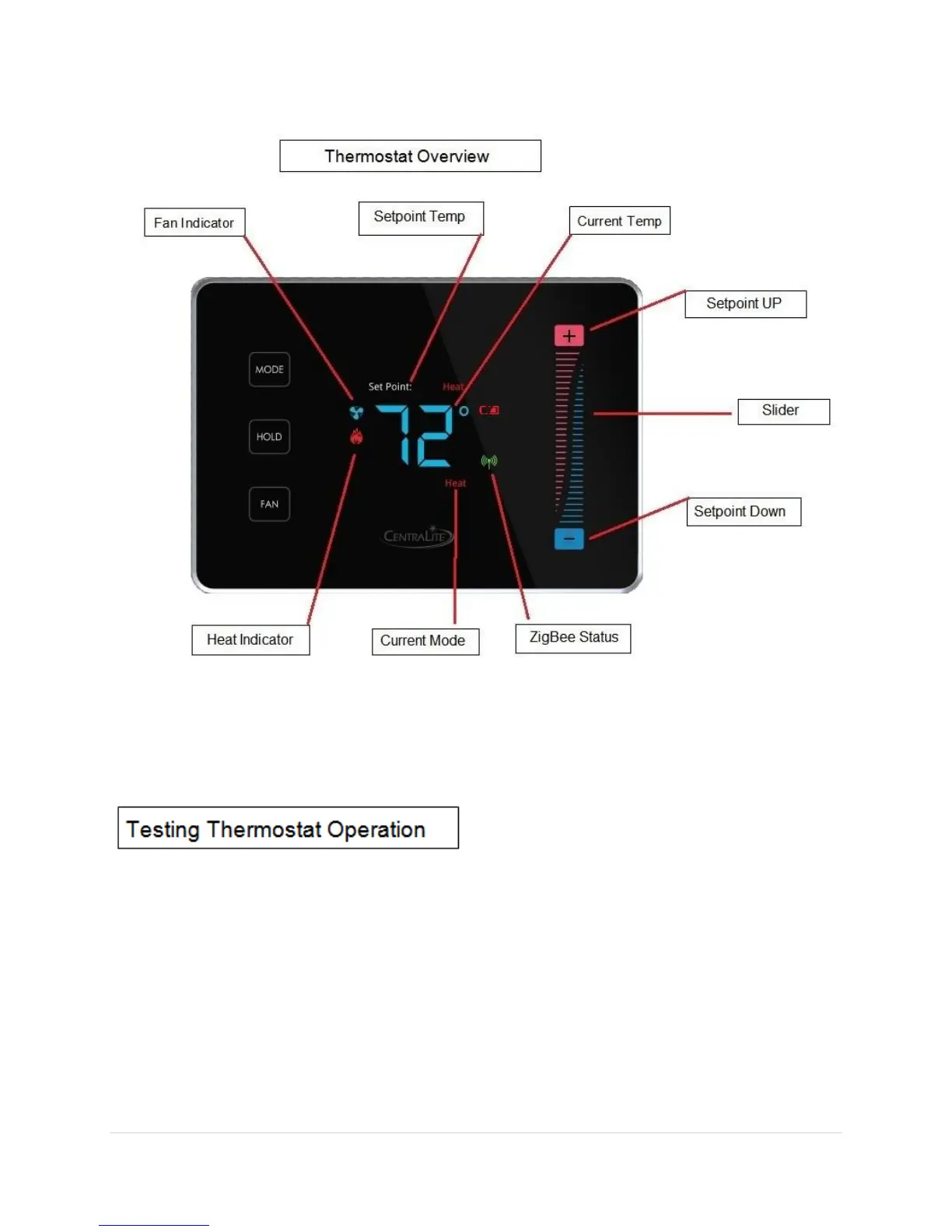
Figure-2 “Thermostat Overview”
After completing any necessary configuration make sure the thermostat is in Cool mode by
pressing the MODE button until Cool is displayed at the bottom of the screen. (See Figure-3)
Make sure the system is not calling for Cooling by setting the setpoint several degrees above
the room temperature. Then check the Fan operation by pressing the Fan button. When
the Fan indicator is illuminated air should blow from the unit.
Now make sure the Fan mode is in Auto and run the setpoint temperature at least several
degrees below the room temperature. Give the thermostat at least 3 minutes to respond.
Now change the system mode to Heat. Allow the system at least 3 minutes to respond.


 To Next Page