7 | P a g e
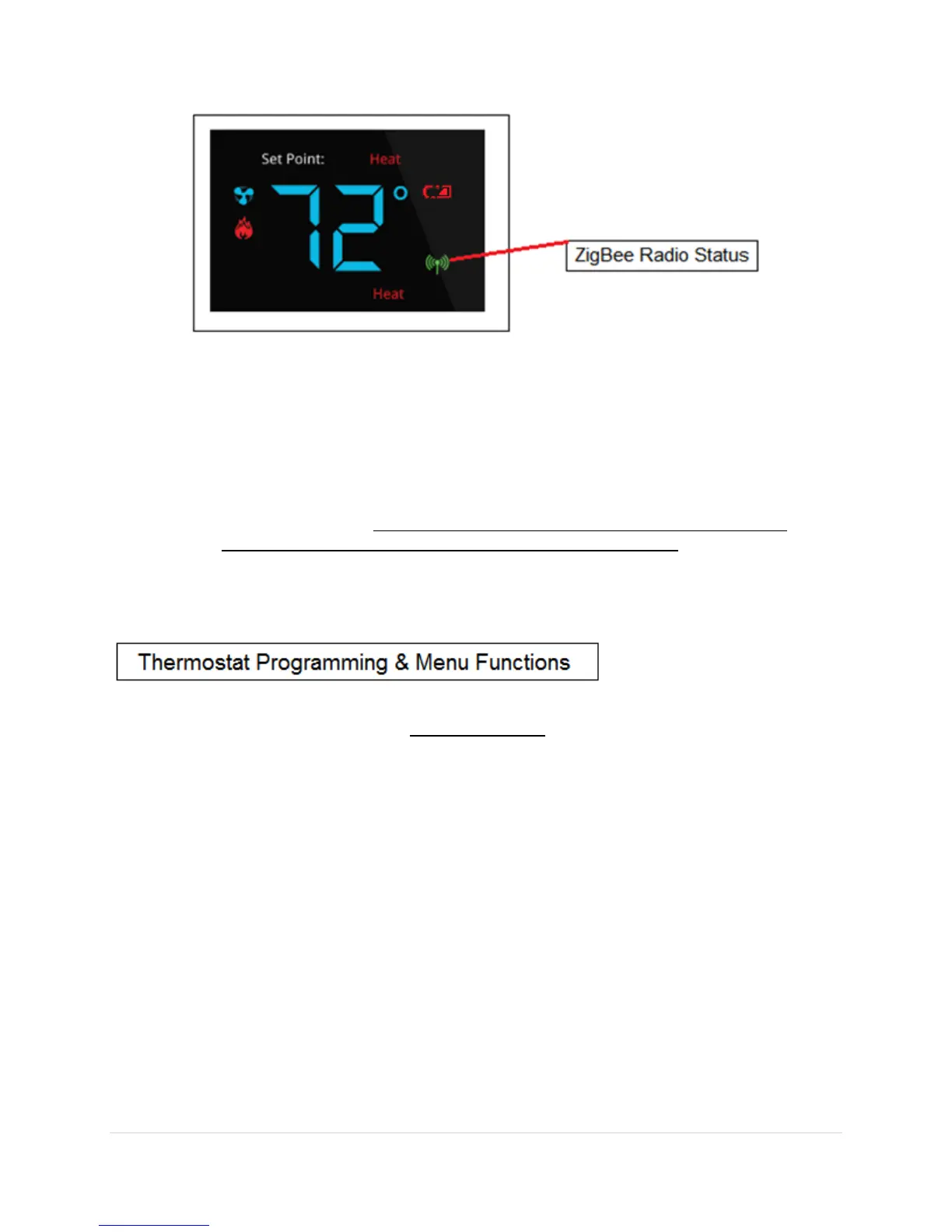
If the indicator does not illuminate then make sure the ZigBee HA system controller is
“Open” for joining.
If the thermostat is part of a network and wish to leave that network and join to a
different network, then you will go to the Menu and choose the option to leave network
(See Appendix-A for menu options) followed by the join network (Appendix-A). Once a
joinable HA network has been located, the ZigBee Radio Icon will appear.
If the ZigBee Radio Icon is solid then you are successfully connected to a network. If the
icon is blinking slowly then you are currently scanning for a network. If the icon is
blinking fast then you are connected to a network but no parent has been found. If the
icon quits blinking and does not stay on then the device was unable to find a network to
join.
See Appendix-A of this document for a Quick Start Guide for support technician programming
mode and programming functions.
Appendix-A


 To Next Page