Technical instructions CSK-Touch
8
Technical instructions CSK-Touch
9
Menu, schedule Schedule, temperature
MENU
In this menu it is possible to set time schedule of all selected boiler heating and DHW circuits (if
any), adjust the temperatures of the selected heating circuits as well as any temperatures that can
be adjusted on the boiler control and adjust the room corrector settings.
1. SCHEDULE
In this menu it is possible to set the time schedule for each selected view (heating circuit), boiler
and, if any, heating of the DHW tank. The time schedule can be switched off or selected from one of
the tables with set time intervals of active and inactive function. Views and settings of existing time
schedules vary depending on the configuration.
1.X. Boiler
1.x.x. Schedule
Choose when the boiler is active or not active
on a particular day of the week - time schedules can be switched off or select one of 3 tables
where boiler activity times can be set. Only one table can be active at a time.
Schedule
OFF
Factory:
setting
OFF / Table 1/2/3
1.x.x. Table 1/2/3
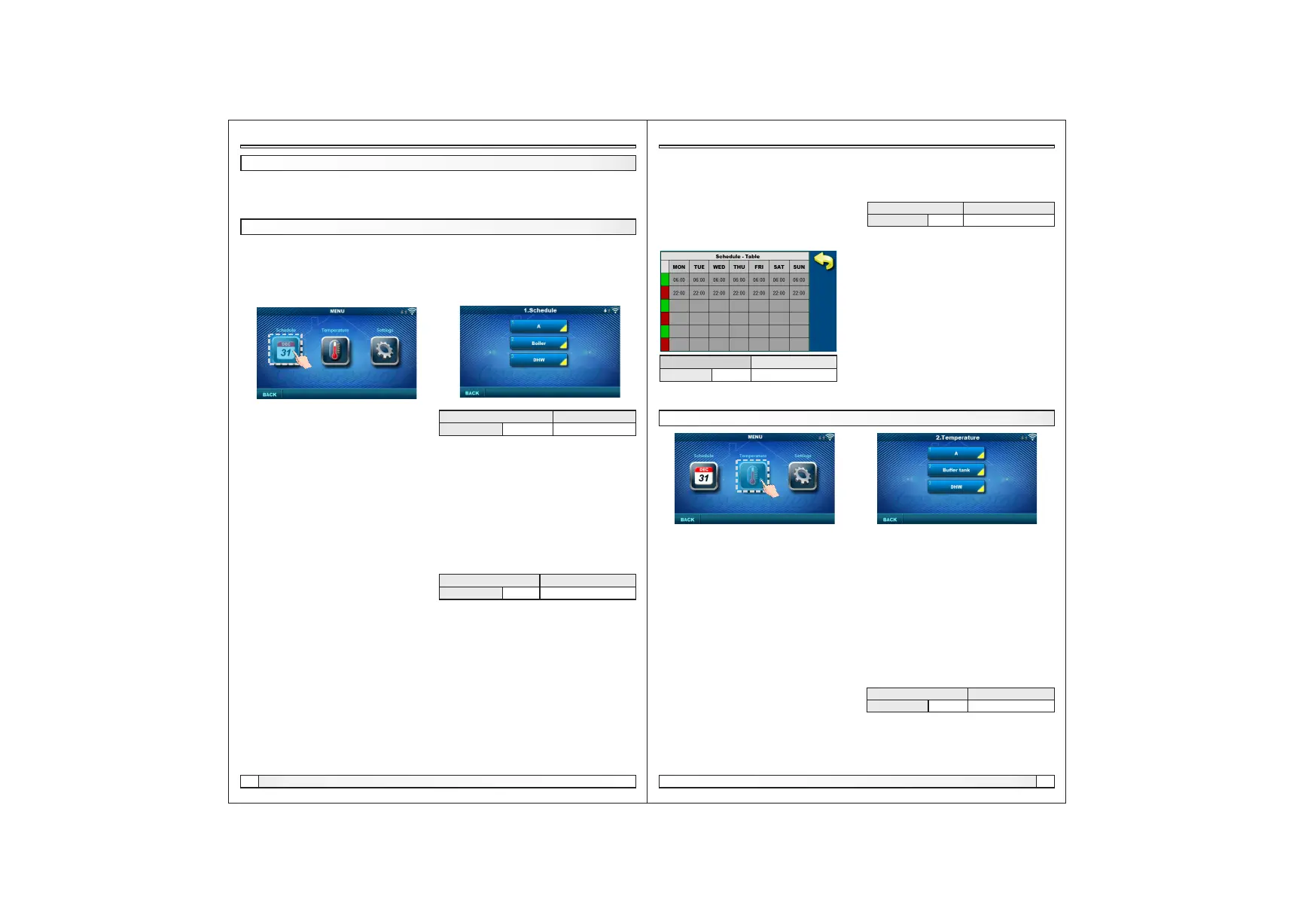
Table for selecting the time when the boiler is active and when not. Green at the left edge of the
table indicates the start of time from when the boiler is active for heating, and red at the edge of the
Table indicates the start of time when the boiler is not active for heating. On each day of the week it
is possible to select 3 times the active state of the boiler and 3 times the time when the boiler is not
active for heating. The factory settings of the tables are: every day from Monday to Sunday from
06:00 hours the boiler is active for heating until 22:00 from when the boiler starts to be inactive until
the next day at 06:00. On the right side of the screen there are buttons to copy the desired day and
paste it to another selected day (copy / paste).
1.1. View A
1. 1. 1. Day/Night Temp.
Selecting the set room temperature mode -
Day temperature, Night temperature or Table selection.If the temperature mode is selected
according to the Table, the times in the following Tables must be set (switching the temperature
mode according to the specified time in each day). Only one Table can be active at the same time.
Day/Night Temp.
Day/Night Temp.
Factory:
setting
Day / Night / Table 1/2
1.1.x. Table 1/2
Time table for day / night room temperatures. Green at the left edge of the table indicates the start of
daytime temperature, red at the edge of the table indicates the start of nighttime temperature. It is
possible to choose 3 times daily and 3 times night temperatures on any day of the week. The factory
settings of the tables are: Every day from Monday to Sunday at 06:00 hours the daily temperature
of the room starts and lasts until 22:00 when the night temperature begins, which lasts until the next
day at 06:00. On the right side of the screen there are buttons to copy the desired day and paste it to
another selected day (copy / paste).
Depending on the configuration selected on the boiler, certain menus appear in the menu
2.Temperature in which the set temperatures and differentiations (seen on the boiler control) can
be changed:
Day / Night Temp. / Daily room temp. / Night room temp. / Heating curve / Correction coeff. / Buffer
tank temp. / Min. buf. tank temp. / Diff. buf. tank temp. / Diff. stop buff. tank / Crossover temp. / DHW
temp. / Differential of DHW
2.1.1. Day/Night Temp.
Day Temperature: maintaining a set daily temperature all the time
Night temperature: maintaining a set night temperature all the time
Table 1/2: Maintain day / night temperature by set times for each day of the week of the selected
table
2.1. View A (see point 3.2.)
1.x.x. Table
Table for selecting the time when DHW heating is active and when not.
Table for selecting the time when DHW heating is
active and when not. The green color on the left
edge of the table indicates the start of time since
DHW heating is active, and the red color on the
edge of the table indicates the start of time when
DHW heating is not active. On each day of the week
it is possible to select 3 times the active DHW
heating status and 3 times the time when the DHW
heating is not active. The factory default settings for
the table are: every day from Monday to Sunday
from 06:00 hours DHW heating is active until 22:00
from when DHW heating starts to be inactive, until
the next day at 06:00. On the right side of the screen
there are buttons to copy the desired day and paste
it to another selected day (copy / paste).
Factory:
setting
Table 1 06:00-22:00 mon/tue/wed/thu/fri/sat/sun
Day/Night Temp
Day Temp.
Factory:
setting
Day Temp. / Night / Table 1/2
1.X. DHW
1.x.x. DHW schedule
Selecting a time when DHW is active on a particular day of the week - time schedules can be
switched off or on, and when switched on, the DHW heating activity times in the table must be set.
DHW schedule OFF
Factory:
setting
OFF / ON
2. TEMPERATURE


 To Previous Page
 Loading...