BUBBLE
2
is on the charging station
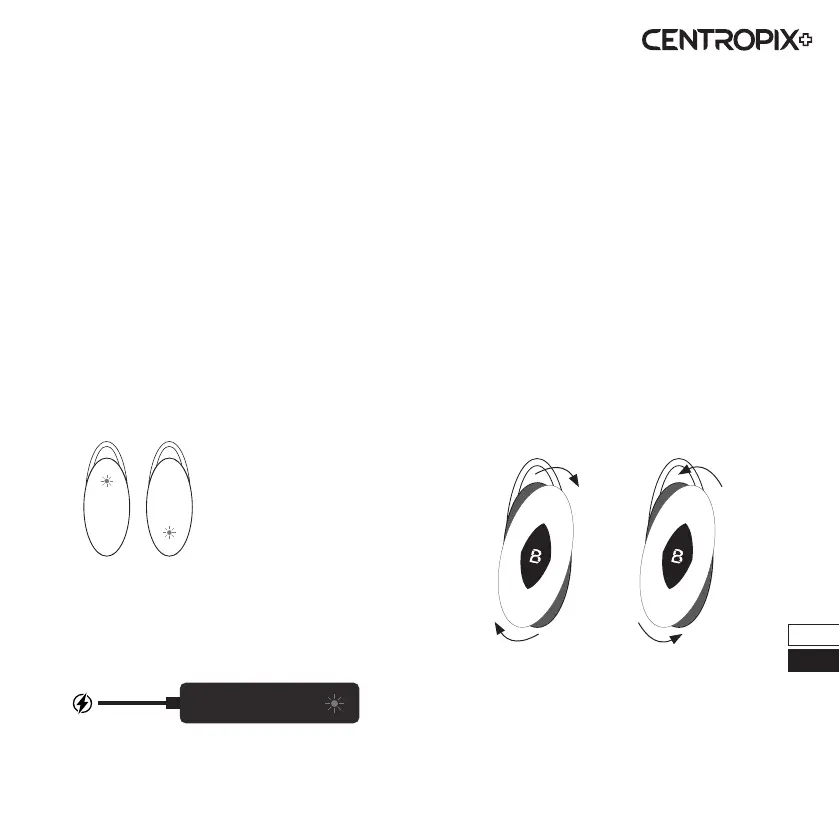
• Upper blue LED ashes or is o: Battery full
• Upper blue LED lights up: Battery charging
• Lower green LED ashes: Data transmission
- Flashes once for Schumann frequencies
- Flashes four times for individual frequencies
BUBBLE
2
when worn
• Lower LED ashes according to the set
frequency: BUBBLE2 is active
- White LED ashes: Schumann (7.83 Hz)
- Yellow LED ashes: Schumann (14.1 Hz)
- Red LED ashes: Schumann (20.3 Hz)
- Green LED ashes: Schumann (26.4 Hz)
- Blue LED ashes: Individual frequencies
• Lower LED - no light ashes or lights up:
Battery is asleep or empty
For the inductive charging station
• Upper green LED lights up:
Charging station is active
• Upper green LED does not light up:
Charging station is switched o
Our
BUBBLE
2
oers not only versatile frequency
options, but also the possibility to customize the
appearance to your style. The scope of delivery
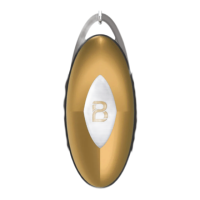
includes a total of 3 dierent covers (anthracite,
silver, gold), which you can exchange in no time.
Changing the cover is very simple. Turn the current
cover clockwise to remove it from the
BUBBLE
2
frequency generator. Then simply take the desired
cover and replace it by turning it anti-clockwise.
Please ensure that the rubber ring is properly
seated on the housing before tting the cover.
Ensure that it ispositioned correctly to guarantee
the eectiveness of the seal (splash protection).
Light signals Change cover
Remove cover Fasten cover
10
DE
EN


 To Next Page