15
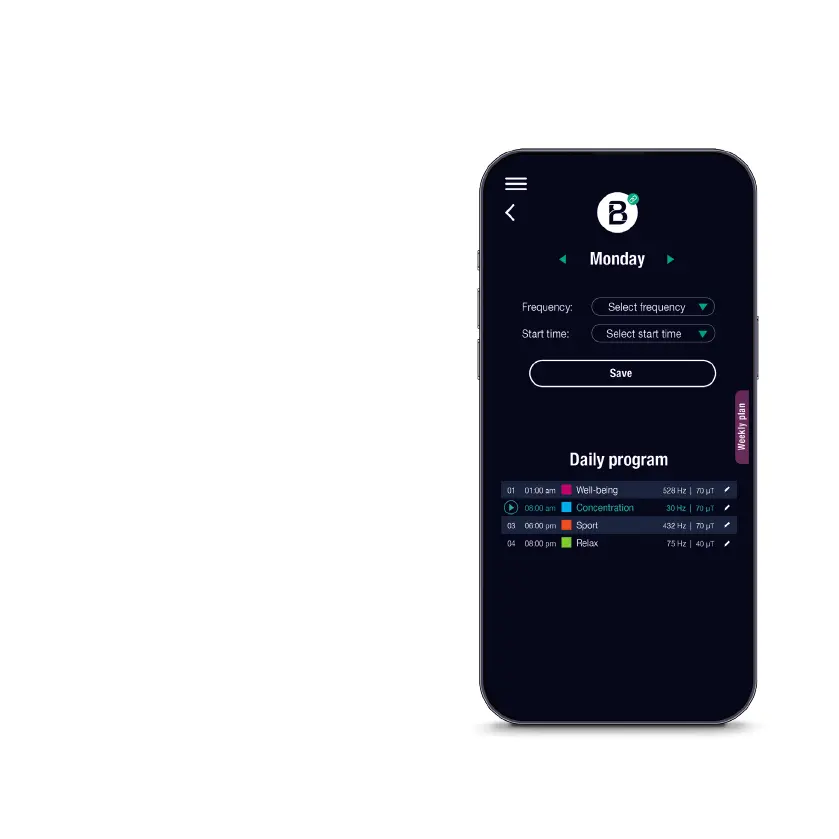
The frequency planner allows you to customize
your daily or weekly schedule with a maximum of
12 program changes. You have the exibility to de-
ne specic frequency programs and schedules for
each day of the week.
1. Select the desired day of the week
2. Select the desired frequency
(according to the frequency list)
3. Select the desired start time
4. Save the program
Edit daily program list
The new frequency with start time appears under
“Daily program”. You can edit each position at any
time using the pencil symbol. To delete a frequency,
swipe from right to left in the corresponding line.
Weekly plan
Click on the vertical button “Weekly plan” to go
directly to the weekly schedule.
Frequency planner (optional)


 To Next Page