- 19 - INSTALLATION MANUAL – RDO
13.3. Courtesy lamp
• The built-in Courtesy Lamp will switch on each time the RDO II is activated and then switch off automatically 90
seconds after receiving the last remote control or run signal.
• In order to conserve remaining battery power the Courtesy Light will not function once battery voltage falls below
24V
Bulb replacement
• Hinge open the Courtesy Lamp Cover to expose the bulb
• Remove the bulb by first pushing in and then turning anti clockwise
(same as removing and replacing a household light bulb)
• Replace bulb with identical 24V 21W Incandescent
• Close the Courtesy Lamp cover
Important note: Replacing the bulb with 12V version will cause the transformer to overheat and may
permanently damage the transformer and Control Board. Always ensure that replacement bulb is rated at 24V
and no more than 2W.
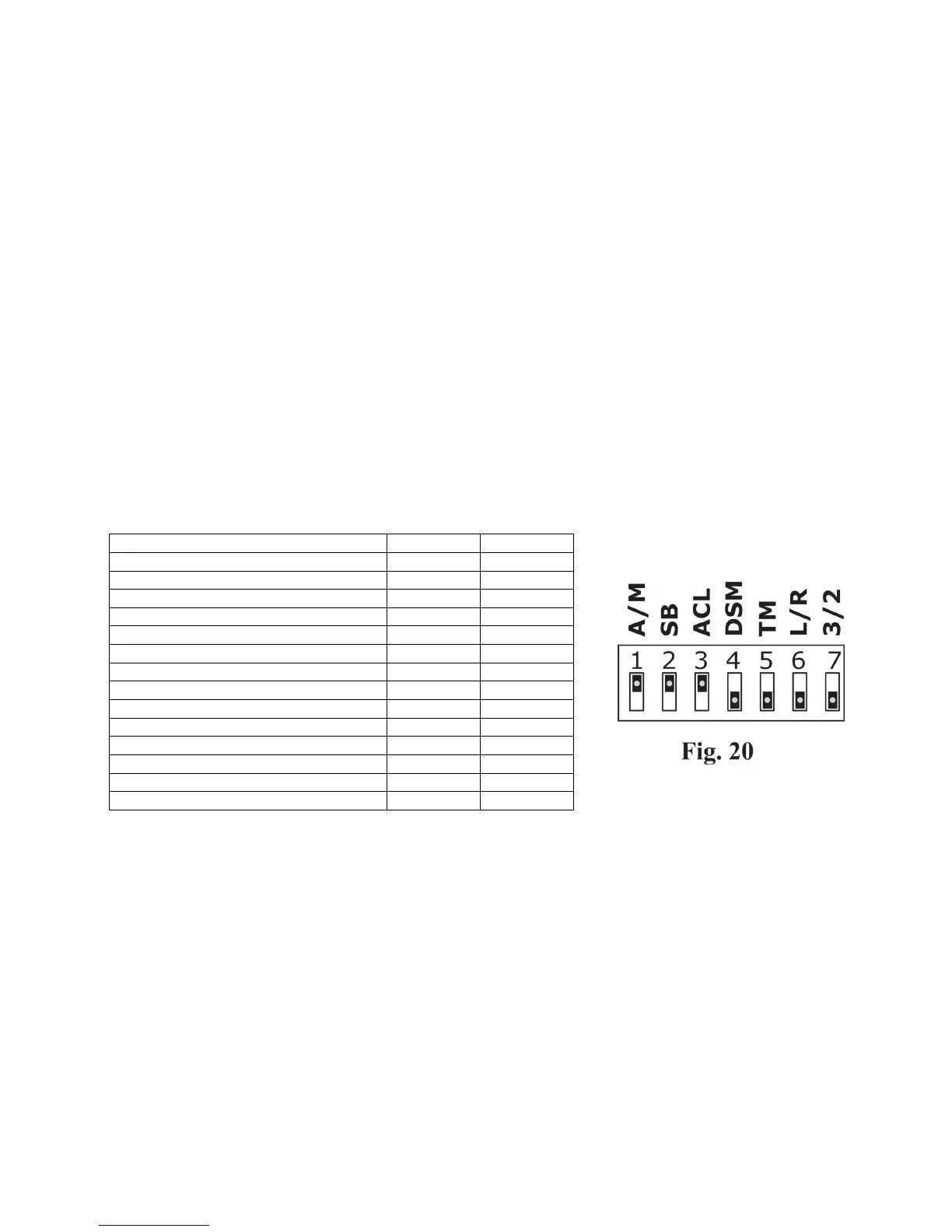
13.4. Dipswitches
• The Dipswitches located on the Control Board (Figure.20) enable or disable specific functionality
• The Dipswitches can be accessed by removing the Courtesy Lamp and Control Box Covers
(Refer Section.5.6 for removal and replacement details)
• Read through the following table and select the specific functionality best suited your specific personal or garage
door requirements.
Functionality table
Table 1


 To Next Page