Revision: 02/1015 DOK 1643-us 19 of 28
LED flashes green: at half charge
LED flashes red: very low – replace
You hear in the CT communication set three (3)
low beeps in 30-second
intervals
Undser heavy load and high volume and depending on the battery/storage battery
status the communication may result in a distortion-like audio impression. This is
normal and prevents system crashes / malfunctions if a battery / storage battery
does not provide enough power anymore. An acoustic warning signal advises if
the battery / storage battery is almost flat.
Remedy:
Reduce slightly the volume or change the battery / storage battery.
The button does not disconnect if the battery/storage battery is dead, in order to
enable the user to communicate even in critical situations where a battery change
is not possible.
7.13 Change the PIN for CT-Multi PTT Bluetooth
Store the newly set PIN in a safe place. In case the new PIN is lost,
reprogramming is possible by CeoTronics, only.
The PIN of the CT-Multi PTT Bluetooth is 83787432 in
the state as delivered from factory. To change the PIN
start the program “CT-BluetoothUtillity” on your
personal computer. Follow the instruction manual
Dok1345 “CT-BluetoothUtillity”.
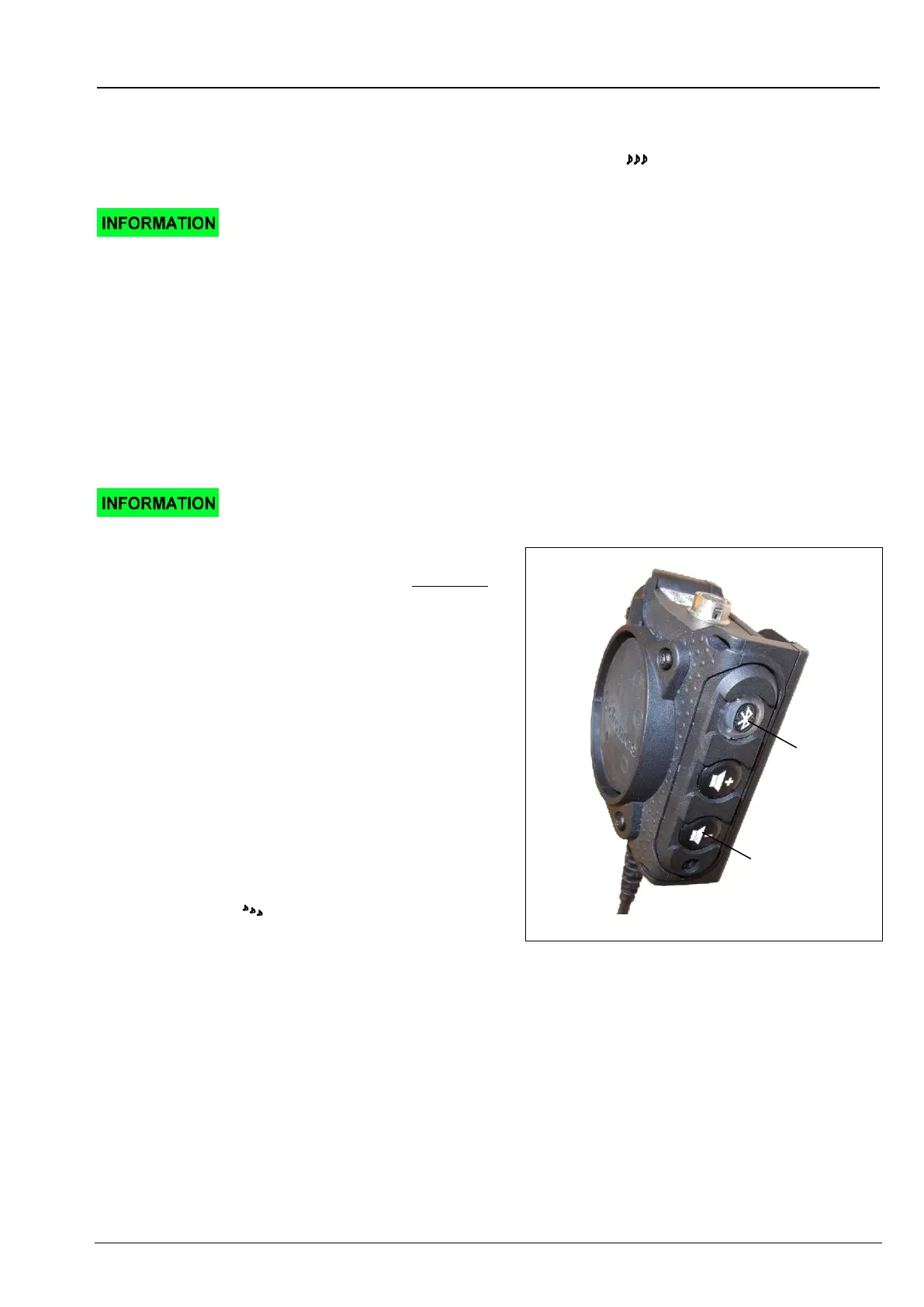
Put the CT-Multi PTT Bluetooth in programming mode.
For it, press simultaneously the Bluetooth and volume-
down keys and keep both pressed for at least 8
seconds, until you hear a four (4) tone sequence in
your CT communication set, and the LED in the
Bluetooth key glows red. After a few seconds your can
hear a readiness beep – now you can establish a
connection to the personal computer. Follow the
instructions of the PC program. To abort programming
on the CT-Multi PTT Bluetooth or to end the process
after successful change, press briefly the volume-up
key. The LED in the Bluetooth key goes out and you
hear a descending
three-tone sequence.
key
key


 To Next Page