4
Introduction
With over 50 years of speaker system know‐how involving concerts, movies and clubs, Cerwin‐
Vega!isthenameyoucancountontorecreatethefullimpactofyourparticularmusic,gamingand
playbacksituationinyourhomeorofficeenvironment. WhensettingouttocreatethepoweredXD
Series,
Cerwin‐Vega engineers made their goal to deliver optimal sound reproduction from a
selection of compact systems and enclosures that fit neatly in a desktop application. In the
traditionofCerwin‐Vegaprodu ctskeydesigngoalsincludedoptimizedfrequencyresponse,overall
clarity,lowdistortionanddecentbassperformance,aCerwin‐
Vega!trademark.
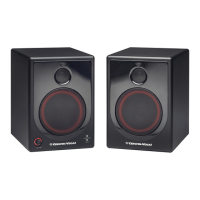
XD4andXD5Speakers
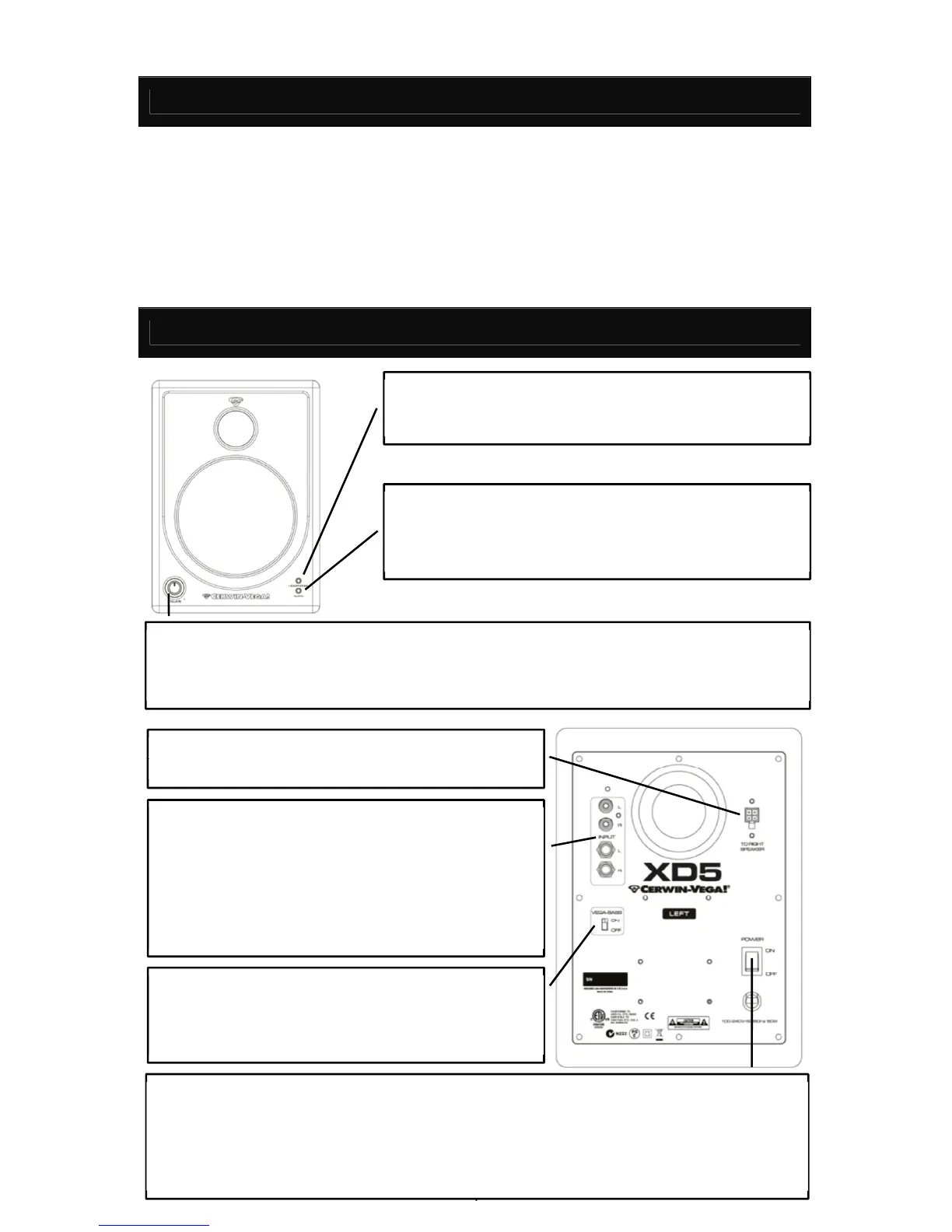
AUDIO INPUT – There are two types of audio inputs.
The top LEFT & RIGHT inputs are RCA connectors for
unbalanced signals, which are typically used for
consumer products and musical instruments. The
bottom LEFT & RIGHT inputs are ¼” connectors for
balanced signals, which are typically used for
professionalproducts.
VEGA BASS – Tailor the XD speaker system to your
personalpreference. With the selector set to ‘ON’, the
XD4&XD5speakerswillincreasethebassresponse.
XD SPEAKER CABLE
The bi‐speaker cable is required
toconnecttheLEFTandRIGHTspeakers.
POWER SWITCH & POWER CORD – Set the power switch to ‘ON’ position when the speaker
system is ready for use. Auto‐Standby activates after 30 minutes of no activity. Standby
deactivates when it detects an input signal having an amplitude of‐50dBu or greater. In quiet
(lowlisteninglevel)situations,
adjustthe gain stages by setting thevolumetomiddle or lower
andincreasethein
Use a⅛” stereo‐mini (male to male) as the
connectiontoamobiledevicefromtheXDspeakersystem.
Note:When used with an XD8s sub woofer,use the AUXIN
ontheXD8ssystemremotevolume control.
VOLUME – The volume knob controls both the LEFT and RIGHT speaker volum e at the same
time. Turning the volume knob in a clock‐wise direction will increase the speaker volume.
Turning the volume knob in a counter‐clock‐wise direction will decrease the speaker volume.
HEADPHONE





 To Next Page