© Cesab 13 – 9 T Code(s): 841, 842, 843
Repair manual: Tiller arm 4000 Model(s): S210, S212, S212S, S212L, S214, S214L, S220D
Publication Number: 7588857-040 Date: 2018-05-01 Applies from serial number: 6384351-
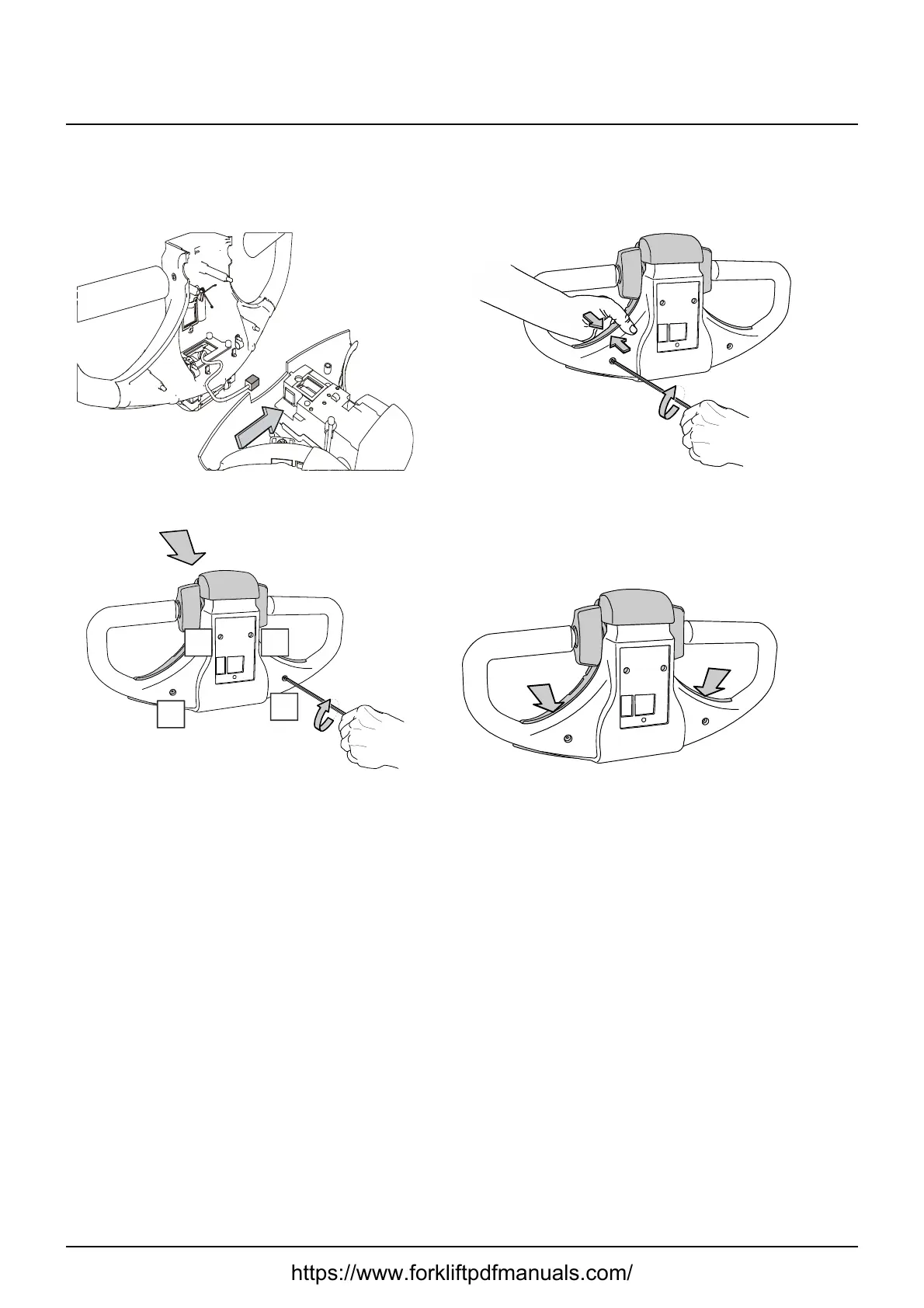
Installing the upper cover
1: Connect the CAN bus connection to the logic card
2: Press together the upper and the lower parts, and turn the screws five complete
turns. Start with the left side, and then proceed with the right side.
3. Turn the screws crosswise as depicted below a further four complete turns (a
total of nine turns, which corresponds to 1 Nm).
4. Check that there is no space between the handle and the steering head.
5: Make sure that the control can be moved back and forth without difficulty, and
that the control returns to the neutral position.
If the control shows signs of being difficult to move: Re-adjust the screws
according to step 3.
Fit the keypad. Page 13–7
https://www.forkliftpdfmanuals.com/



 To Next Page