Citation SERVICE BULLETIN
SB560-34-114
ACCOMPLISHM ENT INS TRUCTIONS
1. Prepare the airplane for maintenance.
A. Make sure that all switches are in the OFF/NORM position.
B. Disconnect electrical power from the airplane.
(1) Disconnect the airplane battery.
(2) Disconnect external electrical power.
C. Attach maintenance warning tags to the battery and external power receptacle that have "DO NOT
CONNECT ELECTRICAL POWER - MAINTENANCE IN P ROGRESS" writtenonthem.
2. Remove and return to Cessna the components that follow: (Refer to the Maintenance Manual, Chapter
23, Honeywell Primus Intergarted Radio System, Maintenance Practices.)
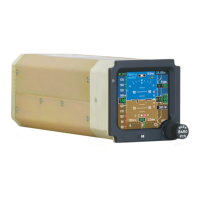
• Two radio management units (RMU).
• Two integrated comm units.
• One CD-850.
NOTE: Operators: The components listed above may be modified. Contact Cessna Citation Repairs
to schedule modification at 1.866.349.8436 (US/Canada) or 1.316.517.8079 (International) or
telefax 316.206.4068 or email to: citationrepair@cessna.textron.com. This will require advance
notification. Citation Repairs will schedule the units and arrange for their return. Allow five to
seven days for modification. This service bulletin may not be signed off as completed unless the
units are scheduled through Cessna Citation Repairs.
3. (Airplanes that do not have the TCAS I system installed.) (Refer to Figures 1 through 5.) Choose a
location to install the 066-01146-1211 TCAS II Computer. Determine if Primus II Communication units are
installed in location option 1 or location option 2.
4. Install the TCAS system.
A. (Airplanes that do not have the TCAS I system installed.) Install the appropriate TCAS II and Primus
II Com cable assemblies.
(1) (Airplanes that will have the 066-01146-1211 TCAS II Computer installed at location option A
and the Primus Communication Units installed at location option 1.) Change the existing wiring
to match the 9690568-1 and 9690555-1 Cable Assemblies. (Refer to Cessna Engineering
Drawings 9690568 and 9690555.)
(2) (Airplanes that will have the 066-01146-1211 TCAS II Computer installed at location option A
and the Primus Communication Units installed at location option 2.) Change the existing wiring
to match the 9690568-1 and 9690558-1 Cable Assemblies. (Refer to Cessna Engineering
Drawings 9690568 and 9690558.)
(3) (Airplanes that will have the 066-01146-1211 TCAS II Computer installed at location option B
and the Primus Communication Units installed at location option 1.) Change the existing wiring
to match the 9690564-1 and 9690555-1 Cable Assemblies. (Refer to Cessna Engineering
Drawings 9690564 and 9690555.)
(4) (Airplanes that will have the 066-01146-1211 TCAS II Computer installed at location option B
and the Primus Communication Units installed at location option 2.) Change the existing wiring
to match the 9690564-1 and 9690558-1 Cable Assemblies. (Refer to Cessna Engineering
Drawings 9690564 and 9690558.)
(5) (Airplane
s that will have the 066-01146-1211 TCAS II Computer installed at location option C
and the Primus Communication Units installed at location option 2.) Change the existing wiring
to match the 9690566-1 and 9690558-1 Cable Assemblies. (Refer to Cessna Engineering
Drawings 9
690566 and 9690558.)
(6) (Airplanes that will have the 066-01146-1211 TCAS II Computer installed at location option D
and the Primus Communication Units installed at location option 1.) Change the existing wiring
Aug 13/2004 560-34-114
Revision 2 - Jan 2/2007 Page 9


 To Next Page