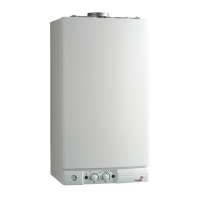
Fig. 3
7
Instruction For Setting the Built-in Clock (If Fitted)
1. General layout
The mechanical clock covers a 24 hour period. Each tappet
represents 15 minutes
A (Fig. 4). An override switch is
located on the clock B (Fig 4).
2. To set the time
To set the time of day, grasp the outer edge of the dial and
turn slowly clockwise until the correct time is lined up with
the arrow C (Fig. 4).
3. To Set the "On" and "Off" times
The clock uses a 24hours system. e.g. 8 = 8.00 am and
18 = 6.00 pm "ON" periods are set by sliding all tappets
between the "ON" time and the "OFF" time to the outer edge
of the dial.The tappets remaining at the centre of the dial are
the "OFF" periods.
4. For operation
Put the selector switch B to the symbol to control the
central heating by the clock. Put the switch B to «I» to select
permanent operation or to «
0» to turn the central heating off
permanently.
Fig. 4



 To Next Page
 Loading...